Josh your event has correct schema data my friend. Please check the screenshot i sent above from data testing tool from google. The error you are seeing might be from cached version of your website. You may have to allow sometime for google to recrawl and index the site with new data. Check this site https://webmasters.googleblog.com/2020/03/new-properties-virtual-or-canceled-events.html the bottom of the page talks about how you can create sitemap to encourage google to index again.
Archives: Replies
Replies for tickets on suppota
Reply to: tickets(170300)
please try this patch fix.
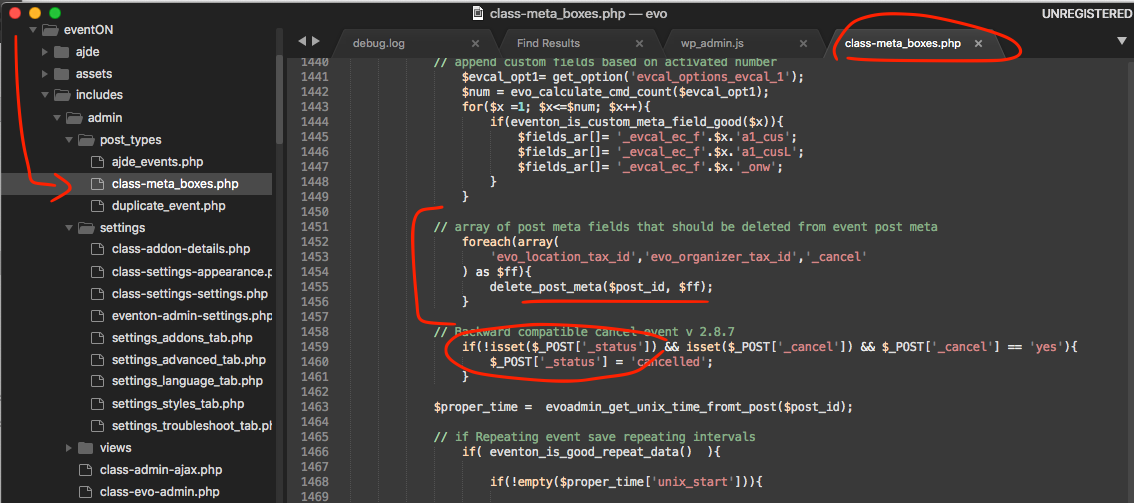
Reply to: tickets(170313)
Kindly contact codecanyon about this because we have no control over the versions available to you via codecanyon.
Reply to: tickets(169830)
Hi there as artem have mentioned the value we have added to schema data is correct and what you see might be coming from old cached version of your events page. Please allow sometime for google crawlers to reindex your site and that should help. If not kindly let us know and we can see if there is anything else we can do to help 🙂
Reply to: tickets(168790)
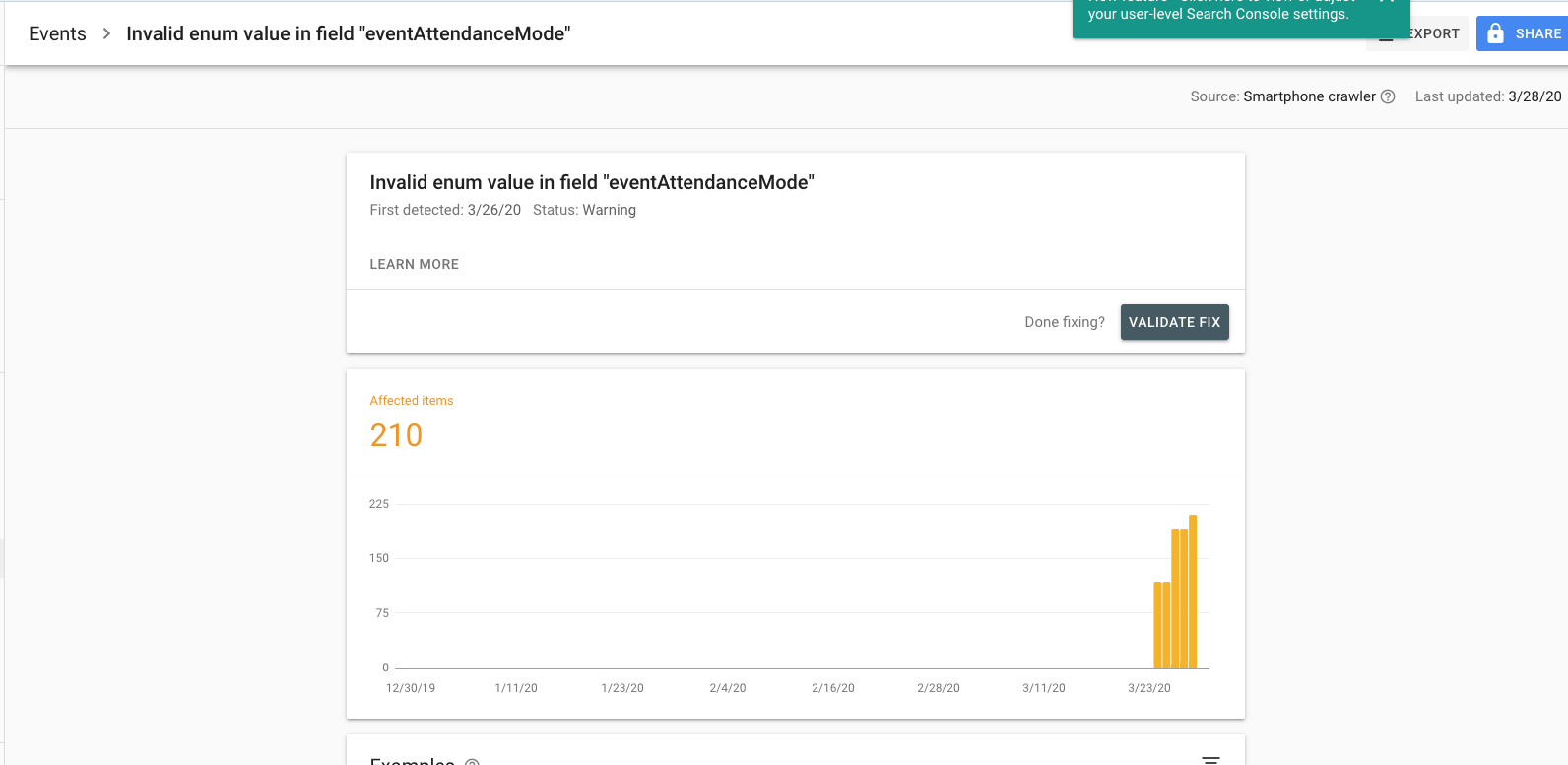
Unfortunately I am getting errors still…
code I added:
// array of post meta fields that should be deleted from event post meta
foreach(array(
‘evo_location_tax_id’,’evo_organizer_tax_id’, ‘_cancel’
) as $ff){
delete_post_meta($post_id, $ff);
}
errors are attached still…
Reply to: tickets(169986)
I dont think this is a bug because we are not seeing this issue on our end or with other customers. The license activation data is saved in wp_options so it is quite possible that old options values are reloaded into the page which might be causing addons to show as deactivated.
After updating try clear cache to make sure new options are loaded. If that doesnt help let us know Iulian 🙂
Reply to: tickets(168790)
disregard previous comment I added code from visual.
Reply to: tickets(169578)
here is the patch fix for the location issue joe
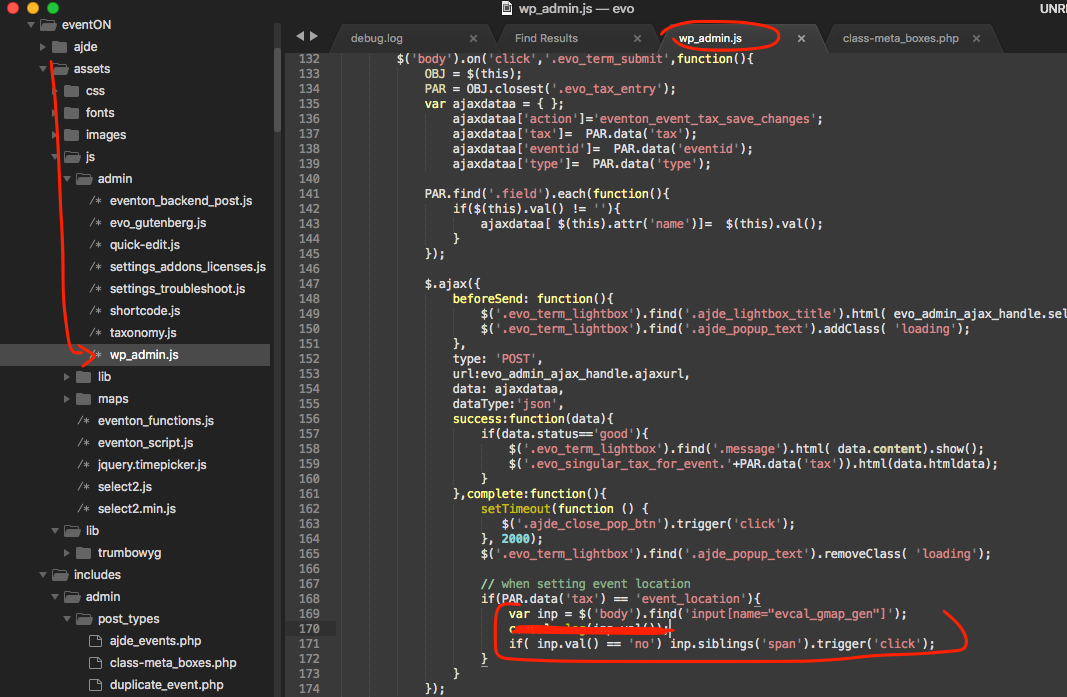
make sure to clear cache after change in code to make sure new changes are loaded to the page.
If you have more questions, kindly send us a new ticket and we would be more than happy to help you resolve your issues!
Reply to: tickets(168790)
Thanks for the quick response. To be clear am I adding this code to that file?
Reply to: tickets(169982)
Hello there since your site is in arabic I am not sure where I can find the countdown timer to appear? can you kindly send me screenshot of where the countdown timer should show in https://saudicalendars.com/?
The timer work fine for single event page for us http://dev2.myeventon.com/events/count/