Ashan,
Please go to https://mbglemgo.de/wp-admin/admin.php?page=eventon&tab=evoics_1 > Process > Run Now.
The issue can be seen when “Import Method: Schedule import…” is selected. EventON keeps adding “ERNTEDANKFEST” event.
Replies for tickets on suppota
Ashan,
Please go to https://mbglemgo.de/wp-admin/admin.php?page=eventon&tab=evoics_1 > Process > Run Now.
The issue can be seen when “Import Method: Schedule import…” is selected. EventON keeps adding “ERNTEDANKFEST” event.
Ok I can see the issue. Sorry that it took for so long. I am going to notify Ashan, he’ll reply ASAP.
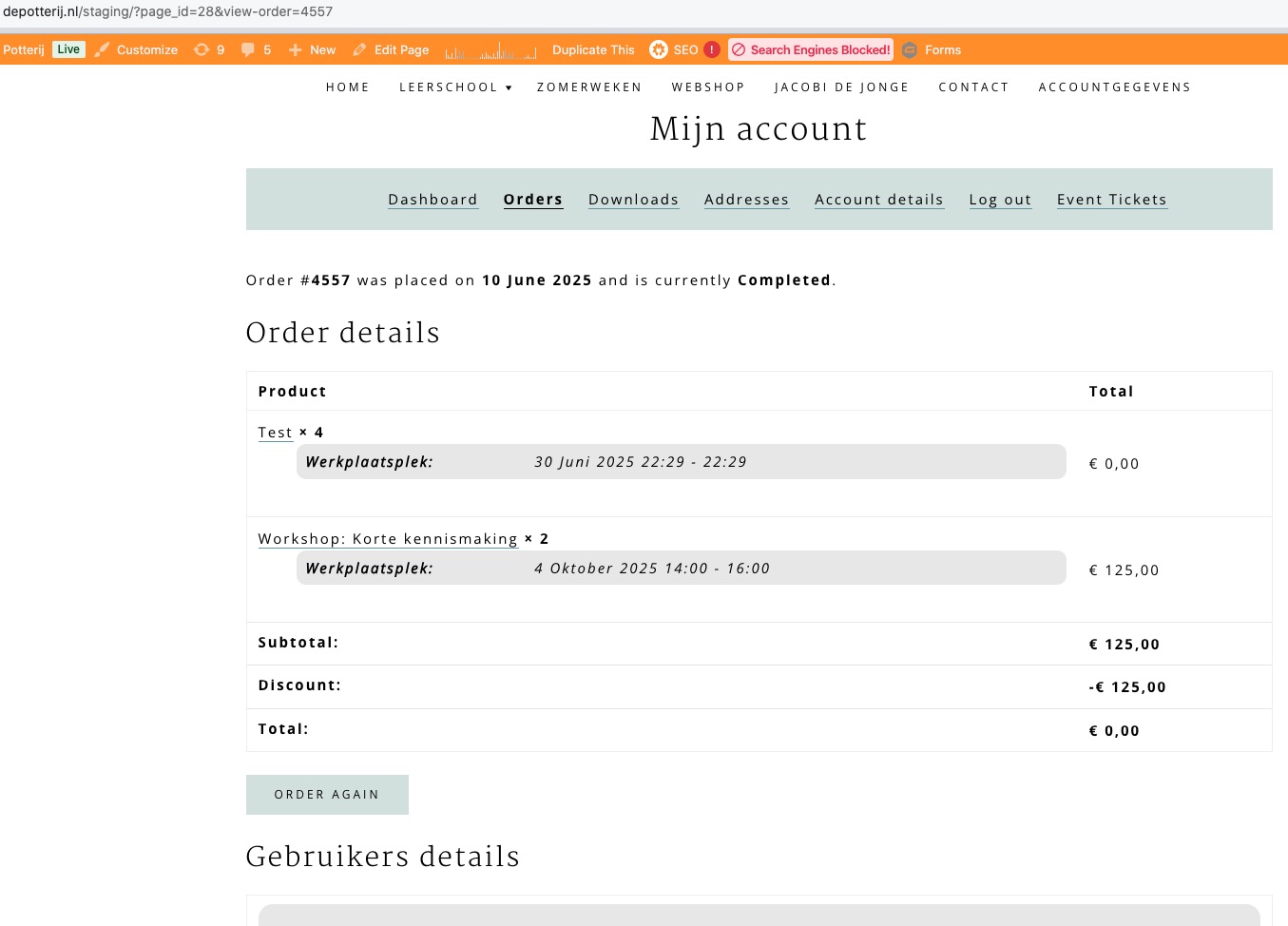
It seems that now the redirection has stopped with discount code applied:
Please also send us wp-admin access to your live website, so we can check “Can you make sure, when you test an event, that the number of available tickets will be the same afterwards?” issue.
after changing the setting ics importer to -> Import Method automatic daily it happens again.
following events are now listed again multiple times after I deleted them manually:
28 SEP ERNTEDANKFEST
03 OKT TAG DER DEUT. EINHEIT
01 NOV ALLERHEILIGEN
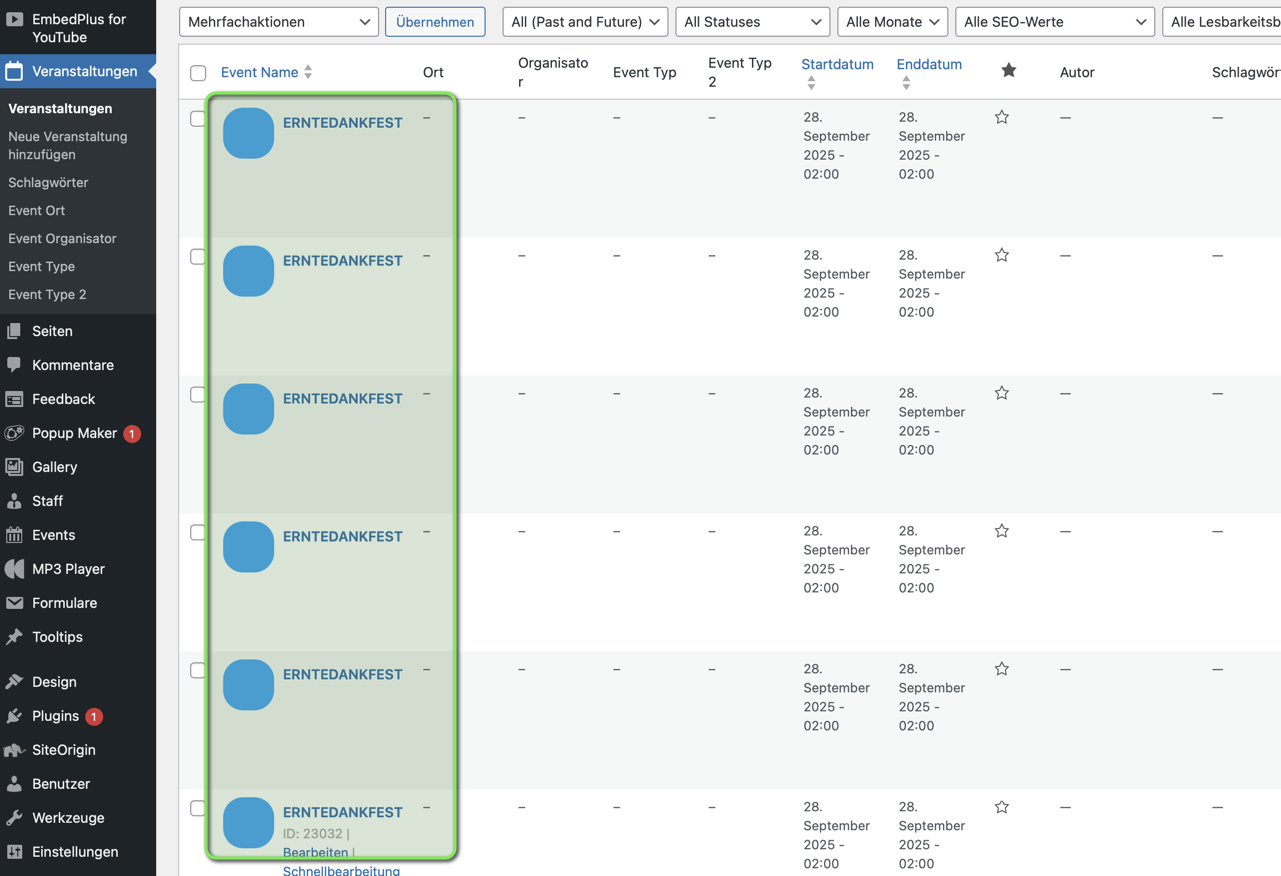
please troubleshoot again
see video below
if clearing your cache doesn’t work and you find you have this issue when you are logged in
Please send us wp-admin access to your site from “Access Info” box on right side menu, to further assist your situation.
Not a single image is visible, I am afraid.
Could you upload it somewhere and send us a link? Maybe there is an image extension that isn’t supported?
Our current PHP version on the test site is v8.2.28. No issues.
So upgrading to 8.2+ should work without issues.
Usually, the issue can be related to
https://docs.myeventon.com/documentations/increasing-wordpress-memory-limit/
Please follow the instructions in this documentation to activate debug in your site to see any PHP errors recorded that can provide insight on to whats going on. Please reply with a link to debug.log file. If you are not able to do this please send us FTP access to your site so we can do this for you.