Hi Craig,
It is better if you check with the plugin developers about that, we are not sure why it might be happening or what needs to chat.
If they can not help, we can take that more to review it, but would require a lot of time from us, so please first review with the plugin team, before we suggest that as a customization request.
We appreciate your input.
Hi,
Thank you for your answer.
I have seen the add-on related to yearly view. Thanks.
Something is not clear for me concerning licences and I did not find the answer on your website:
- the licence for the “yearly view” add-on is USD 49.- for 1 website and for 1 year. It means that I should pay USD 49.- each year. Correct?
- How does it work with the Event Calendar plugin (plugin related to this helpdesk ticket) that I have bought for USD 21.- on Themeforest? Will I also have to pay each year for this plugin or not?
Thanks in advance for your reply and best regards
Hi,
Your test server reacts exactly the way I’m describing in my ticket.
On the test server, I filtered to have only “Conferences”…
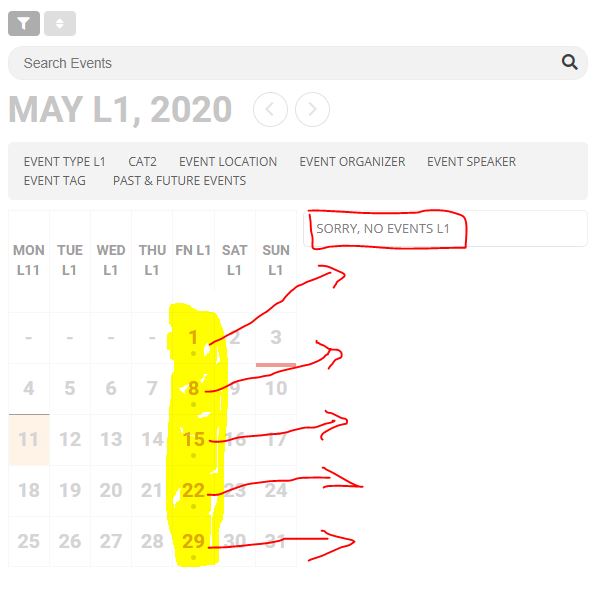
On the calendar, I can see conferences on the 1 – 8 – 15 – 22 – 29 but the list on the right shows “No events” which I find is confusing for users. They believe that there are no conferences available.
I would like to see the search results not only with dots on the calendar, but in the list on the right. See attached image. This would alleviate any confusion or discrepancy in the results from the cal and list.
Remi
If you don’t have EventON in My Account > Downloads then you are using wrong email. Could you sign in with the email you purchased EventON?
Hello,
You can either use Search Box shortcode:
[add_eventon_search search_all=”yes” ]
Or add search=”yes” to calendar shortcodes:
[add_eventon search=”yes”]
Please also go to EventON > Search Events > enable Enable additional search queries (may not work for all sites).
Hello,
Please add an online link to Location Name:
If you want to show it in the description of the event, then the only way is to add it manually at the beginning of the description.
You can also send us a customization job request by creating a new ticket in here and selecting Customization Request as the category.
Hello,
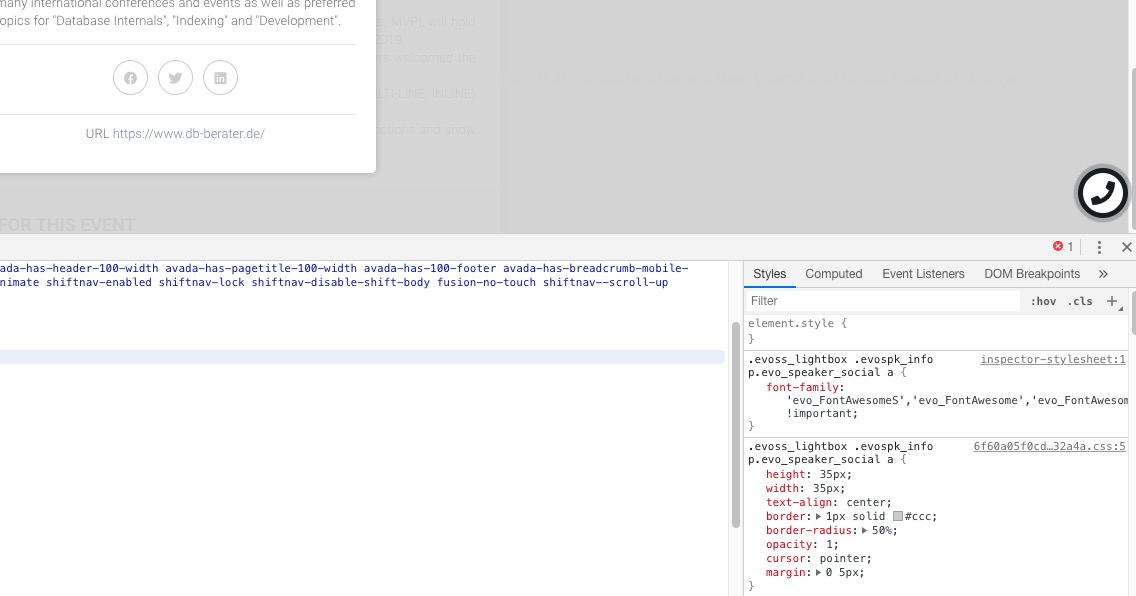
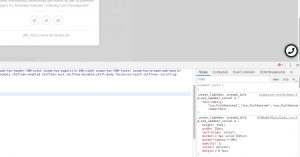
It seems there is an incompatibility issue with the theme. Please add this CSS code to EventON > Styles (If you don’t see any change, EventON > turn off Write styles to header > save settings > turn on Write styles to header):
.evoss_lightbox .evospk_info p.evo_speaker_social a { font-family: ‘evo_FontAwesomeS’,’evo_FontAwesome’,’evo_FontAwesomeB’ !important; }
Hello,
I am sorry, the access information you have provided did not work for us. Please check them and post the correct login information as a private message, thank you!
Could you also send us a link to the .ics file you are trying to import?
Unless you enabled Language Corresponding Events https://docs.myeventon.com/documentations/setup-language-corresponding-events/. In this case you can show events for one language only: lang=”L1″, lang=”L2″, lang=”L3″,…
And if you are using WPML or similar plugin then it’s the same, except it takes the language of the current page automatically.
Hey thanks! I didnt found it…
🙂