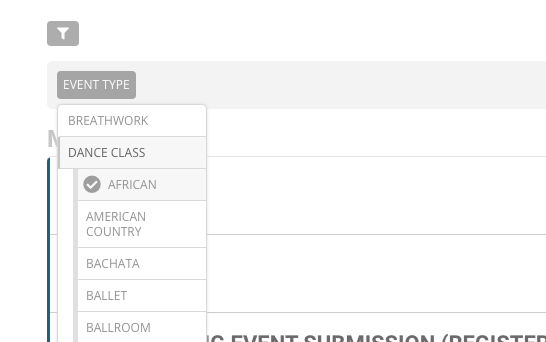
Minor issue: when selecting a filter, you’re unable to de-select it and view the parent category.
Example:
User filter,
1.) Select “Dance class”
2.) “Select “African”
This then displays all african events, but when I click on “Dance class” I do not have the option to viewing all “Dance class” events.
We are glad your issue is resolved, if you have any further questions or concerns please create a new ticket.
If you have a moment, we would greatly appreciate if you could kindly leave us a review at codecanyon! from your account > downloads. Cheers!
Hi,
Thank you for the support.
It is working now.
Best regards,
Jan
Hey Brando,
No we are good to go.
Ofcourse u confirm that there is the function that I can do that shows the views so I will add that.
We are good yeap 🙂
Yes, I did. It was the first item in the customization request:
User creates event:
Selects “Event type 1” Category – E.g. Dance Class
Because “Dance Class” was selected, I’d like Sub-Category/Event Type 2 list to appear, which are only applied to “Dance Class”
E.g.
Event type 1 – Dance Class
Event type 2 – Tango, Fox Trot, Swing, etc.
Hi Basilis,
Thank you for your quick reply.
Before we proceed and I pay you for your work, I would just like to make sure it will be exactly the way I want and described.
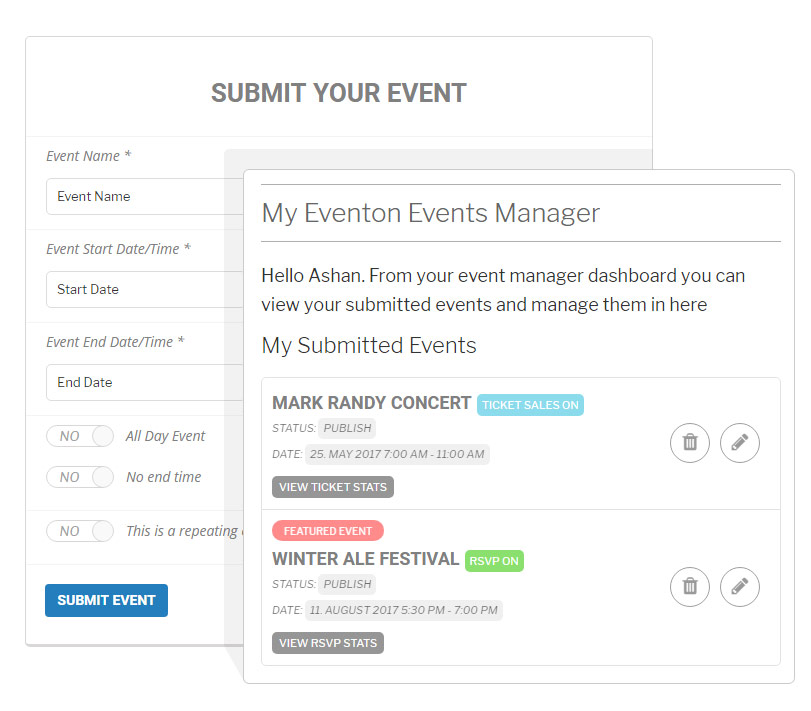
So the only place where this function will be printed and visible is in Event Manager, in each respective published/approved event in the list, right below the date, just like here> https://i.snipboard.io/pxeV2i.jpg
Font (in my case Varela Round) and font size need to be the same as date and time and this should not conflict with “View ticket stats”, “Vew RSVP” or any other option when enabled like here > https://www.myeventon.com/wp-content/uploads/2013/11/main_img-3.jpg
Please let me know if we are on the same page or if there are any things I need to clear up. If all is good and clear, please provide me with the info how to pay and when I can expect the code with instructions.
Thank you in advance.
Best,
Brando
user: test_eventon
pass: c9mV)VbKz!Wn#jg%ChxWLqjx
https://confinedrock.com/wp-admin/
Ok thankyou.
I already create a Featured Request public ticket. So I will create a new ticket of customization job request. But I expect open my place in a month. If I can’t use your seat plugin I need another solution.
Do you think is it posible, customization job, in better case?
Please send us wp-admin access to your site as a private message for us to further assist your situation.
Hello,
You can create an event with a seats map and then duplicate it multiple times by clicking on Edit Event > Publics > Duplicate.
Please create a new ticket and select Feature Request as category so others can vote to get this moved into development faster. OR You can send us a customization job request by creating a new ticket in here and selecting Customization Request as the category.