Michael Weyck,
We are glad your issue is resolved, if you have any further questions or concerns please create a new ticket.
If you have a moment, we would greatly appreciate if you could kindly leave us a review at codecanyon! from your account > downloads. Cheers!
Hello,
Show remaining tickets only works for Woocommerce simple tickets. And you use Ticket Pricing Type: Variable, correct?
You added lang=”L1″ and lang=”L2″ but didn’t enable EventON > Enable language corresponding events. Could you please check https://docs.myeventon.com/documentations/setup-language-corresponding-events/?
Because you are using WPML you can also try following https://docs.myeventon.com/documentations/wpml-eventon-front-end/.
Unfortunately, we cannot provide EventON 2.6.
Could you also tell us more about the font issue? With screenshots, if possible.
Could you or may I please try the instructions mentioned in this documentation?
Good morning for your message
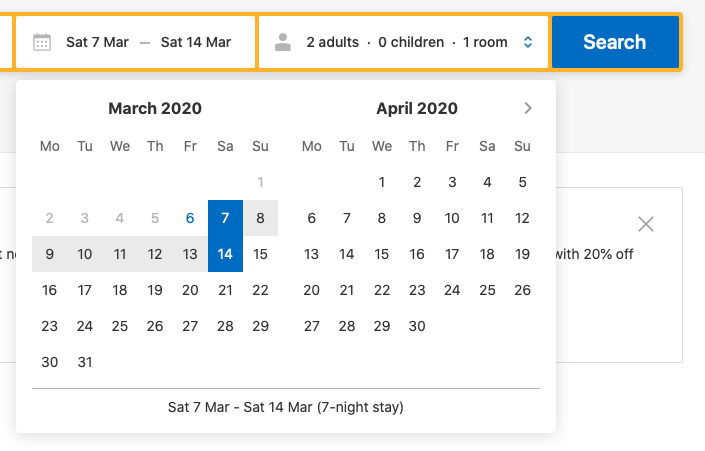
I wish a user could choose a period (minimum one week) and send a booking request. The administrator must verify and accept the request and make those dates no longer available.
There are 5 apartments:
– from the home page it would be useful to do a search based on a period and to know the availability of each.
– In the internal pages the search refers to a single apartment
thank you
Angelo
How do I install this ? just upload it in the plugins folder ?
Wp-Admin
username: myeventon
password: S8w@DQgSCtlYF4sdW3ps)O1q
The ftp details have not changed, they must work.
Hello guys. Many thanks.
For now, I just wait. You can use my admin ID or loco-translate plug-in.
FTP info is here
Host
sv7088.xserver.jp
User name
eventon@break-a-leg.jp
PW
MdkeRak9dKa
Best
Regarding google map, can you check once by disabling all other plugins and changing the theme to default WP theme?
This doesn’t appear to be caused by our custom work.
I do not see where you suggested 2 times slots. they have several events that have 2-4 time slots. If there is a way to create 1 event with many time slots they can RSVP to, that would be great. I’m not finding any place within the RSVP to add 2 times for the event. Will you please tell me how to do this within the RSVP.
I have a few issues with what I did set up for RSVP.
- I tested the RSVP form a few times, then deleted the RSVP in the admin. The number of volunteers did not reset and now the event says it’s full. There are no RSVPs in the admin and the event total is set to 8. Screenshot: https://prnt.sc/rcbx9b Please advise if this is a bug or what the issue is in removing RSVPs from the admin.
- I am using the slide down cards for the RSVPs. The background is green and the font within the fields is very light. SCREENSHOT: https://prnt.sc/rcby17 Those styles do not see to be in the style editor. I’ve looked at all of the options in your setting. Screenshot: https://prnt.sc/rcbynb Please advise where/how to change the colors.
- There is a small button that says RSVP at the top of the event. If you click it, it doesn’t open the card to enter their name and phone number. How can I remove this button or have it open the card? Screenshot: https://prnt.sc/rcbxkj
- In using your shortcode maker for an event list, I inserted it this short code on this page: https://newalbanyelks.org/volunteer/
[add_eventon cal_id=”6″ event_type_2=”147″ accord=”yes” hide_past=”yes” etc_override=”no” ]
The Event List did not show.
I copied this from the calendar page and adjusted the event id. It works. I’m not sure what is wrong with the above short code. I do not want empty months to show.
[add_eventon_list event_type_2=”147″ accord=”yes” hide_empty_months=”yes” hide_past=”yes” ]
Thanks for your help
BTW, i had submitted a login for you when I opened this ticket if you want to have a look.
Teresa
Ashish has accepted the job for 1