Image. 50% smaller
Replies for tickets on suppota
Image. 50% smaller
Hello,
Please note that shortcodes / parameters are to interchangeable. A function in one program may not necessarily work on another.
So, please make sure only parameters that are allowed are added in the shortcode.
My hosting/server only allows php 7.2. What do I do?
How much would it cost to add box office customization?
1. We want to batch print a selected amount of tickets to sell manually (like a box office).
2. When printing we would appreciate if it prints the maximum number of tickets on A4 page as to not waste space, and that tickets are not cut off as it continues on next page. Also, if we print on front and back of ticket, can we have double sided auto option if the printer supports it?
3. It must have the qr code so we can scan them at the door.
and forgot to mention social share icons are not showing as well.
Thanks in advance
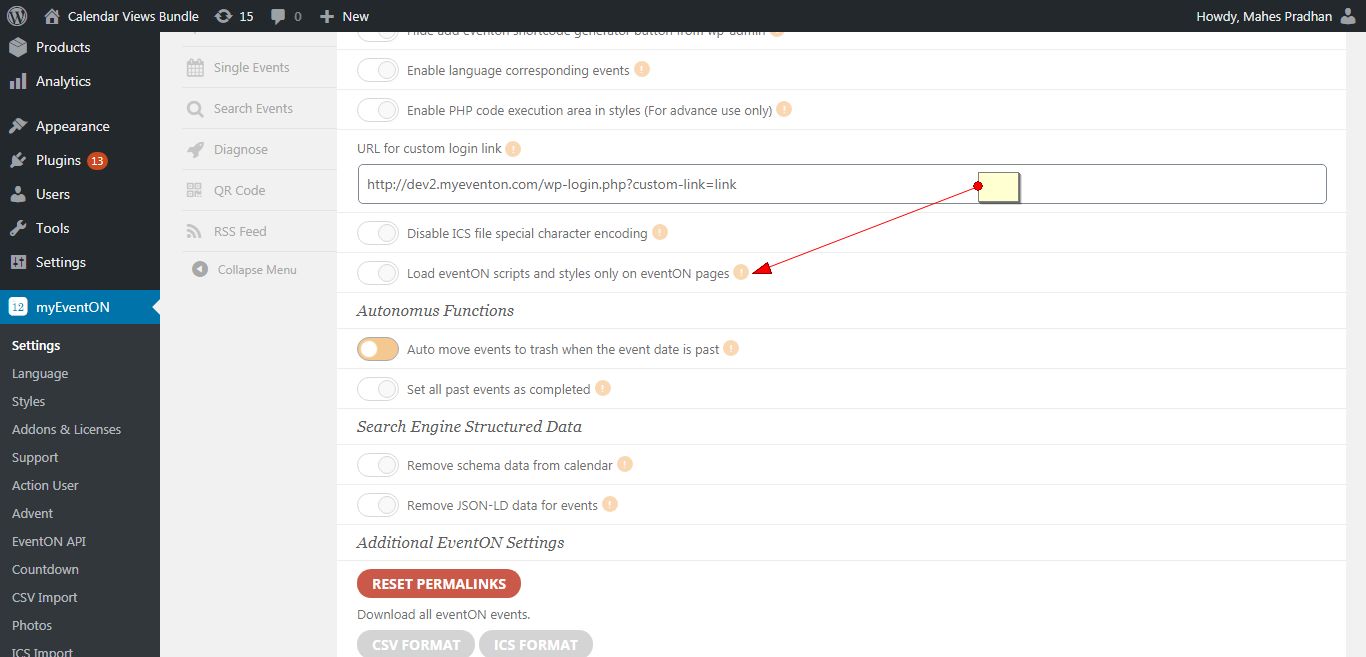
Please go to myeventon > settings and turn on “Load eventON scripts and styles only on eventON pages”
Tried #2. Still broken.
There is a plugin named Controlled Admin Access. It’s open source and it does exactly what you need, without making your users either risk their site security. I used it to create your account:
These credentials will expire in 3 days.
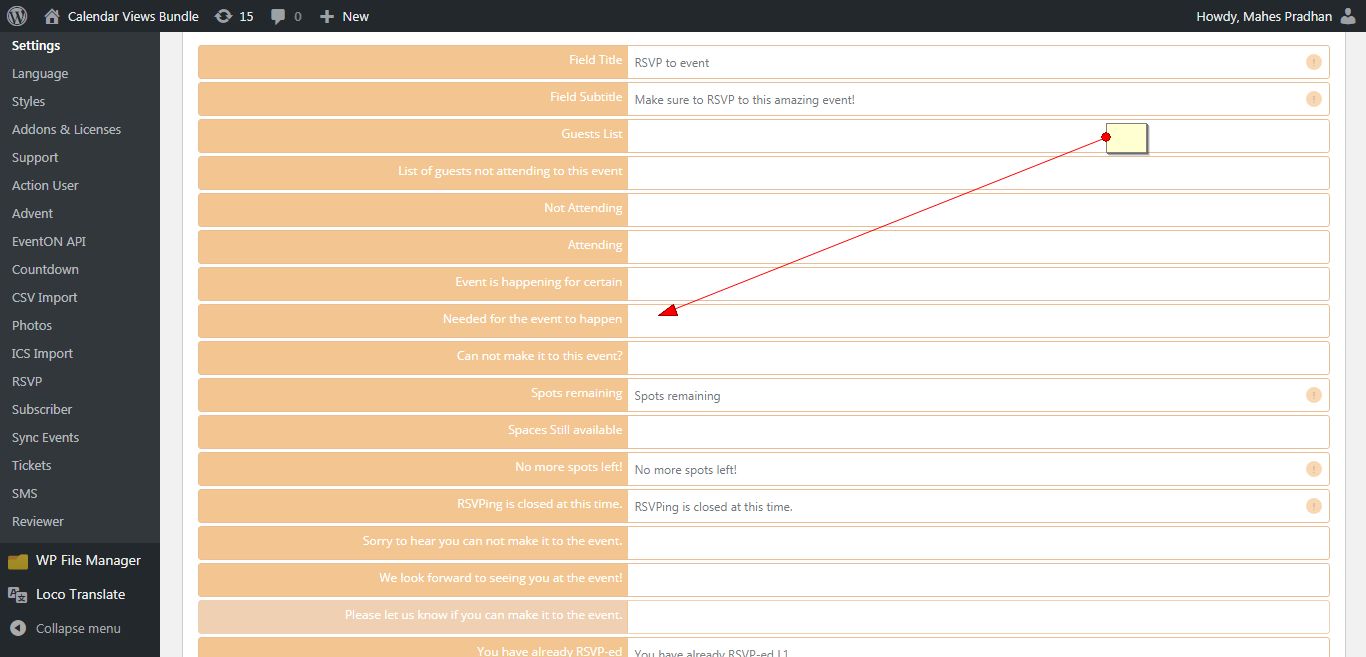
Hello,
Please go to myeventon >Language>Addon:Rsvp and your text in the field next to “Needed for the event to happen”
I have attached screenshot.
Hello,
I just checked it on our end and everything worked normally.
Could you please try the instructions mentioned in this documentation to make sure your issue is indeed coming from eventon.
Hello,
Please post the Purchase Key and your Envato username.
We will check this from our end.
Thank You