Please give us the url of the page where you have the calendar. Thank You
Archives: Replies
Replies for tickets on suppota
Reply to: tickets(165115)
Hello,
Have you checked spam?
Are you getting emails from other programs?
Reply to: tickets(162636)
Ok
So I’ve purchased a new license for the EventOn API plugin and updated it to the latest version (Version 1.0.2). I’ve also updated the EventOn plugin to the latest version (Version 2.8.5).
I’ve done this on our stage environment.
https://flineventstage.wpengine.com/
I’ve tried the below feed and I’m still getting draft events (events: 3368, 3141 and 2562 are appearing when they shouldn’t).
https://flineventstage.wpengine.com/wp-json/eventon/events?status=publish
Any ideas?
The wp-admin details to login are the same as production if you need to log in.
Chris
Reply to: tickets(164843)
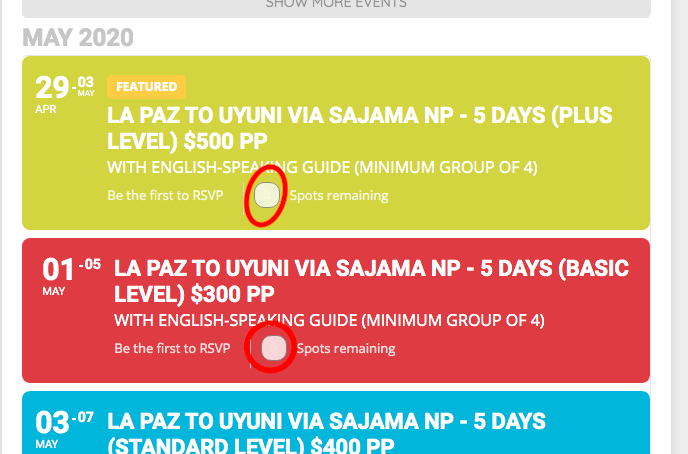
Not sure if the image was uploaded
Reply to: tickets(164843)
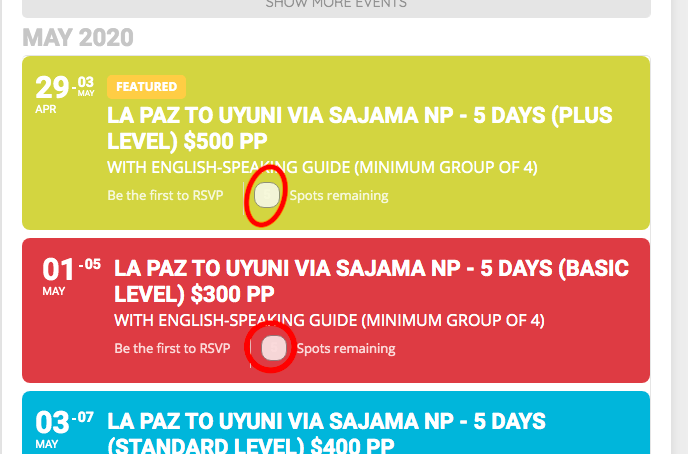
Hello
Thank you for your help. That does seem to work indeed. However, small problem is that the number in the small box is now not visible due to the color (see attached image). How can I fix this please?
Regards
Reply to: tickets(162636)
We have version 1.0.1 installed but I can’t download 1.0.2 de we need to purchase another license?
Chris
Reply to: tickets(162636)
the latest version is 1.0.2 and as you can see in the code.
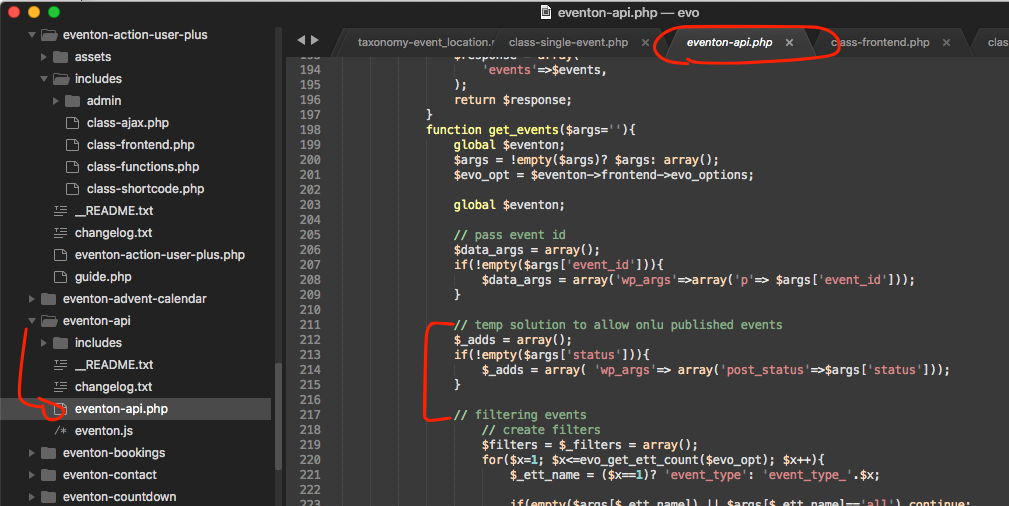
if you pass status value to the url it should show only publish events.
Reply to: tickets(164458)
The front end message options have been moved the language as mentioned in the message. There are no other options in there.
Reply to: tickets(163156)
Paolo, thank you for your message, we have tried to work with WPML folks to no avail. So we recommend locotranslator or qtranslator for our customers.
So as for archive pages you raise a great point, we do not have support to generate lang L2 taxonomy page. Lets fix it in the next eventON version. I am adding in the next version a URL like this http://localhost:8888/WP4/event-location/1440-minute-workout-center/?l=L2 will pass L2 value to the archive page. Furthermore, in the taxonmy archive page you can declare different language for the page by adding evo_set_global_lang( ‘L2’ ); beginning of the page.
Reply to: tickets(164797)
thank you for pointing out this issue. Here is the patch fix to resolve this. Once you add this patch fix make sure to clear cache and this will be included in the next version update to the ticket addon.
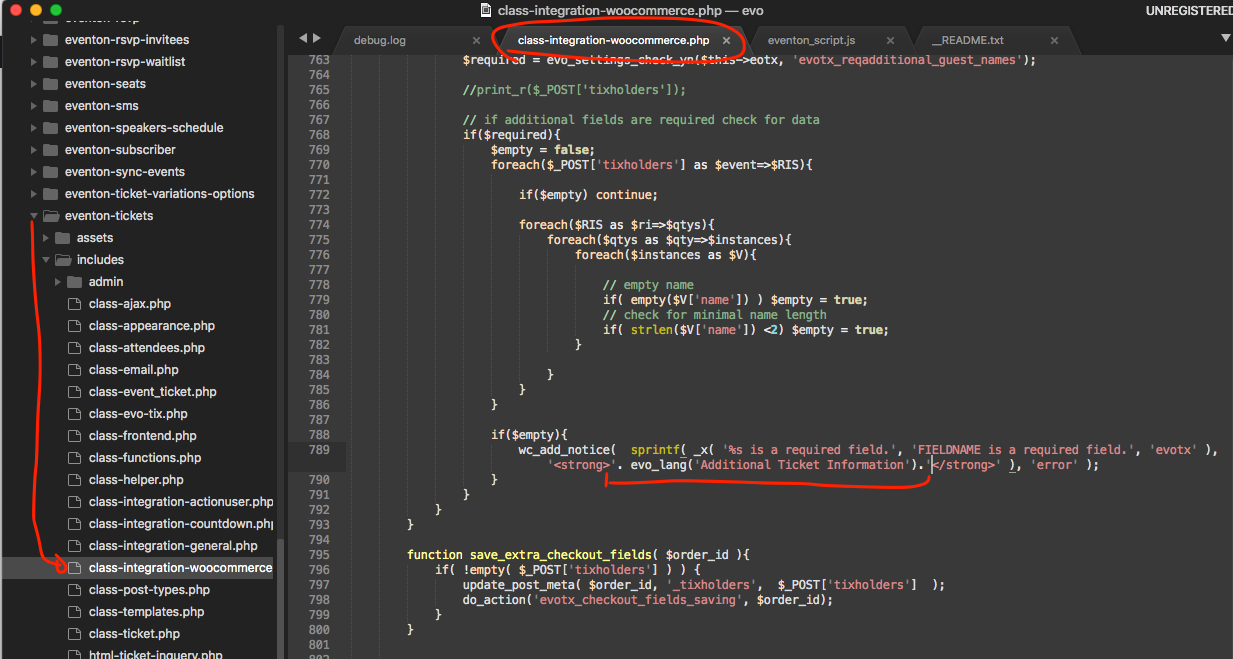
If you have more questions, kindly send us a new ticket and we would be more than happy to help you resolve your issues!