Please follow this link to get a Google maps API key which you then will have to enter in myeventon settings > Google Maps API:
js?ver=1.0:64 Geocoding Service: You must use an API key to authenticate each request to Google Maps Platform APIs. For additional information, please refer to http://g.co/dev/maps-no-account For more information on authentication and Google Maps JavaScript API services please see: https://developers.google.com/maps/documentation/javascript/get-api-key
More info: https://elfsight.com/blog/2018/06/how-to-get-google-maps-api-key-guide/
PS If you have a moment, we would greatly appreciate if you could kindly leave us a review at codecanyon! from your account > downloads. Cheers!
Hello,
Please go to EventON > Tickets > Emails > Contact Us for questions Link URL in ticket email.
If you want to completely customize the email template, please follow this guide: https://docs.myeventon.com/documentations/customize-ticket-email-template/
Hello,
For RSVP you can go to Edit Event > RSVP > “Additional email addresses to receive email notifications for new RSVPs” OR enable “Send email notifications to event author”. Unfortunately, the same is not available for Tickets at the moment. However please create a new ticket and select Feature Request as category so others can vote to get it moved into development faster. OR You can send us a customization job request by creating a new ticket in here and selecting Customization Request as the category.
Hello,
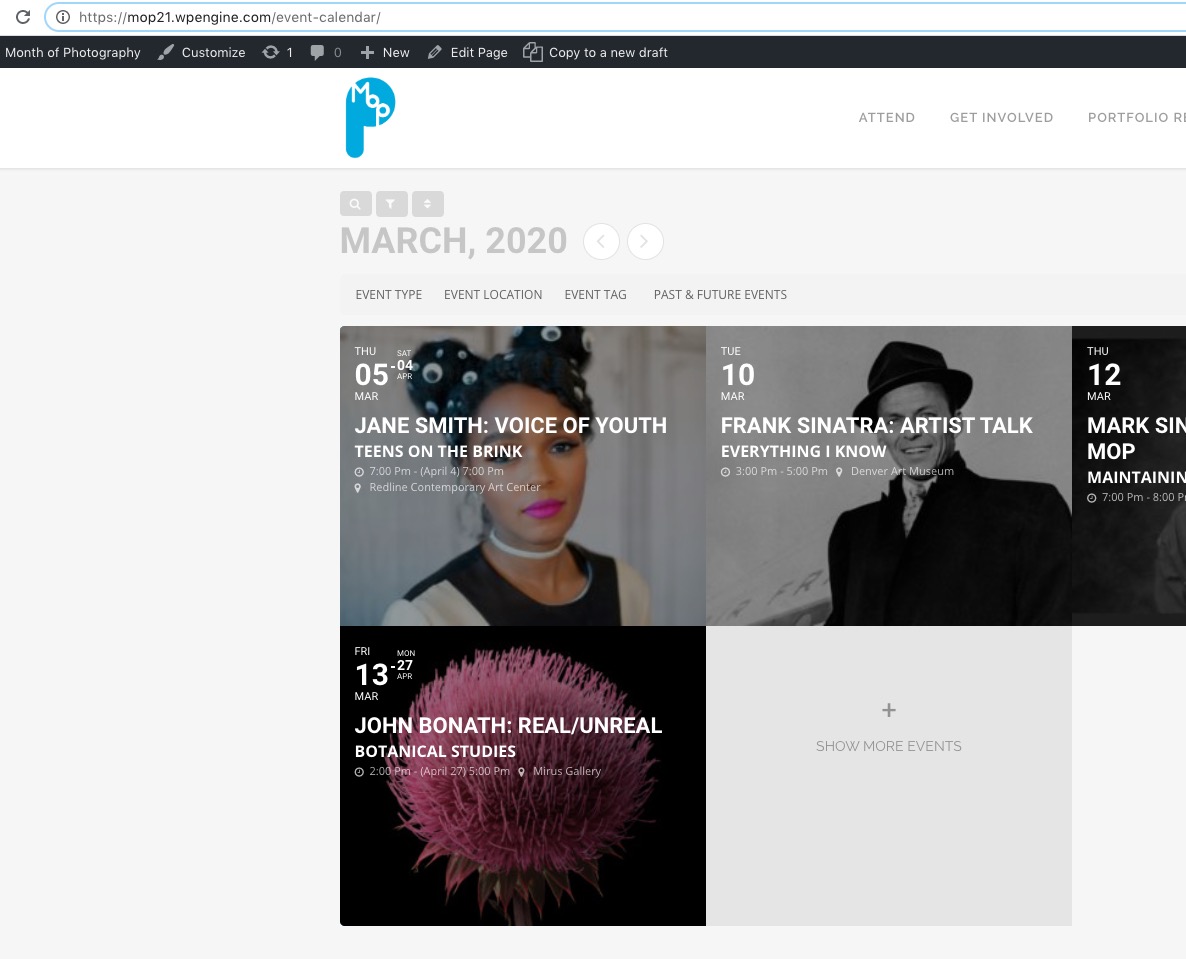
Please access your website with https instead of http: https://mop21.wpengine.com/event-calendar/
Hello,
Could you check and let me know if this order id is correct:
#75259 ActionUser Plus – Single Site
However, I plan to purchase additional Add on, so maybe it can be used as credit instead of a refund?
What add-on would you like to buy?
The problem is that your version of FullCal is quite old. Could you update it to 1.1.10? It’ll fix this issue:
EventON FullCal is NOT active! – You do not have EventON main plugin – EventON main plugin is REQUIRED to run FullCal.
EventON is required for FullCal to work properly.
To update eventon addons: You can download latest eventon addons from myeventon > my account. Then you can go to your website, deactivate old addon and install new one and activate then delete the old addon. This link will further explain the process. Also you can follow us on twitter to get real-time announcements on updates!

OK – just sharing this because so far it works. Obviously I have to wait and see what happens when a new update to either eventON or RSVP gets installed, but it can hardly be worse than before.
My code in functions.php
function dequeue1 ()
{
wp_dequeue_style( ‘evcal_cal_default’ );
wp_deregister_style( ‘evcal_cal_default’ );
}
function dequeue2 () {
wp_dequeue_style( ‘evo_RS_styles’ );
wp_deregister_style( ‘evo_RS_styles’ );
}
function dequeue3 () {
wp_dequeue_style( ‘eventon_dynamic_styles’ );
wp_deregister_style( ‘eventon_dynamic_styles’ );
}
add_action( ‘wp_print_styles’, ‘dequeue1’ );
add_action( ‘wp_print_styles’, ‘dequeue2’ );
add_action( ‘wp_print_styles’, ‘dequeue3’ );
/* ENQUEUE */
add_action( ‘wp_enqueue_scripts’, ‘ph_enqueue_styles’ );
function ph_enqueue_styles() {
$parent_style = ‘parent-style’;
wp_enqueue_style( $parent_style, get_template_directory_uri() . ‘/style.css’ );
wp_enqueue_style( ‘hello-elementor-child’,
get_stylesheet_directory_uri() . ‘/style.css’,
array( $parent_style ),
wp_get_theme()->get(‘Version’)
);
wp_enqueue_style( ‘eventon_dynamic_styles’, get_stylesheet_directory_uri() . “/eventon_dynamic_styles.css” . ‘ ‘, array(), ”, ‘all’);
wp_enqueue_style(‘eventon-custom-styles’, get_stylesheet_directory_uri() . “/eventON_custom.css” . ‘ ‘, array(), ”, ‘all’);
}
For info, I do not use the Appearance option in myEventOn to change any styling info, because it’s far simpler for me to just deal with appearance in my custom stylesheet. But I’ve included my last copy of eventon_dynamic_styles.css in my child theme’s directory just in case it’s necessary.
Thanks for your help!
(Here is a picture – reduced in View mode so you can see more – of what my calendar now looks like.)
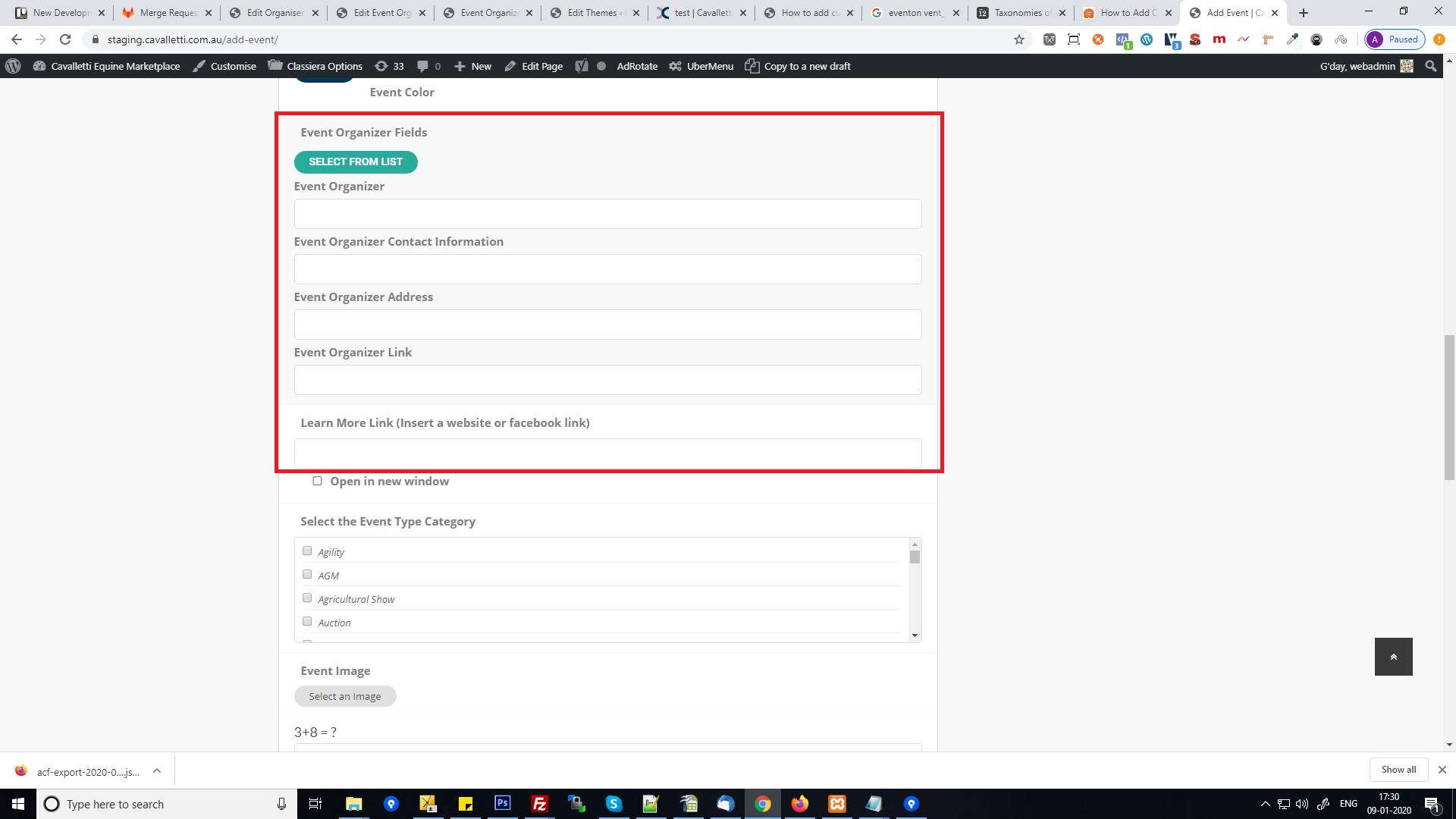
Please refer the image i have marked where i need the custom field
Don’t know, but next time I need it I’ll try.
Thank you