Hi Tony,
We have requested our CEO to review this and help do it if possible
Allow him some time please 🙂
Replies for tickets on suppota
Hi Tony,
We have requested our CEO to review this and help do it if possible
Allow him some time please 🙂
We are glad your issue is resolved, if you have any further questions or concerns please create a new ticket.
If you have a moment, we would greatly appreciate if you could kindly leave us a review at codecanyon! from your account > downloads. Cheers!
Hi Rajiv,
can you please disable all plugins except ours and check again?
Also, change theme maybe WordPress default so we can be able to understand the error.
prem couture,
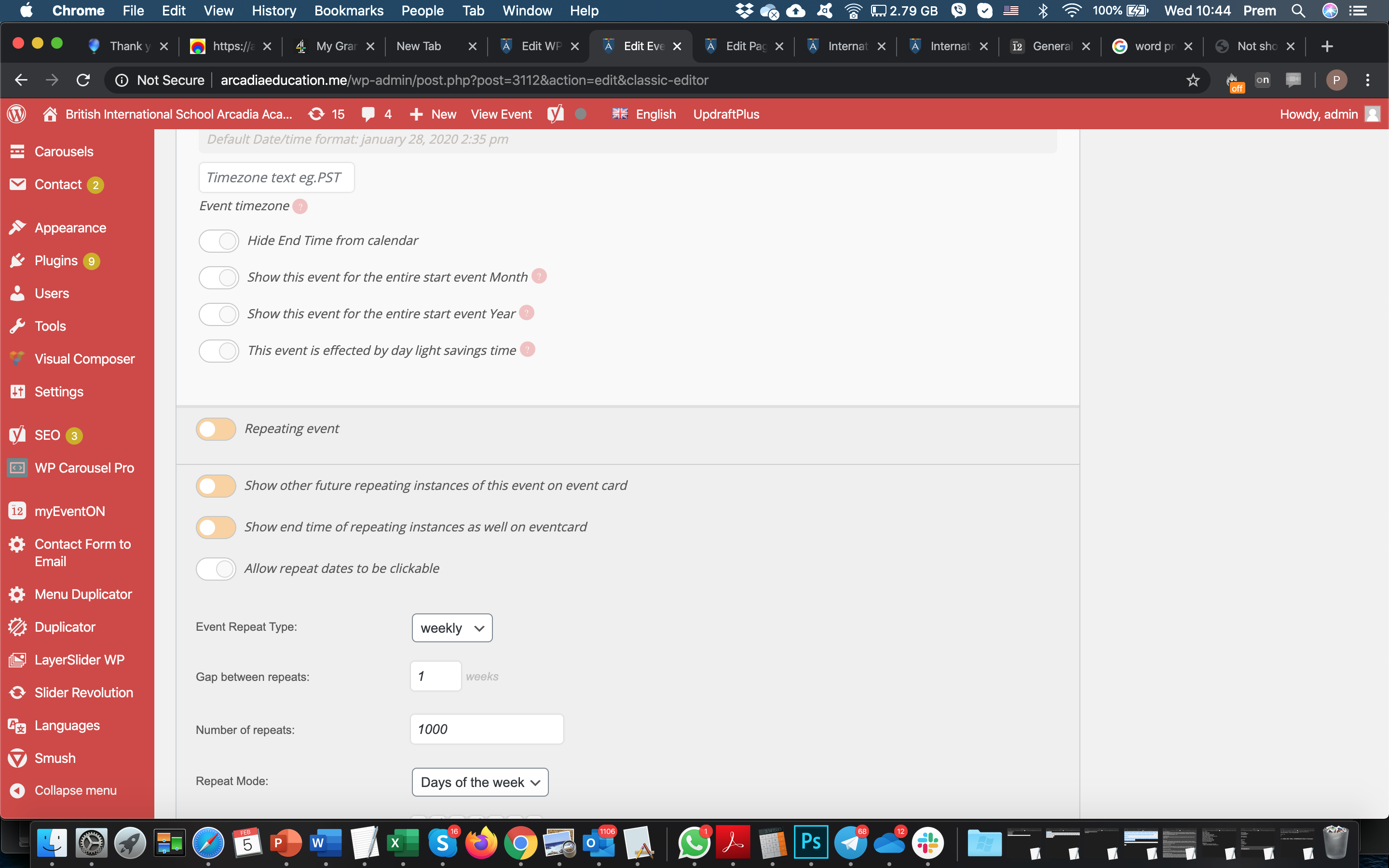
Please update EventON to 2.8.5 and Event Lists: Ext to 0.16. Please also lower the amount of repeats to 99 or lower: https://helpdesk.ashanjay.com/wp-content/uploads/2020/02/Screen-Shot-2020-02-05-at-10.44.52.png
Hi,
I do not know what this system is.
Please use default WordPress login so we can access.
Hello,
Did you register on https://www.myeventon.com/my-account/ > Register? Could you also send us you email address?
Hello,
Unfortunately, hide_empty_months=”yes” doesn’t work with add_eventon. Please replace add_eventon with add_eventon_list and add this to the shortcode:
number_of_months=”12″
in the cart looks confusing…
Could you send me a screenshot? From my side:
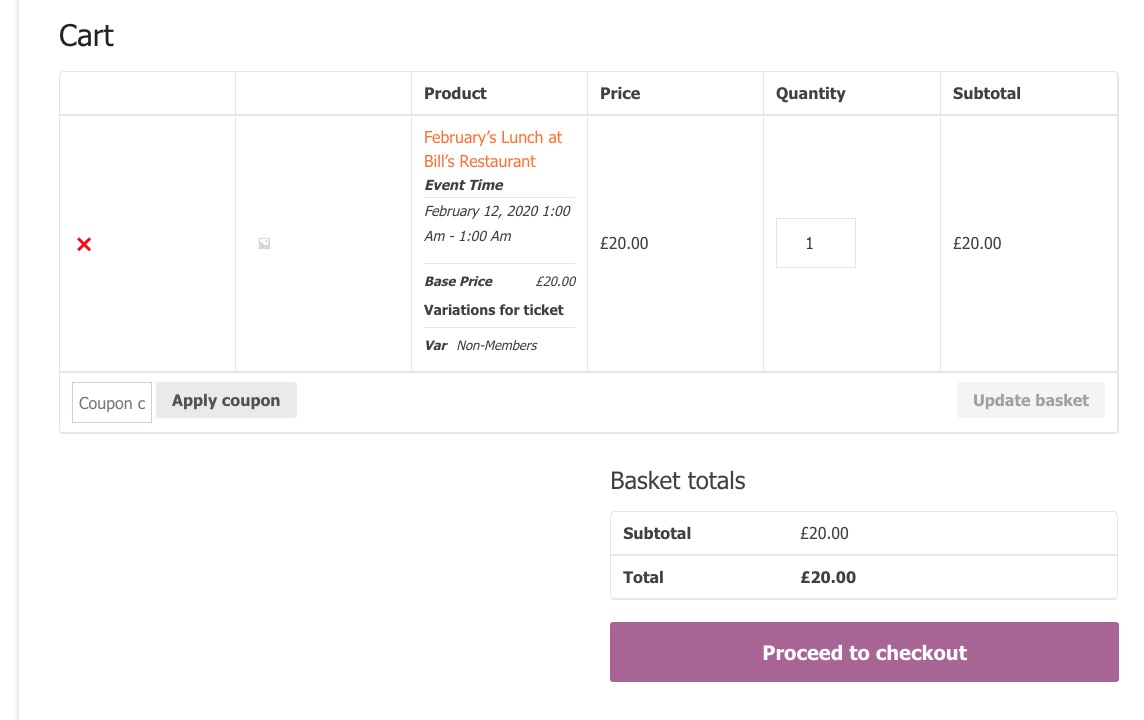
i.e. two ticket price variations and then for each ticket the guest can choose a menu option.
Could you elaborate more? Like this:
https://www.nbwn.co.uk/events/februarys-lunch-at-bills-restaurant-2/

A quick update. It seems to be some sort of conflict with Cloudflare settings.
I had SSL/TLS encryption set to full, moved it to Flexible and it started working. Then moved it back to full and it appears to be working now. Not sure why that would cause an issue with only your plugin though.
Any thoughts?
Hi Basilis –
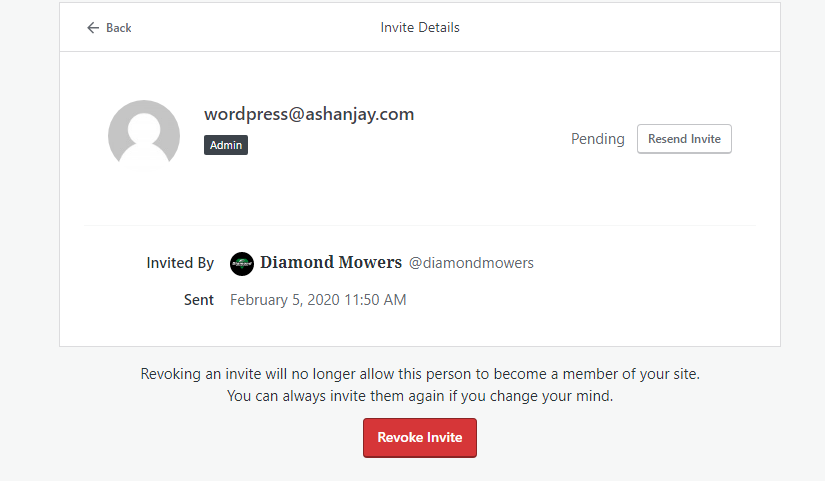
See screenshot. The only way to invite a User on WordPress (that we are aware of) is to do it via email. However, it has to be an email you can access – as YOU will need to create your own Password, to login.
Is there another email you can use?
FYI – we did send an invite to the wordpress@ashanjay.com
Thanks and hear back.
Ben