7.2
Archives: Replies
Replies for tickets on suppota
Reply to: tickets(160423)
Hey, I can’t cancelled my other tickets. everything it’s ok. Don’t worry about my 2 previous request.
I juste need to translate back end but I will follow https://docs.myeventon.com/documentations/translating-eventon-backend/
Thanks a lot for helping.
Reply to: tickets(161635)
Hey Jon,
What is your php version on the web site?
Reply to: tickets(161635)
Please do NOT update any other plugins other then EventOn Plugins as it can break the site.
Reply to: tickets(160423)
Hello,
it’s ok you can ignore my previous answer. I can translate, I resolved the problem. Sorry. Just a question : I dont’ find where I can translate ” type your address to get directions” please ? It display when I choose to Generate Google Map from the address.
You can see it here : https://reseauprofessionnel.creaia.fr/event-directory/ > Mars Event.
Thanks.
Reply to: tickets(160423)
Hello,
thanks I did this but the settings doesn’t want saved. I clicked to save more than ten times and everytime I checked the setting there is still L1 while I choose L2 and saved my choice. I’ve got the message “Settings Saved”and after everything is still L1. It makes me crazy.
I followed https://docs.myeventon.com/documentations/how-to-translate-calendar-front-end/
and https://docs.myeventon.com/documentations/setup-language-corresponding-events/
I added too the shortcode [add_eventon lang=”L2″ ] on my event page but it’s not working : it still in english (normal because my changements can’t be saved). So I erased this shortcode.
I just need to create L2 for french. I create an event named “test fr” with L2.
What’s wrong please ?
Thanks
Reply to: tickets(161572)
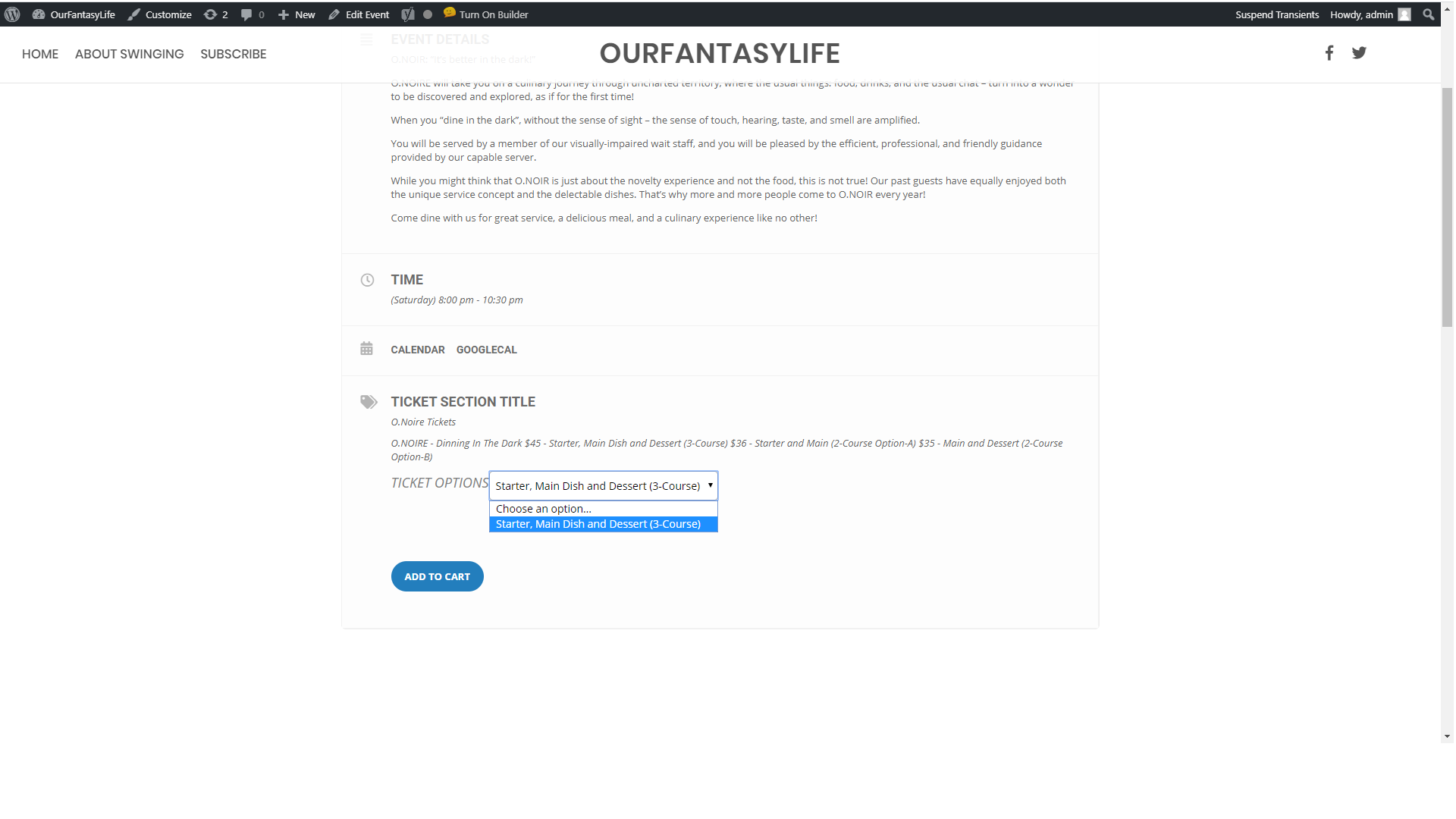
Attached 2nd image shows whats available in the drop down, only one item but variables have been created
Reply to: tickets(158989)
Ashan,
This shortcode doesn’t work:
[add_eventon_el el_title=”Full Event List” el_type=”dr” start_range=”2020/01/01″ end_range=”2020/01/29″ etc_override=”yes” exp_so=”yes” accord=”yes” show_et_ft_img=”yes” ]
http://dev2.myeventon.com/20425-2/
The same with other shortcodes.
I remember that the shortcode from this page worked correctly on dev2 (Jan 20,2020 AT 5:42AM – Posted 2 Weeks Ago – #159057):
https://geeksociety.com.au/2019/12/18/whats-on-dec-18-24/
[add_eventon_el el_title=”Full Event List” el_type=”dr” start_range=”2019/12/18″ end_range=”2019/12/25″ etc_override=”yes” exp_so=”yes” accord=”yes” show_et_ft_img=”yes” ]
However it doesn’t work anymore: http://dev2.myeventon.com/20236-2/
Could you check?
Reply to: tickets(161572)
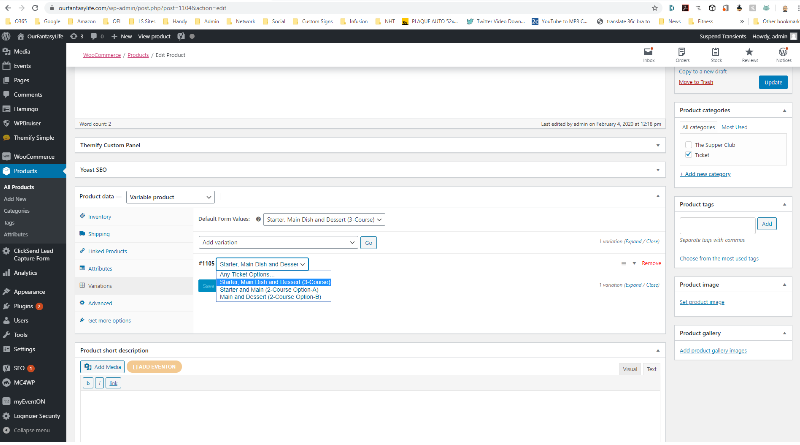
Yes, sorry, I’ve been testing different methods, that page appears to work, it’s what I did after the first test didn’t work. I may be able to use that but would like to understand the first issue, I’m sure i must have missed something.
See the other event “Dinning In The Dark”
https://ourfantasylife.com/events/dinning-in-the-dark/
Reply to: tickets(161587)
Can you provide us with an email – in which we can add you as a User and you can have a login.
We would feel more comfortable going that route for IT Security purposes.
Thanks!