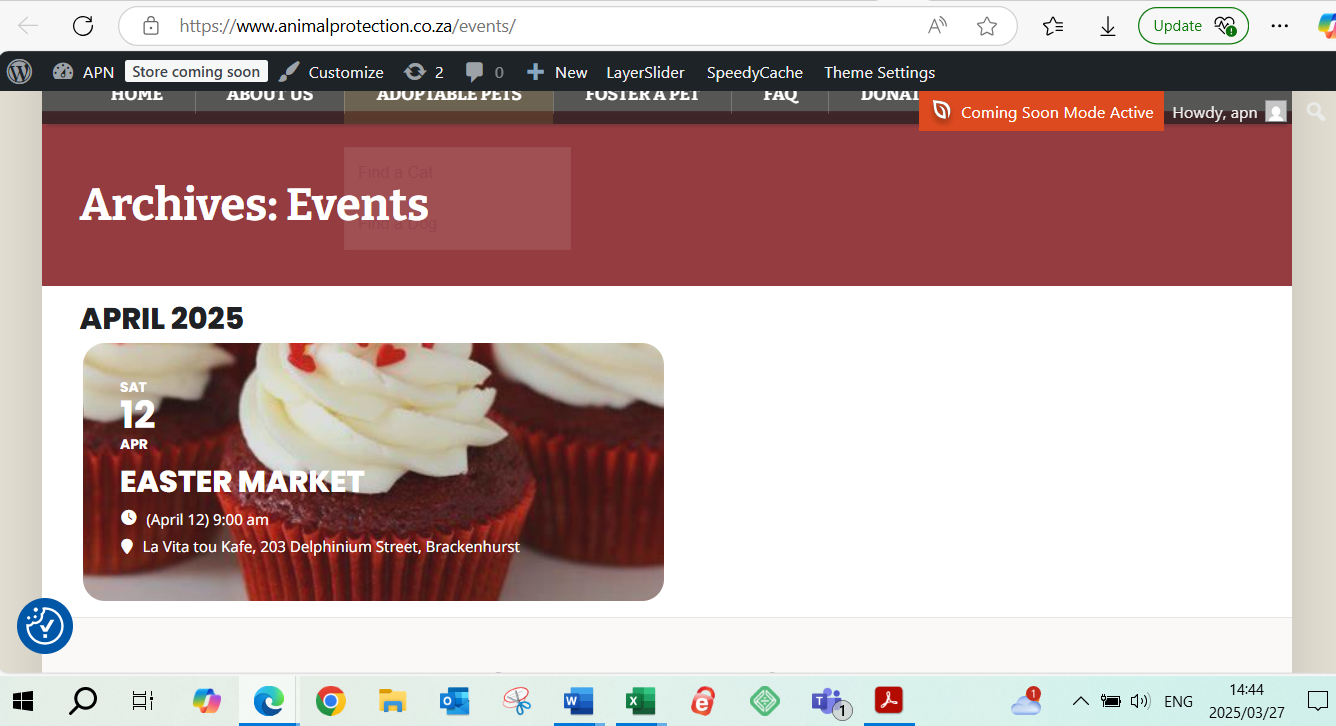
The page is up and running. Its called https://www.animalprotection.co.za/events/ and I got the tile picture also sorted. Only one more thing, how do I get the progress bar to show on the tile?
Replies for tickets on suppota
The page is up and running. Its called https://www.animalprotection.co.za/events/ and I got the tile picture also sorted. Only one more thing, how do I get the progress bar to show on the tile?
I got it to work n a way. When open lightbox with AJAX is workes, but otherwise not, and not every view respects it, for example Schedule view doesn’t respect the Only for invitees. But i close the ticket, because i got it to work for now.
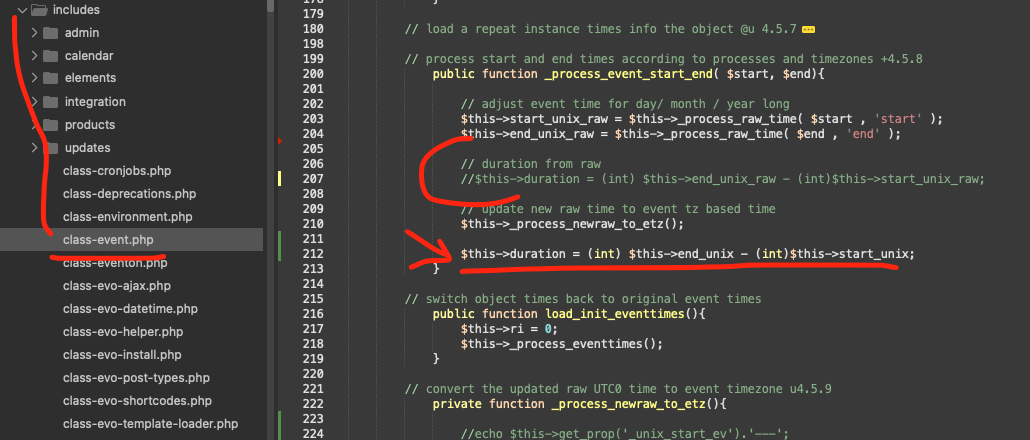
Dang that was a tricky one. But found the issue 🙂 here is the patch fix for this for the moment. It will be implemented in the eventON 4.9.2
code: $this->duration = (int) $this->end_unix – (int)$this->start_unix;
Comment out line 207
file is eventon/includes/class-event.php
If you put 0 to Capacity then people cannot be moved from Waitlist to regular list since there are no places available from the start.
I am not sure how the current functionality isn’t working for you.
Your Cart and Checkout pages are built out of blocks. The issue is that EventON doesn’t support them.
Please replace them with WooCommerce’s default shortcodes:
https://woocommerce.com/document/woocommerce-shortcodes/#doc-title
Ticket Orders are the ones sending EventON’s tickets to customers.
You can differentiate them from Non-Ticket order by looking for this part:
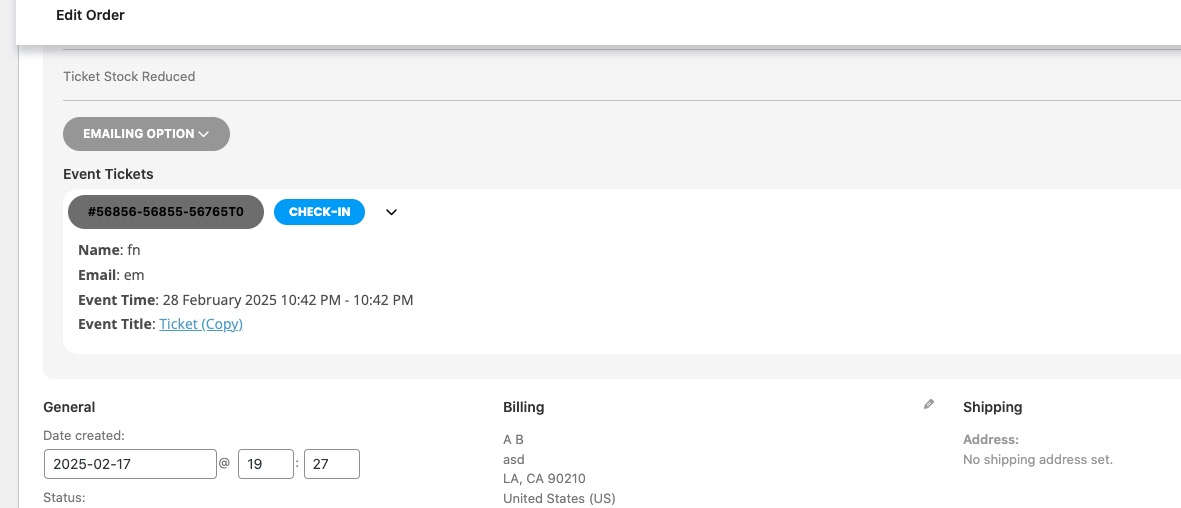
But they must be completed for users to receive their tickets.
When I try to complete an order from a mobile device, I’m redirected to a “maintenance” page from the shop.
Please send us wp-admin access to your site as a private message for us to further assist your situation.
Hello,
Which form are you referring to? Could you send us a link or a screenshot?
Also, I’m encountering another issue which is maybe related:
When I try to complete an order from a mobile device, I’m redirected to a “maintenance” page from the shop.
However, everything works fine on the desktop version.
Could you help me understand why this happens and how I can fix it?
Here are my login details. It is a test installation not a productive one. You test without doing somewthing wrong:
https://cloud.oliocompany.de/wp-admin/
User: EventOn.2023
Password: EventOn.2023.&
Indeed, I don’t currently have any “ticket order” showing in my WooCommerce orders.
Could you please explain the purpose of having a “ticket order”?
Also, I would really appreciate it if you could provide the steps or documentation to set this up properly.
Thank you in advance for your help.
Best regards,