It is here:
https://katoomba.org/event-directory/
Archives: Replies
Replies for tickets on suppota
Reply to: tickets(381139)
if thats for the event top?
add this to appearance>>>>>customize>>>additional css
span.evo_event_headers.repeating {
display: none !important;
}
if not please let us know which part as its displayed in different areas
Reply to: tickets(381016)
clear your browser cache- its working right
Reply to: tickets(380809)
main calendar only shows 1 month at a time with the ability to switch months but you can’t show 2 months
the only way using eventon main cal is to have 2 shortcodes
one showing this month and then in the second shortcode you add the following
month_incre=”+1″
which will start that second calendar 1 month ahead so its march now but it will show april
but you’ll run into issues with switching months
the events list is the way to go tho
you can also try events list extended- this addon will allow you to always show x number of events reagrdless of the month
with x being any number you set
Reply to: tickets(380896)
Please send us wp-admin access to your site as a private message for us to further assist your situation.
Reply to: tickets(380896)
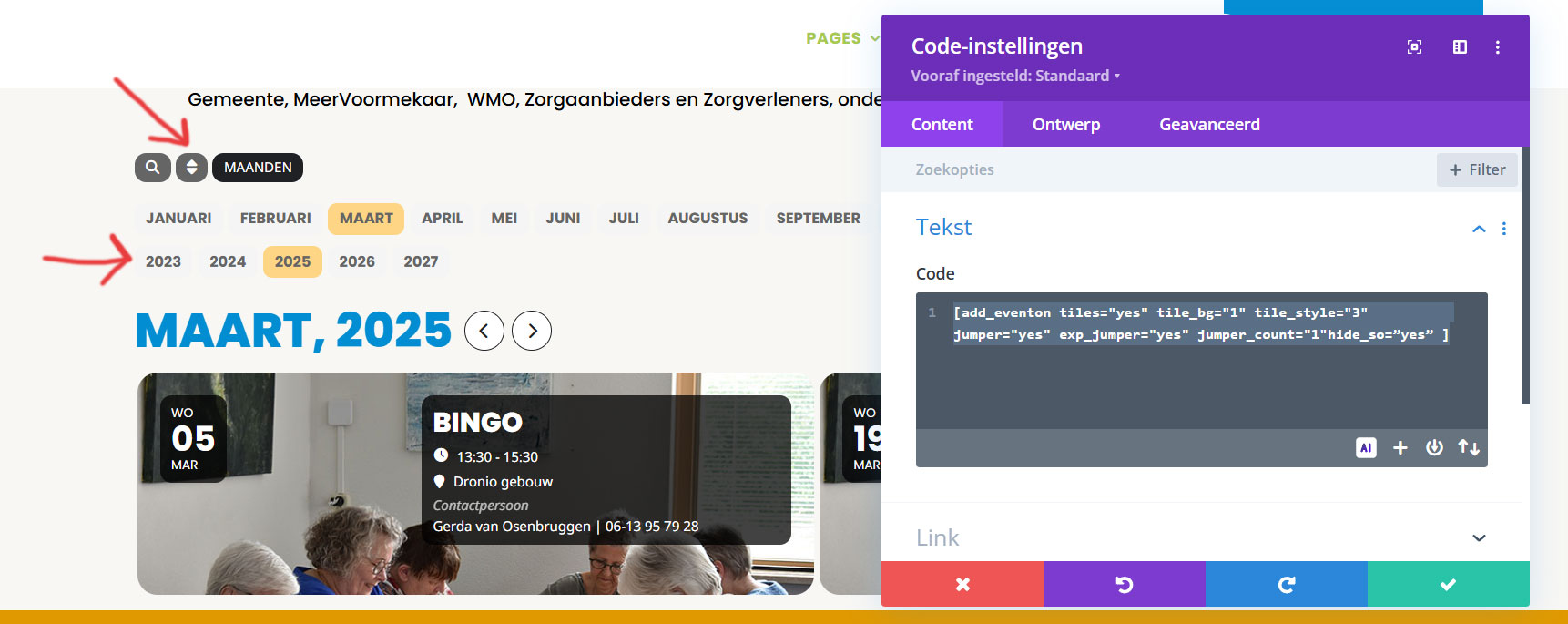
I don't know what I'm doing wrong? In the attachment you can see a screenshot of what I did, but it still shows everything. Is the code below correct?

[add_eventon tiles="yes" tile_bg="1" tile_style="3" jumper="yes" exp_jumper="yes" jumper_count="1"hide_so=”yes” ]
Reply to: tickets(380809)
This shortcode is designed for “Eventon_list” but i need to apply in a general Calendar (add_eventon).
This is the shortode where i want to inset this: number_of_months=”2″ hide_empty_months=”yes”
[add_eventon tiles=”yes” tile_count=”4″ tile_bg=”1″ tile_style=”2″ exp_so=”yes” lang=”L2″ event_order=”ASC” hide_mult_occur=”yes” hide_arrows=”yes”]
¿Is It possible to use in this case?
Regards.
Pedro.
Reply to: tickets(377424)
Thank you. However, I have decided that I will simply not use Yoast SEO any longer. The entire SEO landscape is changing dramatically, and I am focussing more on constructing better Schema.
I am closing the ticket.
Reply to: tickets(381016)
only if i set it to a specific setting.
Reply to: tickets(381138)
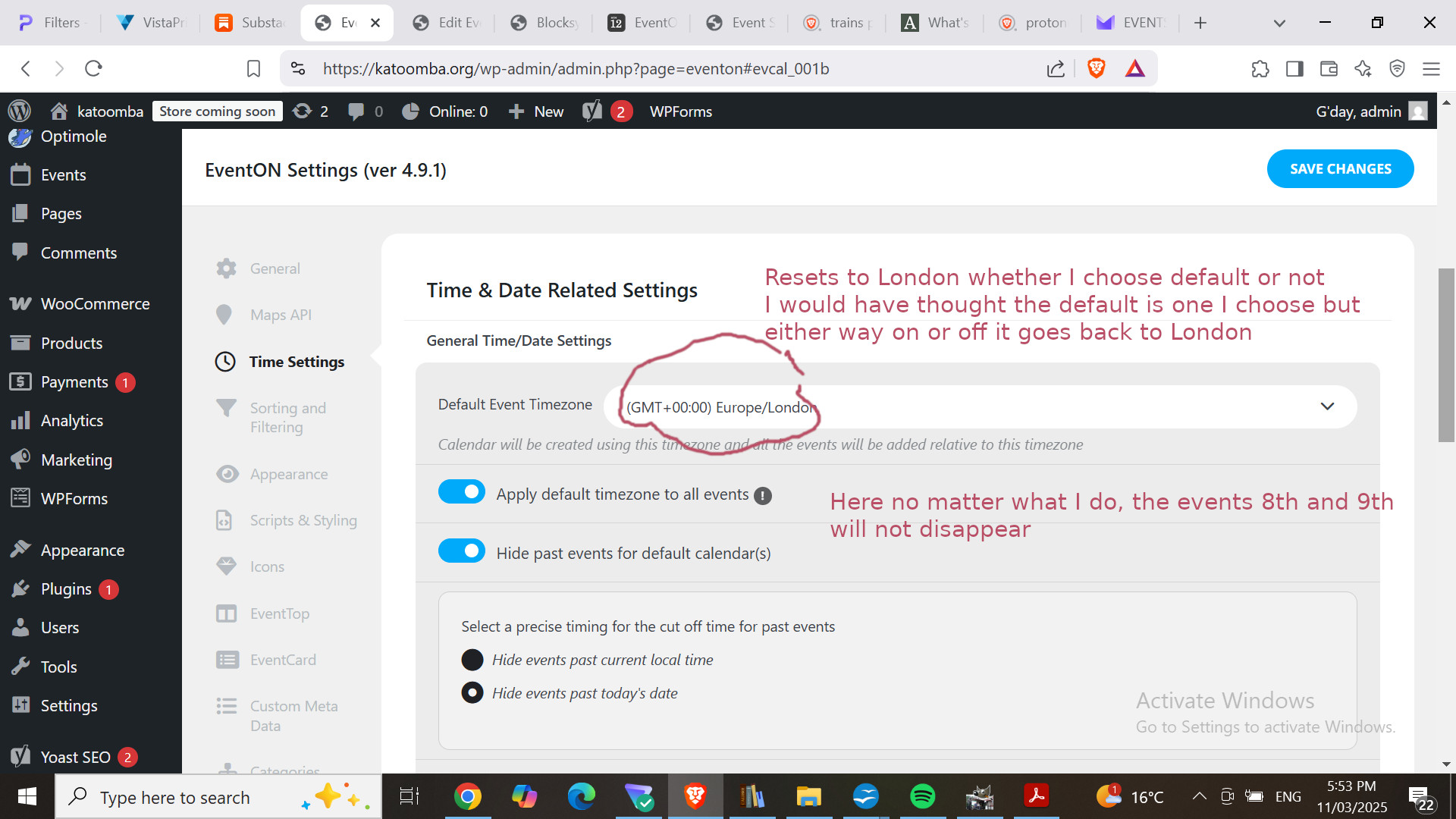
And the image reference