Thanks Dave for fixing the start day. Perfect.
Archives: Replies
Replies for tickets on suppota
Reply to: tickets(380350)
Thanks Ashan
Reply to: tickets(380184)
This is resolved. I’ve resolved this through Elementor Site Settings.
Reply to: tickets(380184)
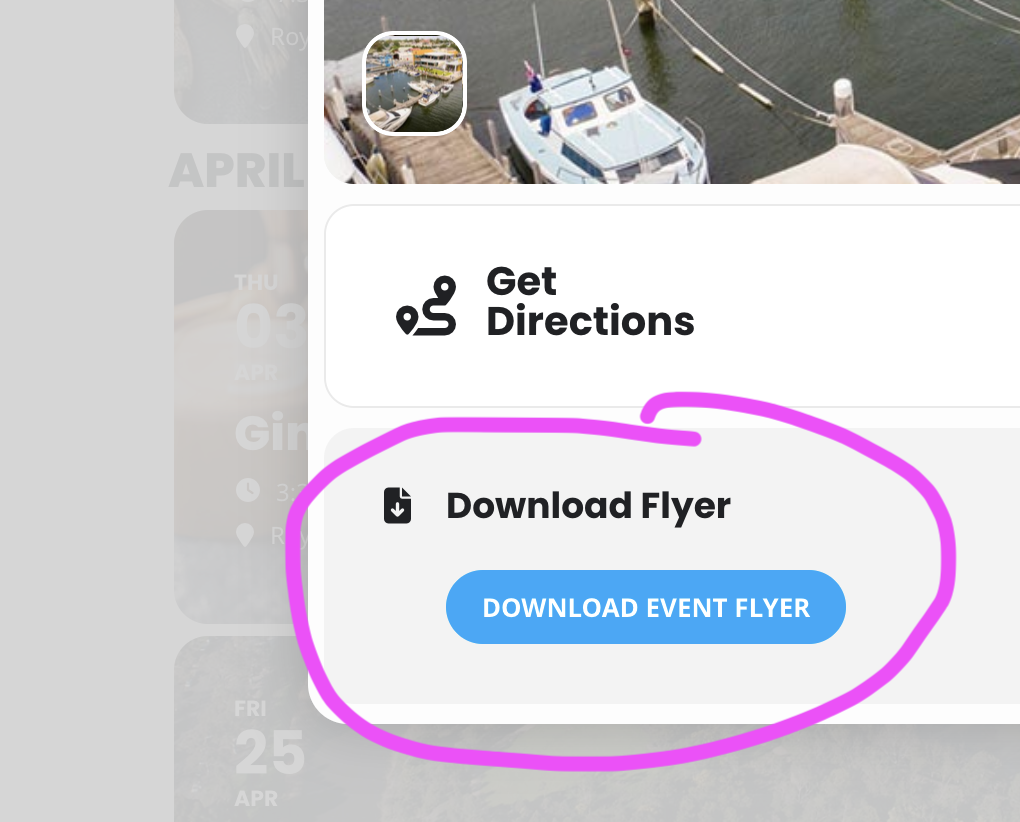
Thank you for this. One other thing.
I have some download links in two of the event details.
I’ve tried to set it up as an additional Custom Meta Field but it will not open in a new window – it appears to open behind the event popup.
I’ve also tried to link the flyer to Learn More area but again it seems to open behind the popup even when I select new window.
Reply to: tickets(369453)
We are sorry for the delay. There were a few updates that came out. Could you make sure to update all of your current EventON products and check the issue again?
Reply to: tickets(341932)
Perfect! We are glad your issue is resolved, if you have any further questions or concerns please create a new ticket.
Reply to: tickets(375857)
We are sorry for the delay. Please update Tickets add-on to the latest version and check again.
To update eventon addons: You can download latest eventon addons from myeventon > my account. Then you can go to your website, deactivate old addon and install new one and activate then delete the old addon. This link will further explain the process. Also you can follow us on twitter to get real-time announcements on updates!
Reply to: tickets(375690)
We are sorry for the delay.
Where can we take a look at the calendar with events? All pages are show “No events”. I am going to check the shortcode and then send you CSS code to fix the issue.
Reply to: tickets(376597)
We are sorry for the delay.
Please update Tickets add-on to the latest version. It should fix the issue with no need to apply the patch.
Reply to: tickets(371027)
Again sorry for the delay. I don’t believe that it’s possible to edit orders from the back-end.
Please cancel the order and then make a new one.