Hello,
The main page still uses Main Calendar shortcode [add_eventon].
I believe that your shortcode works correctly. Please take a look at this page:
https://events.felixandfingers.com/test/
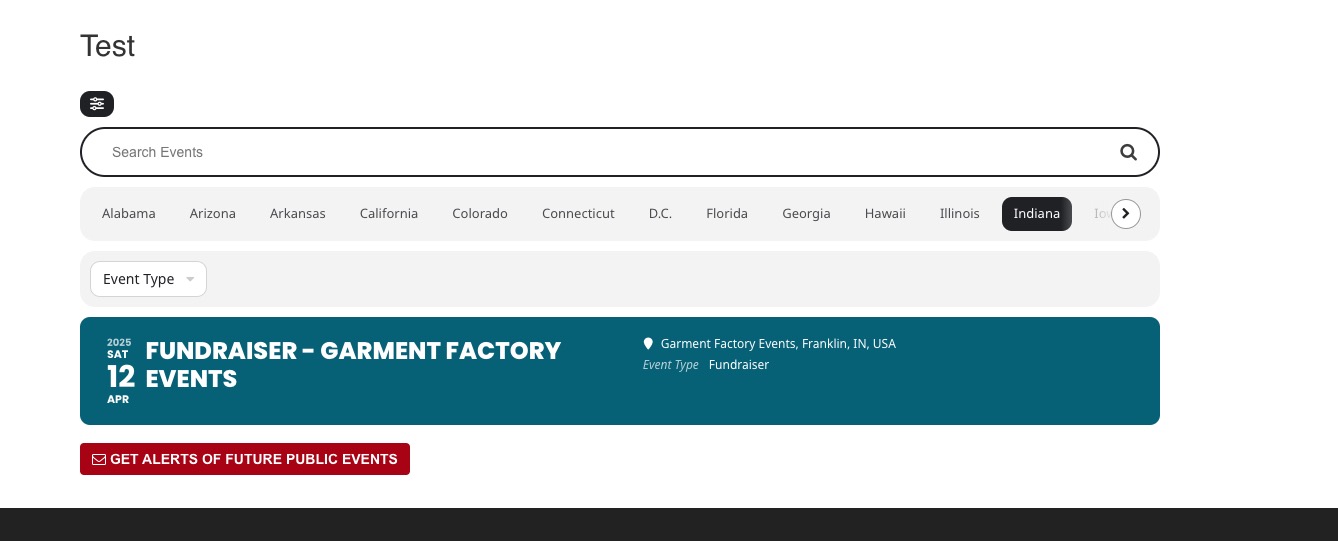
“Indiana” shows events from April:
Replies for tickets on suppota
Hello,
The main page still uses Main Calendar shortcode [add_eventon].
I believe that your shortcode works correctly. Please take a look at this page:
https://events.felixandfingers.com/test/
“Indiana” shows events from April:
Every time there is a major update (4.7, 4.8 and so on), please make sure to update your dev site first to see any changes and how they affect your custom styling.
Do you make changes to the CSS classes when you update the plugin?
Not to classes, but a lot of styling has changed that may also affect your custom styling.
Hello,
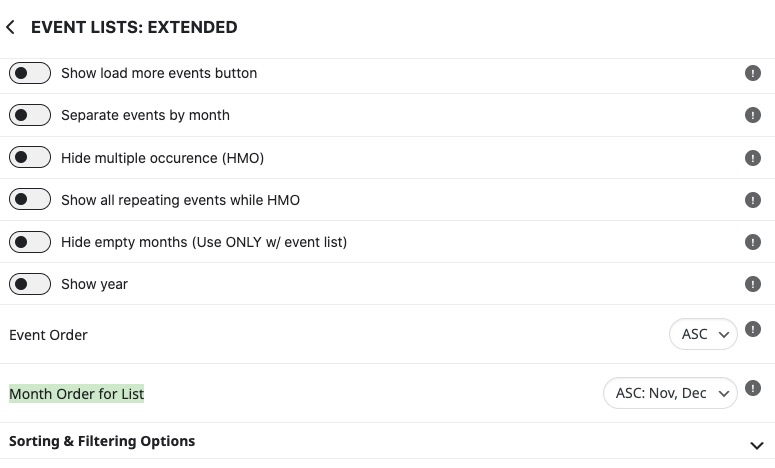
Event Lists shortcode’s event_order=”DESC” only orders events within a month and not for the whole calendar.
You need Event Lists: Ext shorcode instead:
https://www.myeventon.com/addons/event-lists-extended/
It has “Month Order for List”:
Try on https://dev.myeventon.com/wp-admin/
Hello,
This style from the theme makes all backgrounds to be black:
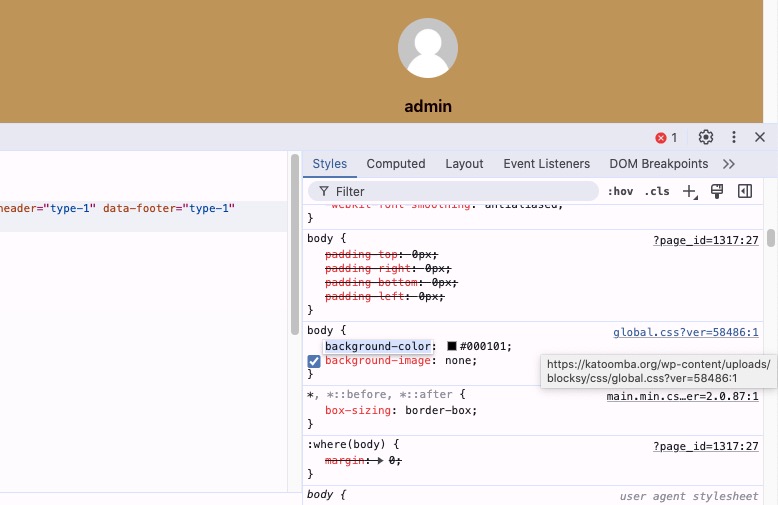
Please add this CSS code to EventON > Styles (If you don’t see any change, EventON > Scripts & Styling > turn off Write dynamic styles to header > save settings > turn on Write dynamic styles to header):
body { background-color: white; }
Hello,
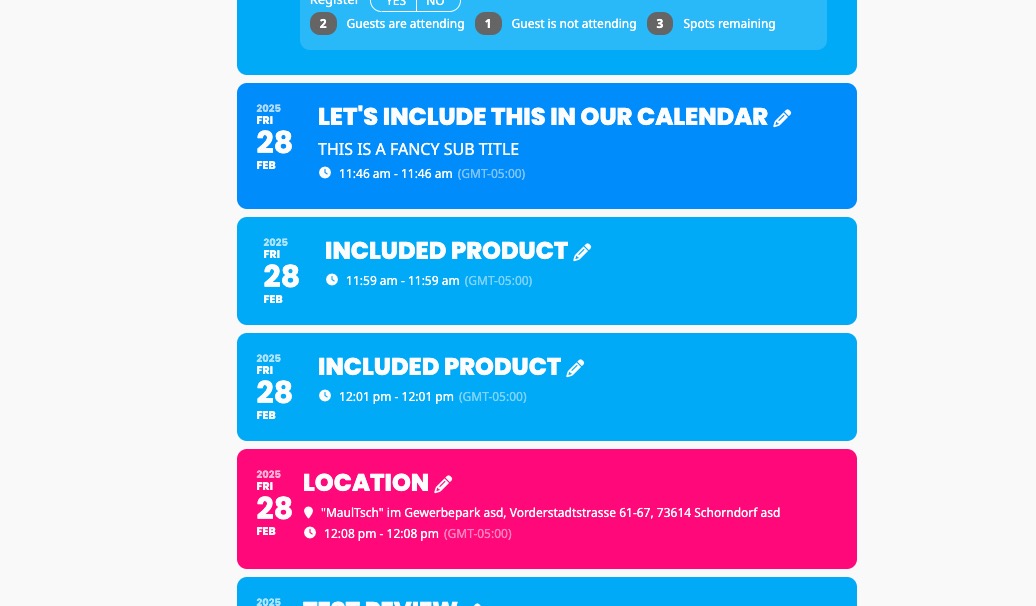
It’s possible. Please take a look at
https://dev2.myeventon.com/test-855/
Try on https://dev.myeventon.com/wp-admin/
Hello,
It’s possible. Please take a look at
https://dev2.myeventon.com/product/included-product-2/
https://dev2.myeventon.com/test-855/
Try on https://dev.myeventon.com/wp-admin/
Hello,
When people come to you and show their ticket do you check-in them? If you do, then it’s not possible to use the same ticket twice.
Maybe cache plugin just hasn’t updated the website yet? If you enable it, does it still show the same issue?
Please take a look at
https://docs.myeventon.com/documentations/why-my-site-and-eventon-page-loading-slow/
Also try going to EventON > Advanced > try a different Select event calendar WP Query method.
Could you also try updating to EventON to 4.8.2?