Hi Artem
That is only for the left hand side, where you can set the pixels as well. I mean all around the event, like here:
Replies for tickets on suppota
Hi Artem
That is only for the left hand side, where you can set the pixels as well. I mean all around the event, like here:
Thank you for your messages, I am going to assign this ticket to Ashan and he will be able to take it from here and find you a solution. Please allow some time for him to get back to you, we greatly appreciate your patience and thank you for being a eventon customer!
Hello,
I am sorry, the access information you have provided did not work for us. Please check them and post the correct login information as a private message, thank you!
As for the issue, please try refreshing permalinks:
https://docs.myeventon.com/documentations/single-events-page-not-working-404-error/
I havent had that issue :/
Maybe if I give you access to my admin panel you can try to install it manually?
Hello
I am requesting full refund within the first 30 days of the original purchase of the plugin as stated in your refund policy.
We installed the plug in and 2 add-ons in reference, and unfortunately, after having spent many hours, various testing shows that your EventOn plugin and add-ons will not work for this activity with the required setup.
Order ID #203278 February 5, 2025 (Action User)
Order ID #202901 January 30, 2025 (Event Maps)
Please note I have also asked for a refund from Envato for the plugin that was purchased on January 30, 2025 Envato reference :
Invoice No: IVIP54911957
Order No: 198955355
Kindly process refund as soon as possible.
Thanks,
RK
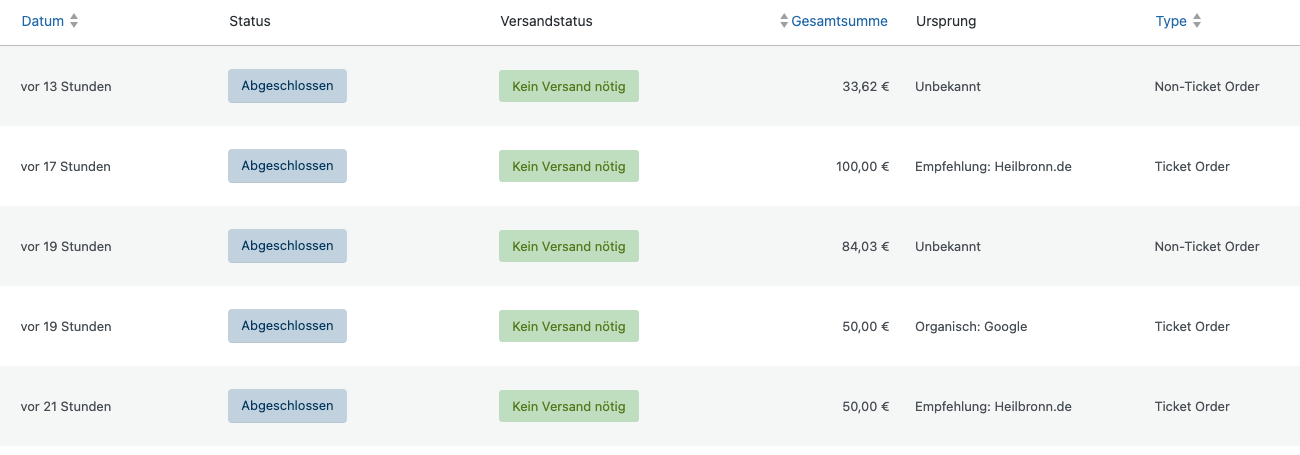
Thank you for your reply. We have made the adjustment, but there are still non-ticket orders. There also seems to be a discrepancy with PayPal, as the VAT is not taken into account for the latest incorrect orders. We suspect that this is why the order cannot be assigned in the system.
Hi Artem,
Thank worked! Also useful to set a different limit on the number of items on each page, since there was more than 2k items 🙂
I am sorry, but I made a big mistype when was writing the previous reply. What I wanted to write is “I am not sure if this is related to EventON”.
Are you sure that this is related to EventON? When you disable it, does it make the issue disappear?
When you go to EventON > Scripts & Styling > enable Disable font awesome fonts, it doesn’t remove EventON’s styling. So not possible without rewriting everything to make EventON to use your locally stored font icons with .