Please send us wp-admin access to your site as a private message for us to further assist your situation.
Archives: Replies
Replies for tickets on suppota
Reply to: tickets(378238)
Hello,
I believe that this is related to the server and not to EventON.
Are you having the same issue with any other plugin that has archive of similar size?
Reply to: tickets(374539)
Perfect! Please keep us updated.
Reply to: tickets(378242)
Hello,
What are you current issues? Could you let us know more, so we can help?
Please also send us order ids of your purchases.
Reply to: tickets(378243)
Hello,
Could you update EventON to 4.8.2? Next go to EventON > Appearance > EventTop Styles > make sure that “Configure text color for colorful & Image eventtops” is set to “Use custom colorful only color for eventtop text” and “EventTop All Text Color for only colorful and image backgrounds” is set to white?
If you don’t see any change, EventON > Scripts & Styling > turn off Write dynamic styles to header > save settings > turn on Write dynamic styles to header.
Reply to: tickets(377880)
You can change it by going to wp-admin > Events > Edit Event > Event Color.
Reply to: tickets(378251)
Hello,
Please go to wp-admin > Events > Event Location > now click on Count column header. After, bulk select all of them and then select “Bulk actions” > Delete.
Reply to: tickets(378192)
Hello,
I wanted to update this ticket with additional information. I encountered a server issue and had to restore a backup, which changed the login URL.
If you need access, the new login URL is:
https://infocomuna.cl/wp-login.php?loggedout=true&wp_lang=es_CL
The username and password remain the same:
- Username: eventon
- Password: JJJJcccc123156*
Below, I reiterate the issue that initially prompted this ticket and add two more points.
Issue with Webhooks
When attempting to configure a webhook, I receive the following message:
“You do not have valid trigger points available yet.”
This indicates that there are no events or actions configured to trigger the webhook.
- How can I correctly configure trigger points so that the webhook functions properly in EventON?
- Is an additional add-on or specific configuration within EventON required to enable triggers?
- Is this issue related to the current plugin version, or is it a known bug?
Suggestion for the “Include Anything” Add-on
Currently, when using the Include Anything add-on, it only functions as an option within a standard WordPress post, causing many of EventON’s core features to be lost.
Wouldn’t it be better if Include Anything worked directly within EventON instead of just as an option in a standard WordPress post? This way, events created using this add-on would be correctly registered in EventON as real events, rather than just remaining as a post without integration with the plugin’s advanced functionalities.
This would allow EventON to retain all its advanced options, such as location, organizer, and custom details, while eliminating the need to manually duplicate information to maintain a consistent format within WordPress.
Issue with Multi-Day Events on Non-Consecutive Dates
I have events that take place on non-consecutive days. For example, an event occurring on:
- Monday at 10:00 AM
- Wednesday at 3:00 PM
I have tried configuring this using the Custom Repeat option, but the results are not optimal.
My questions are:
- How can I configure a single event so that it appears on both days with different times, without needing to create two separate events?
- Is there a native option for this, or any recommended solution?
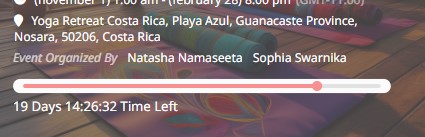
I would like to know how to add the timeline shown in the attached image to events in EventON.
- Is this a native EventON feature, or is an additional addon required?
- If it is an addon, what is its name?
I am attaching the image for reference.
I greatly appreciate your help with these issues. Any guidance or solutions would be highly valuable.
Best regards,
Juan Carlos
Reply to: tickets(377568)
Thanks, the code above has fixed the issue
Helen
Reply to: tickets(376658)
I use now the Standard Single Eventon Page and overwrite it with a little bit CSS. This will be the fastest solution for the moment.
For my opinion a downgrade don’t fix the problem for a long time.
Thanks for your help. I close the ticket.
sandra