Hello,
I cannot check wp-admin > Events.
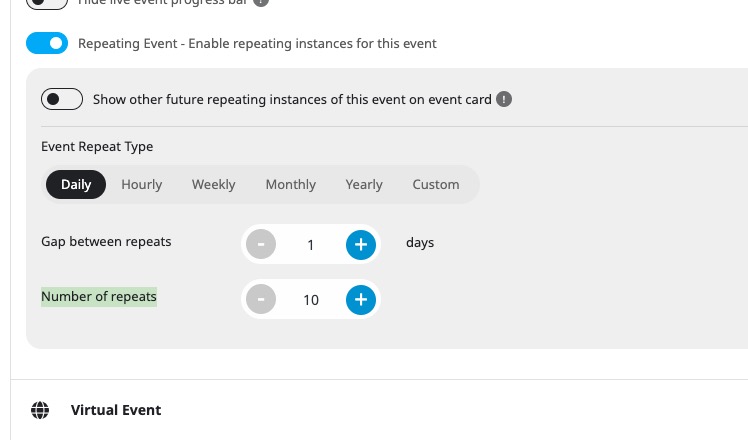
Could you tell us if any of repeating events have “Number of repeats” close to 100, 1000 and so on:
Replies for tickets on suppota
Hello,
I cannot check wp-admin > Events.
Could you tell us if any of repeating events have “Number of repeats” close to 100, 1000 and so on:
We are aware of the issue and include the fix in the next version. Will be available in a few days.
Hello,
Please use Main Calendar shortcode:
[add_eventon tiles=”yes” tile_count=”3″ tile_height=”250″ ]
Please add this CSS code to EventON > Styles (If you don’t see any change, EventON > Scripts & Styling > turn off Write dynamic styles to header > save settings > turn on Write dynamic styles to header):
.ajde_evcal_calendar.evoFC .evo_events_list_box {display:none !important}
Hello,
If you just need to change colors and font, there is no need to customize the page through the code.
The best solution is to simply use CSS code:
https://docs.myeventon.com/documentations/change-css-calendar/
Could you let us know how and which parts you want to change, so I can send you the CSS code?
What’s the shortcode you are using?
Because I updated Eventon to 4.8.1, but when I tried removing the css code you added:
.ajde_evcal_calendar.boxy .evcal_list_a span.evcal_event_types.ett2, .ajde_evcal_calendar.boxy .evcal_list_a span.evcal_event_types.ett3, .ajde_evcal_calendar.boxy .evcal_list_a span.evcal_event_types.ett4, .ajde_evcal_calendar.boxy .evcal_list_a span.evcal_event_types.ett5 { display: inline-block; }
The event types are still not showing. I changed nothing in the Eventon settings
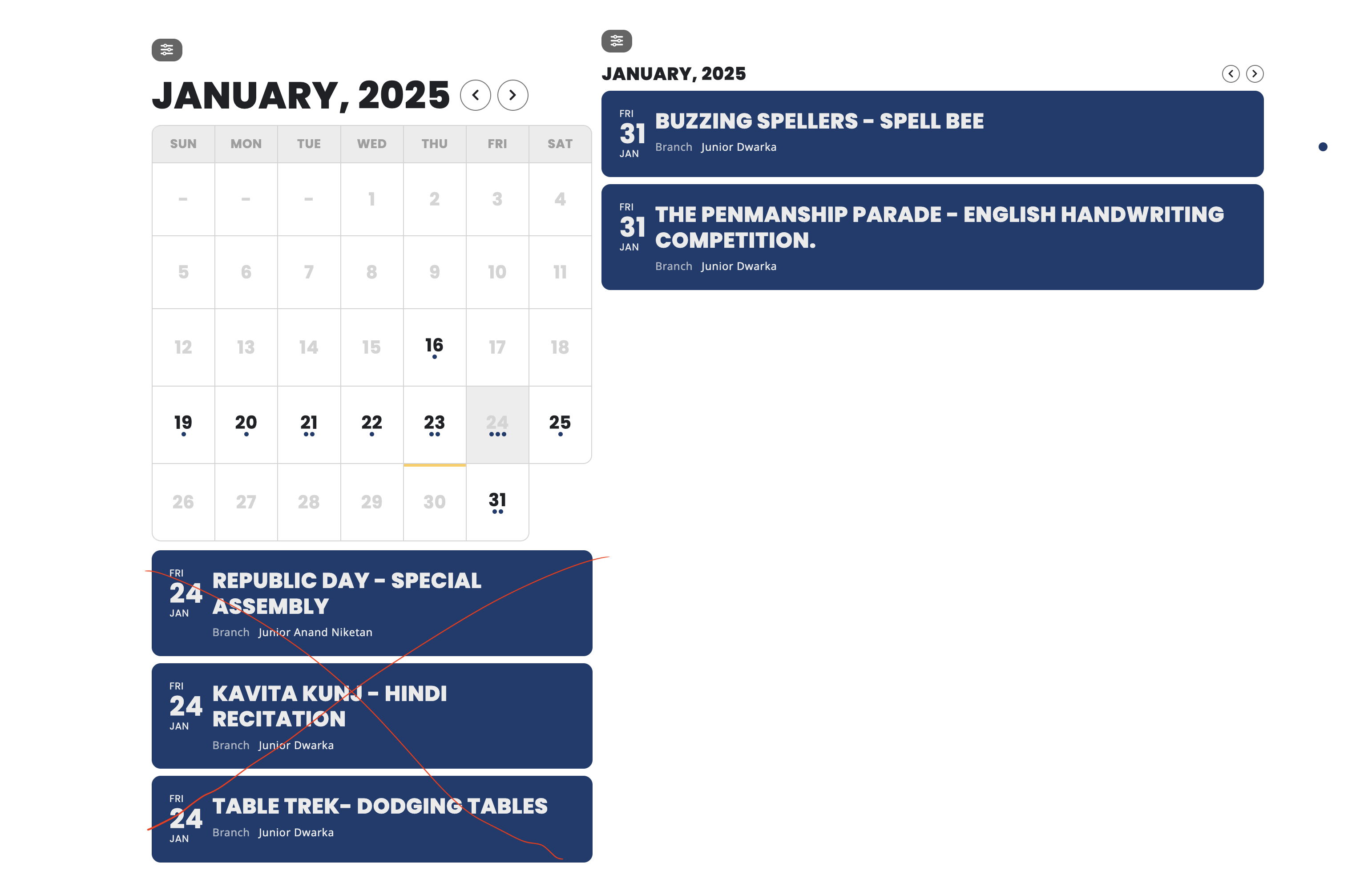
I just need to hide the bottom portion showing on calendar.. I included screenshot here
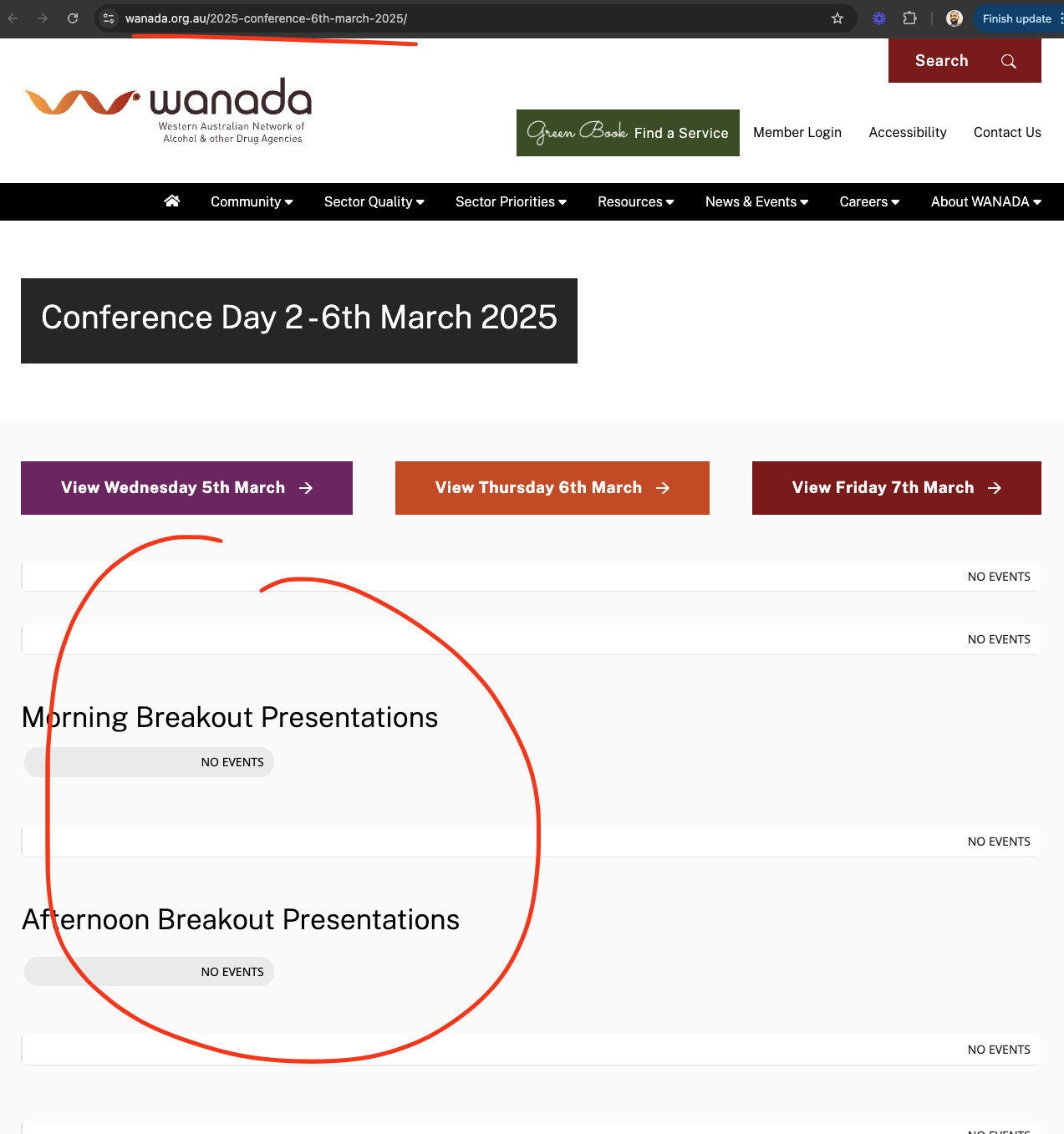
Hmm nothing is showing for me.
At the moment when you click facebook icon it shares a link to the event page, which has meta data about the event like image, times, details etc. So facebook try to fetch that data from the link to populate the share post.
From our side, we can provide them the needed information, we can not force them to show certain details. Does that make sense?
Yep, browsers do hold a cache so if you visit same website many times, it can load the website will less data from server.
So to make it load on the first load for your users. Please try going into your website host’s control panel and clear server cache for your website domain/subdomain. If you have wordpress-level cache enabled, also make sure to clear that out.
That should help a new user to get the most recent files of from your website which will load map on the first load 🙂