Hello,
Which order are you referring to?
Could you update Action User Plus to 1.2.1?
Next, please make sure to add Submission Levels to
https://tlninside.fr/wp-admin/admin.php?page=eventon&tab=evoau_1#evoAU6
Replies for tickets on suppota
Hello,
Which order are you referring to?
Could you update Action User Plus to 1.2.1?
Next, please make sure to add Submission Levels to
https://tlninside.fr/wp-admin/admin.php?page=eventon&tab=evoau_1#evoAU6
Hello,
Could you update EventON to 4.8.1?
To update eventon to latest version: If you are unable to do autoupdate, you can go to codecanyon your account > download and get the latest eventon version as zip file. Then you can go to your website > make sure “Delete eventon settings & data when EventON is uninstalled” is Deslected from eventon settings, delete old eventon, install new one and activate. This link will further explain the process it. Also you can follow us on twitter to get real-time announcements on updates!
If the issue continues, please follow the instructions in this documentation to activate debug in your site to see any PHP errors recorded that can provide insight on to whats going on. Please reply with a link to debug.log file. If you are not able to do this please send us FTP access to your site so we can do this for you.
Also add this code:
.evorow.getdirections .evo_get_direction_content i.mainicon, .evo_btn_arr_circ i { font-weight: bold !important; }
Please send us wp-admin access to your site as a private message for us to further assist your situation.
Could you make sure to use latest versions of EventON and add-ons?
Hello,
Please remove this custom CSS style:
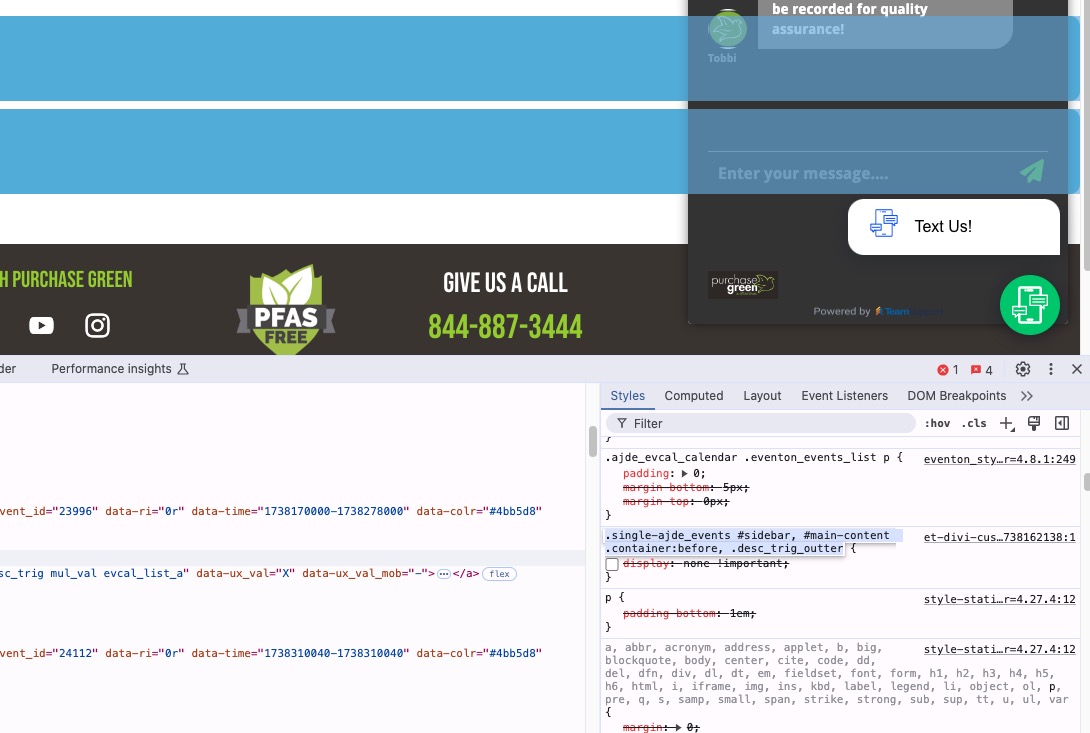
Hello,
Seems to be working on our test site:
https://dev2.myeventon.com/test-824/
Please send us wp-admin access to your site as a private message for us to further assist your situation.
In order to refund the main plugin, please contact CodeCanyon. Thank you for the order id!
Thank you for doing that. So this should stay this way now? If there is a more permanent way to fix this, like adding code to the theme I can do that. I appreciate your help.
I tried inserting simple HTML tags, even just a <br> but when I save they are removed
Thank you Artem!! 🙂
That CSS Code fixed about 98% of them, however there is still one that won’t load properly and that’s Driving Directions “Get Directions”
Both the field icon and button icon are misrepresented…just the rectangle w/ X in the center…
Cheers ~ Tim