Hello,
Could you go to https://lejazzetal.com/wp-admin/admin.php?page=eventon#evcal_003 and enable Paypal?
The section will appear after you’ll enable the functionality.
Replies for tickets on suppota
Hello,
Could you go to https://lejazzetal.com/wp-admin/admin.php?page=eventon#evcal_003 and enable Paypal?
The section will appear after you’ll enable the functionality.
2. Remove Google Maps link – Done!
3. Text left aligned – Done!
1. Button “Tickets Online” to center – need HELP!
After manual Update on 4.8.1 the button “Write dynamic styles to header” works.
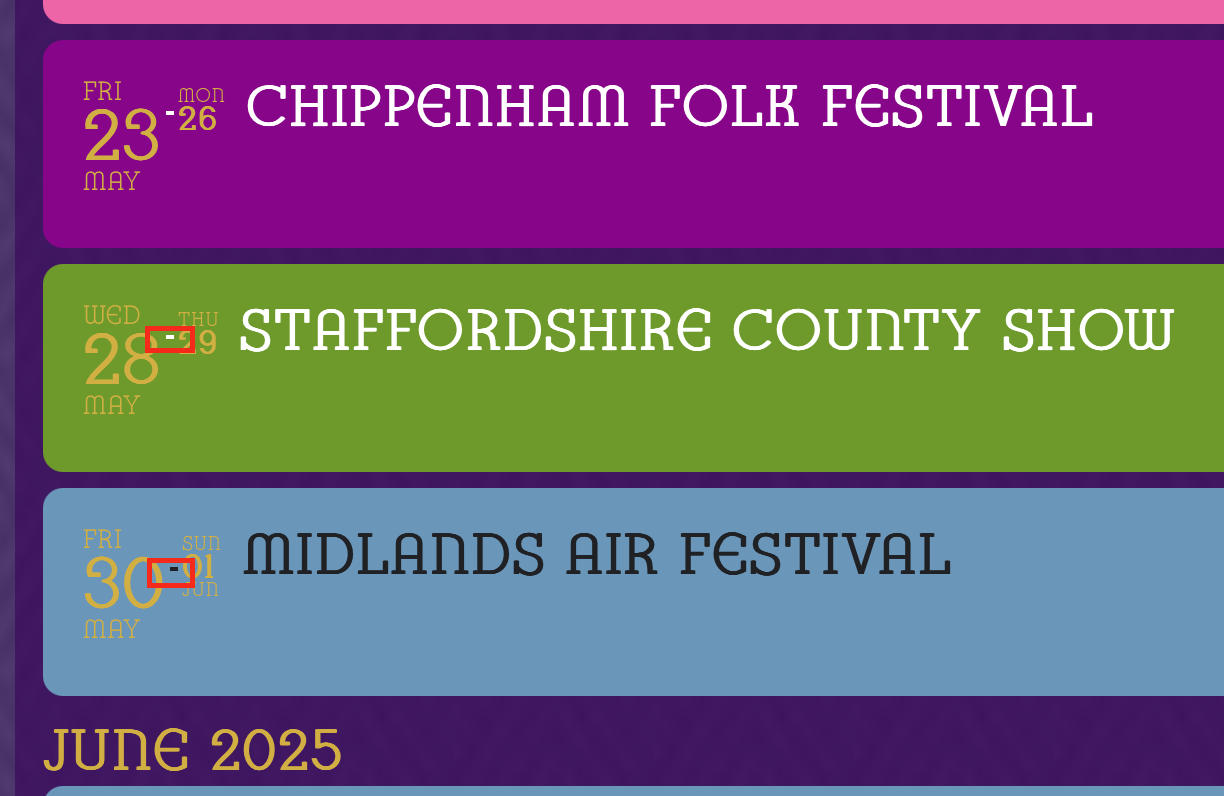
Issue 3: I’ve just noticed that on a multi-day event the hyphen between the two dates still shows the correct colour swap behaviour it is just the date information that no longer shows the correct behaviour.
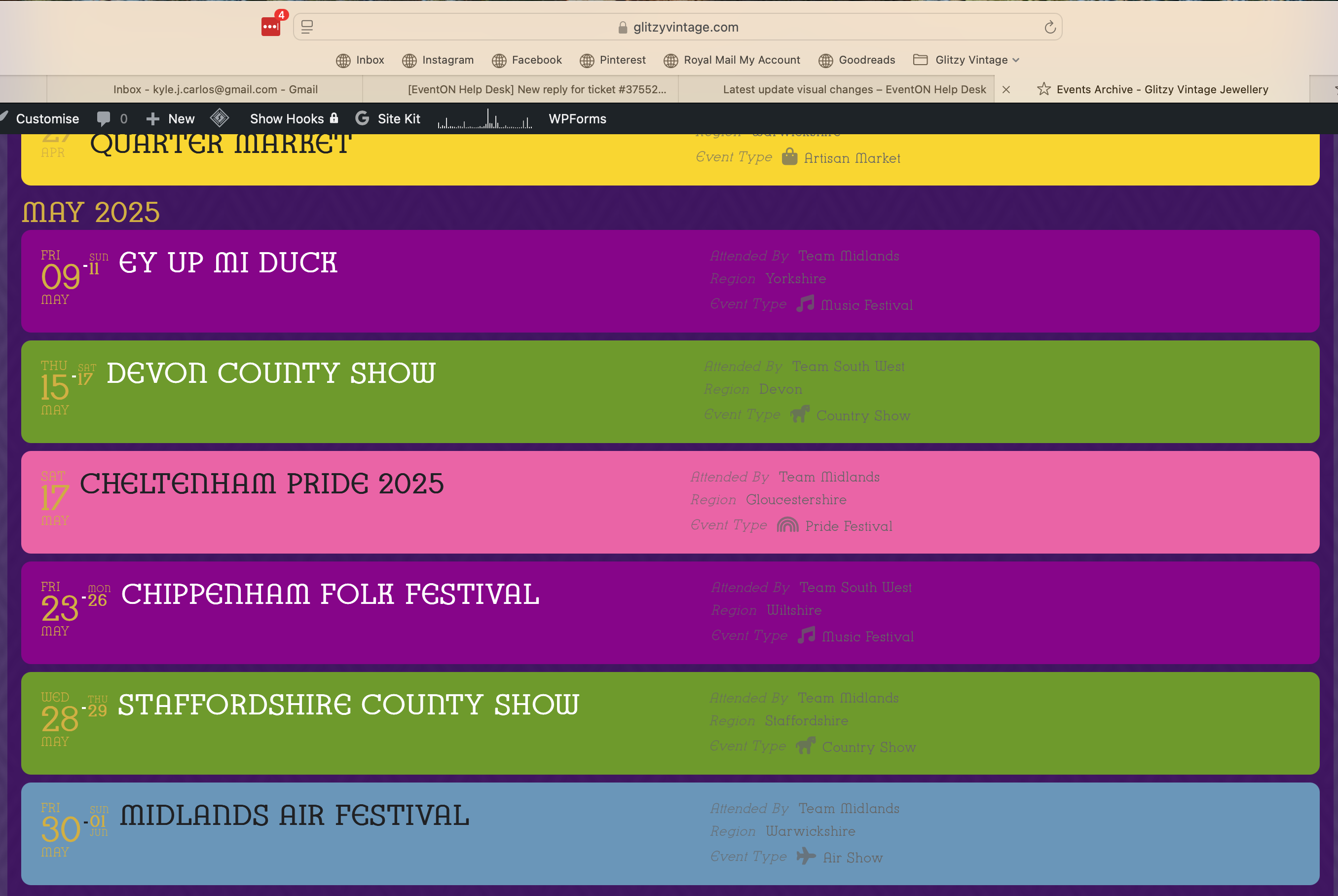
You can see both issues 2 and 3 in this image.
2. The event information/details on the right hand side are unreadable in the new pale grey font – this needs to either be in clear black all the time, or auto change to match the event title.
3. Is the event date pulling through the gold text – it looks out of place and is hard to read. Again this needs to match the font color of the event title.
Issue 2 seems to be related to a dynamic style tag:
.evo_lightbox .evo_tax_social_media a{color:#656565}
however setting an override to this on the styles panel isn’t taking any effect.
Hi Artem,
Thank you that fixes the issue listed as ‘1’ in my list above. Sadly issues 2 and 3 are still persisting.
Hi Artem,
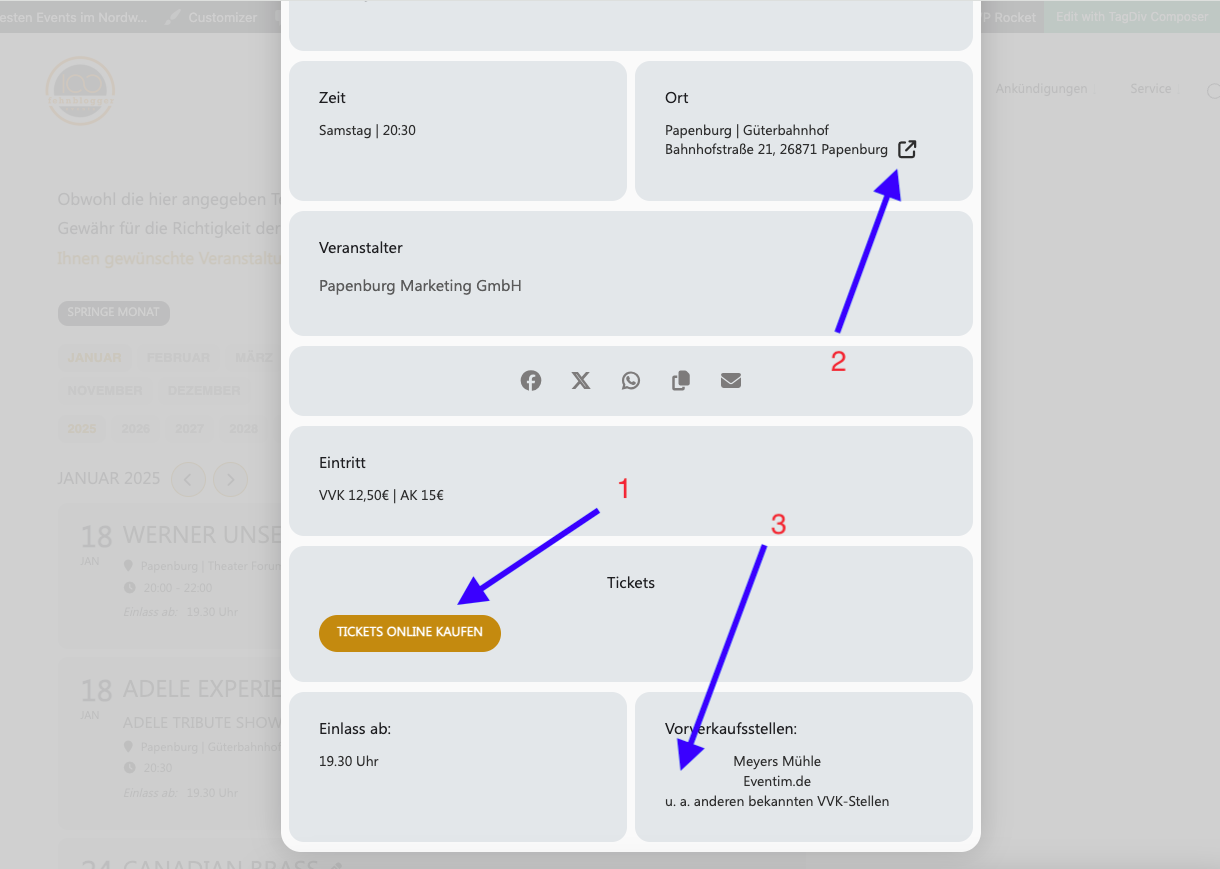
The “write dynamic styles to header” button also no longer works since the update. After “Save” the button jumps back. With your instructions, the custom text will be placed in the middle. But it was correct left-aligned.
What I want:
1. Button “Tickets Online” centered
2. Remove Google Maps link
3. Text left aligned
You requested login data when submitting a support request.
If this can’t be fixed, I would like the option to rollback to the previous version.
Thank you for your support.
I switched to safari and there it worked so it seems it was an issue with my chrome browswer
Im messed around with it and now at least I got the starting date correct so this are the two dates
13-15 june and 27-29 june nothing else if I add the reocurring date and press save nothing happens if I open and close the event the second date is not here anymore