Hello,
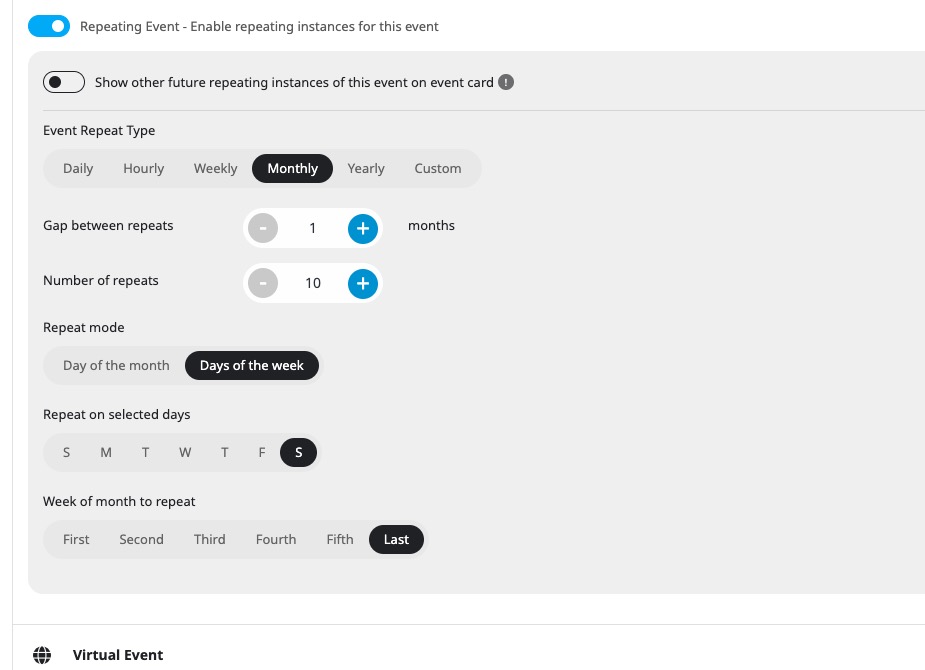
Please try setting up repeats this way:
Replies for tickets on suppota
Hello,
Please try setting up repeats this way:
Hi, I’ve just updated the plugin, but the changelog doesn’t say this issue was addressed.
Have you had the time to find a solution for it?
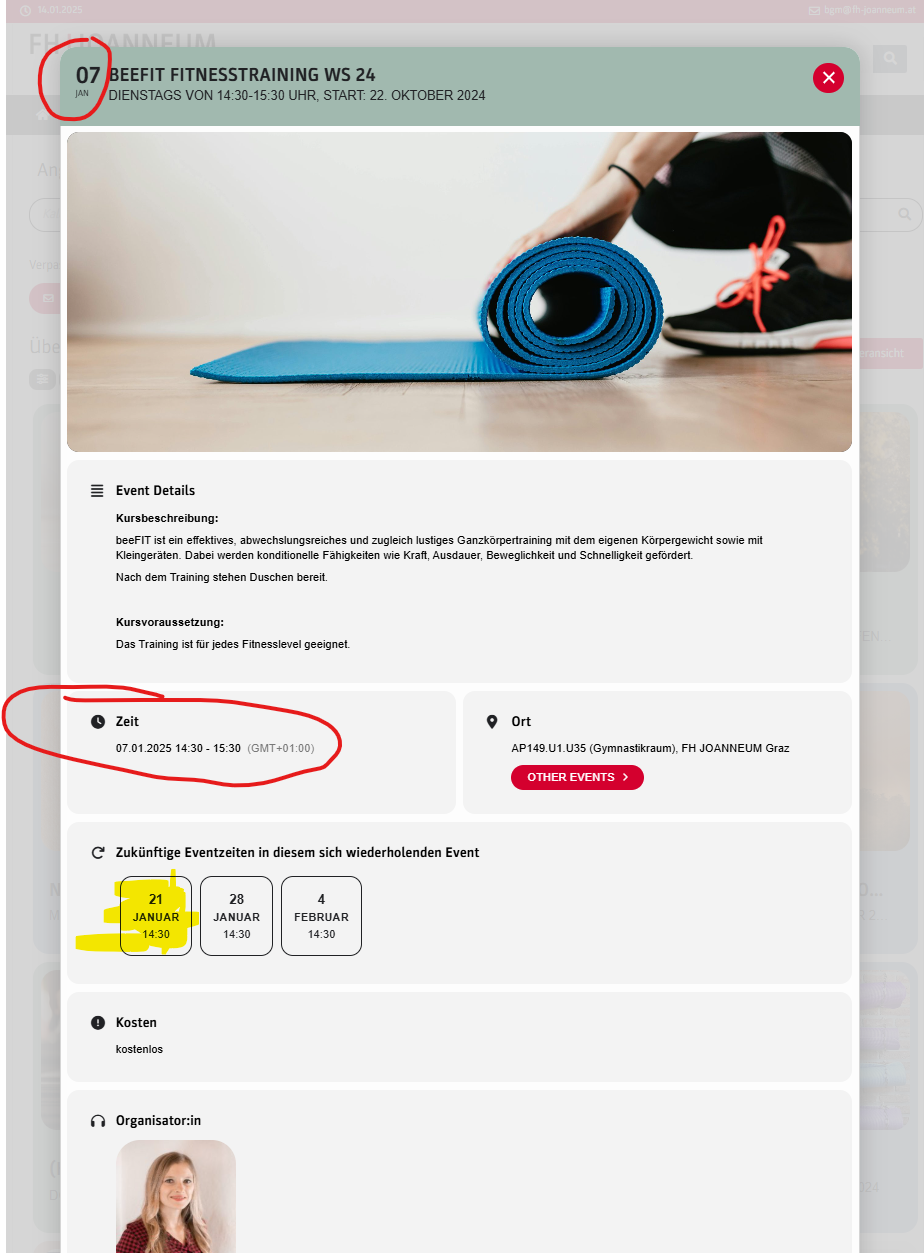
On both webpages we DON’T WANT TO HIDE events from the past, the whole event.
But the dates of the events are not the next date in the future, but the last one in the past.
See screenshot of the eventcard.png:
red: date from the past
yellow: next date in the future, which should replace the dates in the red marked places
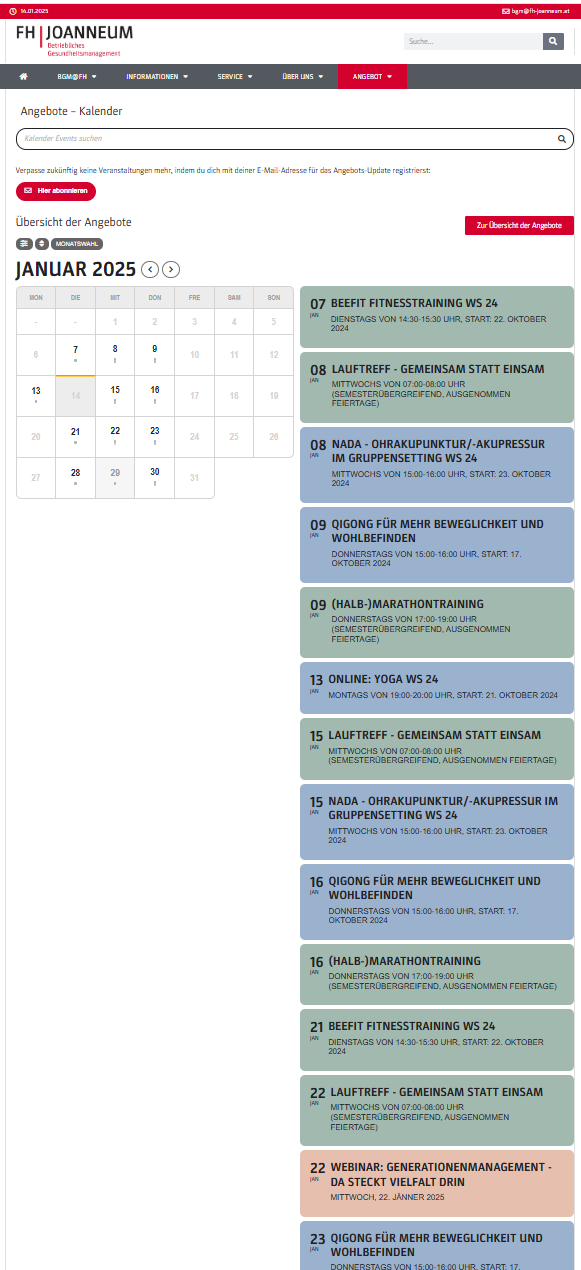
Shortcode of a calendar webpage with embedded event cards:
[add_eventon_fc grid_ux=”0″ nexttogrid=”yes” etc_override=”yes” jumper=”yes” style=”def” mo1st=”yes” load_fullmonth=”yes”]

Shortcode where events are on a webpagee with event cards view in overlay:
[add_eventon_list number_of_months=”24″ ux_val=”3a” hide_month_headers=”yes” tiles=”yes” tile_bg=”1″ tile_style=”1″ etc_override=”yes” hide_so=”no” filter_hide_indicator=”yes” hide_mult_occur=”yes” hide_empty_months=”yes” show_year=”yes” ft_event_priority=”yes” accord=”yes” exp_so=”no” filter_show_set_only=”no” filter_clear=”yes” filter_type=”default” filter_relationship=”OR”]
When I disabled the “Force Trailing Slash” rule and visited the calendar page without a trailing slash (/), it worked. However, it served the non-cached version because WP Rocket’s page cache only works for URLs with a trailing slash.
While the “Force Trailing Slash” rule was disabled, I also tested visiting the calendar page with a trailing slash (/), but it still didn’t work. In this case, it served the cached page from WP Rocket.
I also attempted to resolve the issue by editing the .php file and removing the wp_unslash() function, but this did not help.
As of now, I’ve updated to the latest version of EventON, and the AJAX functionality is working again. However, based on previous experience, I expect the problem to reappear after a few hours.
Could you please provide guidance on how to fix this issue permanently?
Ashan, thank you!
I just updated to Eventon 4.8 and in doing so I was able to activate the Action user plugin. I was also able to purchase a license for Event API and was also able to activate. Thanks for taking care of this.
Mike
Hi there!
So good news/bad news. The good news is, 2.3.1 does seem to resolve the short code issue (yay!). The bad news is that all of my custom css stopped working. I’m not sure if this is a bug that’s already been reported, but if not, I wanted to share my experience:
I wanted to let you know in case this hasn’t already been reported.
Thanks for the quick response in fixing the Shortcode generator bug!
Both the orders are refunded and subscriptions are cancelled now. If you have more questions, kindly send us a new ticket and we would be more than happy to help you resolve your issues!