Hello,
There are no new events. I added one, so you can see it:

Please check and let me know.
Replies for tickets on suppota
Hello,
There are no new events. I added one, so you can see it:
Please check and let me know.
You need to add (int) to the line on the screenshot if it doesn’t exist.
We are glad your issue is resolved, if you have any further questions or concerns please create a new ticket.
If you have a moment, we would greatly appreciate if you could kindly leave us a review at Codecanyon. By going to your account > Downloads. We are very grateful for your kind review!
Hi,
At the moment, I have set “.” for thousands and “,” for decimals on my WooCommerce and everything is fine with Tickets plugin activated, prices are displayed correctly and I don’t want to change this set up.
The issue appears only when I activate Bookings. Modifying WooCommerce settings would solve this problem, but would mess up the prices of all my Tickets-only and no-Tickets products.
Is there a way to make Bookings behave in accordance to Tickets, which is working smooth as always with my WooCommerce settings?
I would like to delete “Make sure to RSVP to this amazing event!”
I think I did it once, but now it is showing up again.
Do I really have to set events like I did? Is there no easier way for this?
I have the same schedule for the whole year and I just want to adjust via REPEAT CUSTOMIZER for example when we are closed for holidays.
Because this way I will have to adjust everything again after 52 weeks.
there is no IP Blocking.
Not sure what I must change with the patch ? Must I add | to the code?
Regards

Habe noch eine Frage: wie kann ich bei dem Menü der Monatsauswahl die Schrift vergrößern und das sie auf der Mobilen Version aber kleiner bleibt.
siehe Screen !
Danke !
Hallo,
danke, aber wenn ich das in den Shortcode einbaue dann sind die Bilder von den Kalenderkacheln verschwunden.
Das ist mein aktueller Code:
[add_eventon jumper=”yes” jumper_offset=”1″ jumper_count=”2″ exp_jumper=”yes” accord=”yes” show_et_ft_img=”yes”add_eventon tiles=”yes” tile_count=”4″ tile_bg=”1″]
danke für die Hilfe !
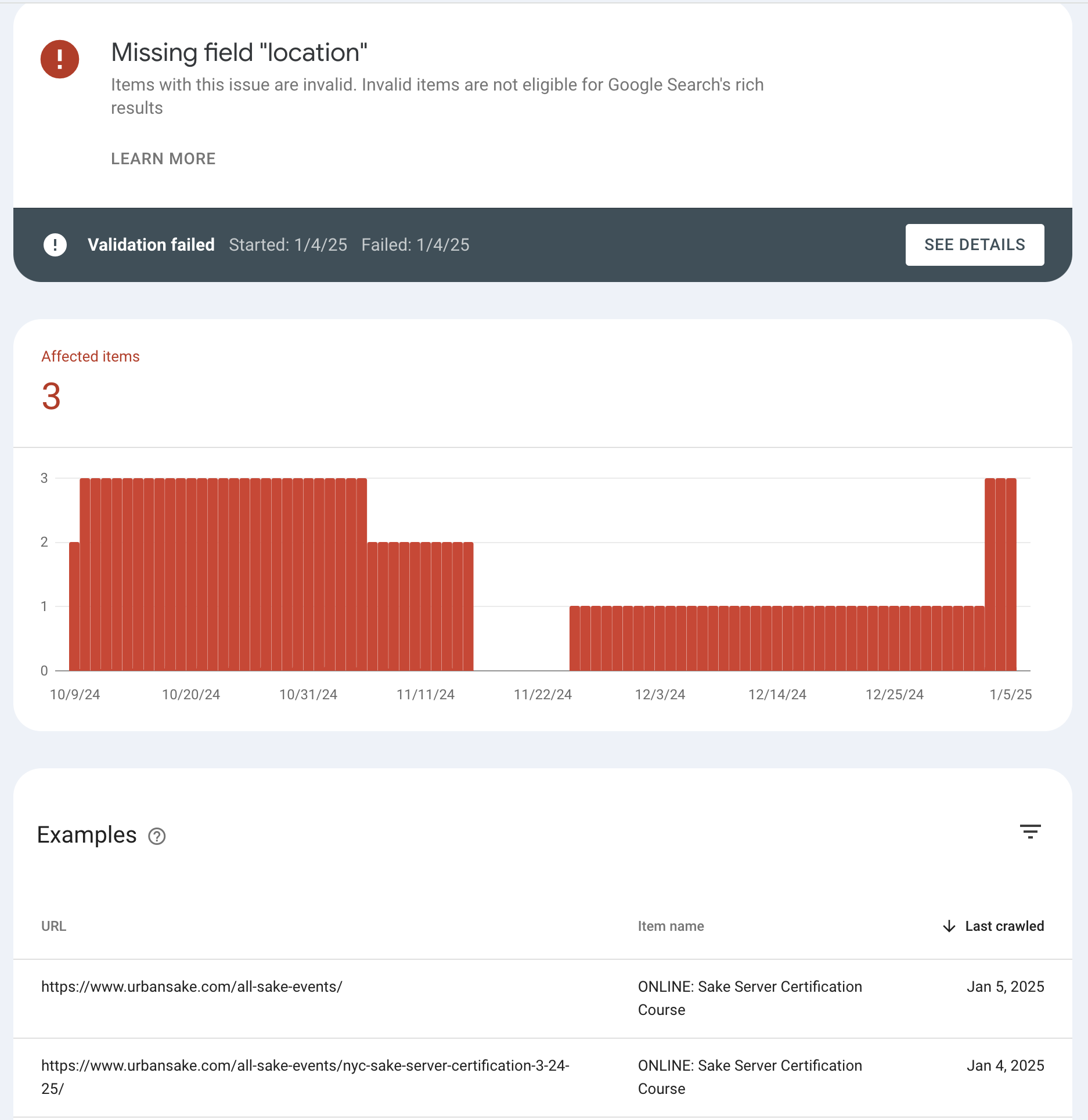
Hello! thank you for your reply!
Schema.org does not show an error but google “rich results” test keeps flagging an error. I get messages from Google search console that the there is a:
“Missing field ‘location’. Items with this issue are invalid. Invalid items are not eligible for Google Search’s rich results”.
I can’t resolve this error for my online/virtual events.
Please see here:
https://search.google.com/test/rich-results/result?id=rZGRMEaPcuuz1f_aDU0sHQ
I’ve tried all different settings to try and get this fixed, but don’t see any way to fix it.