Please check Date Format: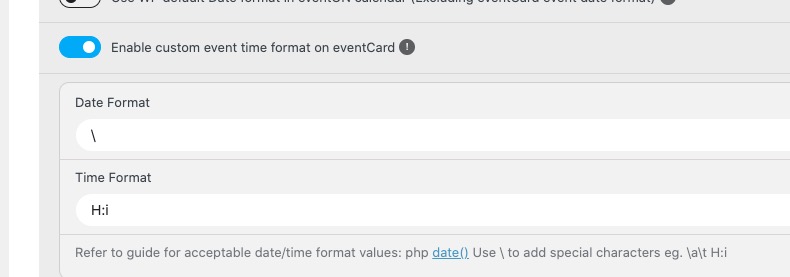
Date isn’t visible at the moment.
Replies for tickets on suppota
Please check Date Format:
Date isn’t visible at the moment.
Unfortunately hide_month_headers=”yes” did not work inside my shortcode.
Please add this CSS code to EventON > Styles (If you don’t see any change, EventON > Scripts & Styling > turn off Write dynamic styles to header > save settings > turn on Write dynamic styles to header):
.evo_header_mo.evodfx.evofx_ai_c { display: none !important; }
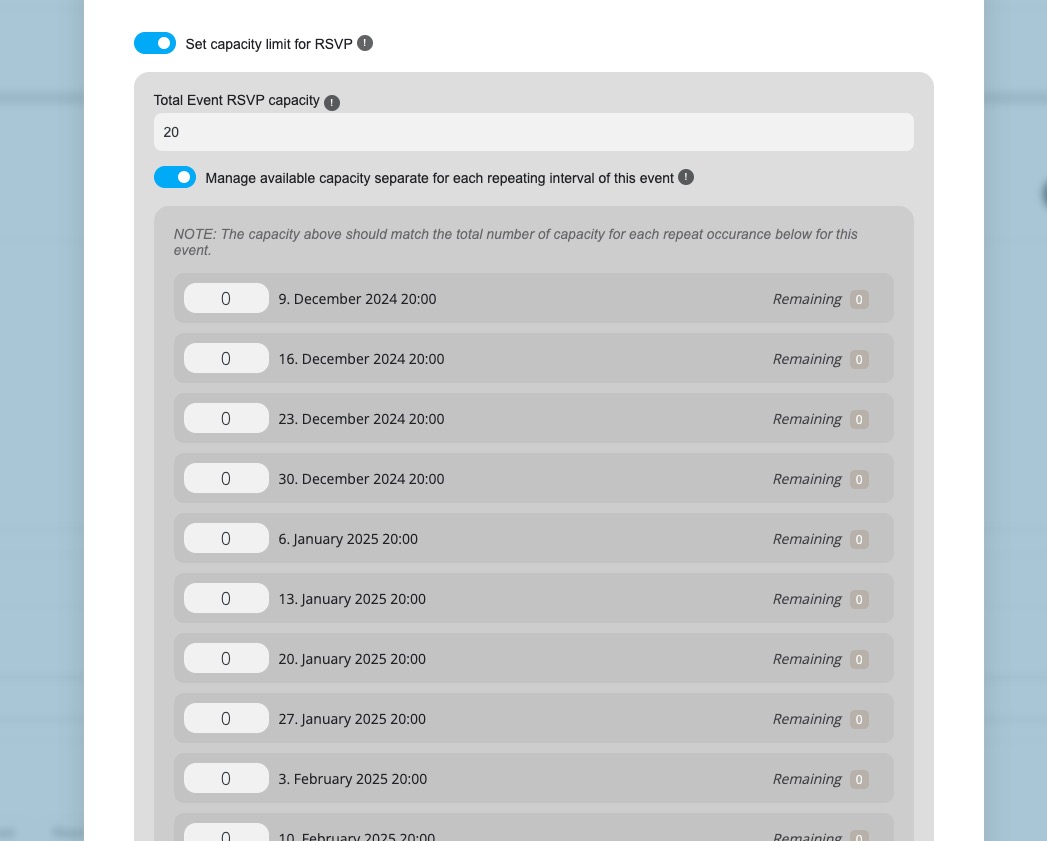
unfortunately I cannot register for max. capacity events although there is no registration yet.
All repeats have 0 as capacity. Could you change it and let us know if you still cannot register:
Hi,
I tested again and I am still getting an error. Please try to debug using the test event that we created here. This is the event that we tried to create that starts in March of 2025 and repeats: https://coloradooutside.com/wp-admin/post.php?post=4642&action=edit
Please watch this video where I demonstrate that the date function error is continuing to occur. It may have something to do with us having Tickets active for the event?: https://www.loom.com/share/0050ea0c4ae6456f86a69e35f103b963?sid=d72f8015-3c6f-460b-ab24-60fea47b913b
“Gottesdienst mit Abendmahl (ABH)” can be found among imported events:
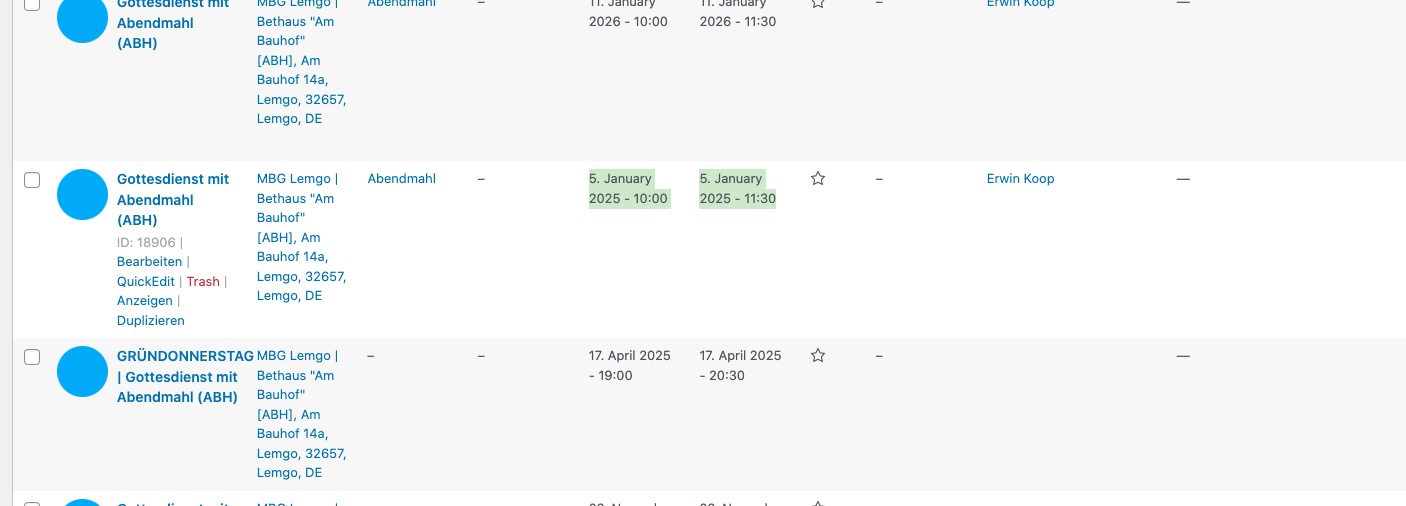
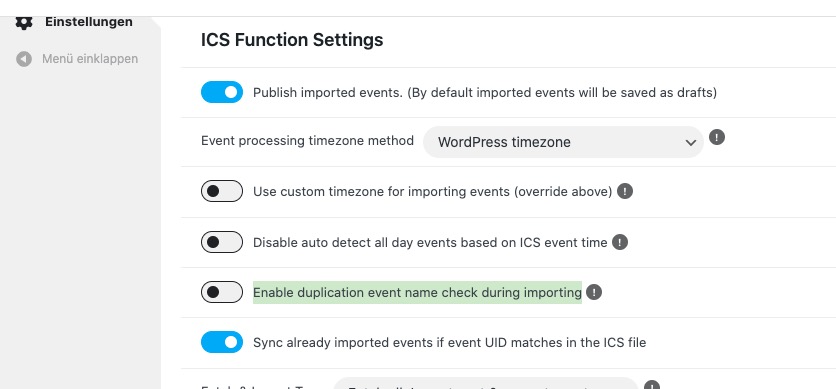
I disabled “Enable duplication event name check during importing”, so now “Gottesdienst mit Abendmahl (ASL)” can be imported:
The same with other dates:
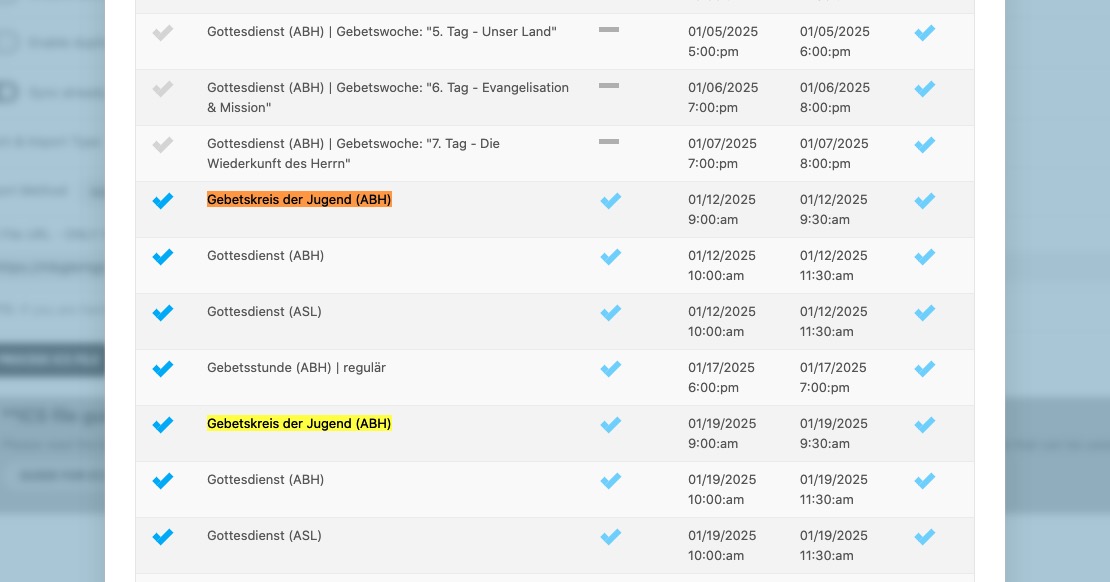
Could you try re-importing with disabled option and then check if any of events are still missing?
About this issue:
[24-Sep-2024 20:29:43 UTC] PHP Fatal error: Uncaught Error: Call to a member function format() on null in /www/htdocs/w00e6842/mbglemgo.de/wp-content/plugins/eventon-ics-importer/includes/class-functions.php:204
Stack trace:
#0 /www/htdocs/w00e6842/mbglemgo.de/wp-content/plugins/eventon-ics-importer/includes/class-ajax.php(230): EVOICS_Fnc->print_imported_events(Object(omEventsList))
#1 /www/htdocs/w00e6842/mbglemgo.de/wp-includes/class-wp-hook.php(324): EVOICS_ajax->process_ics_file(”)
#2 /www/htdocs/w00e6842/mbglemgo.de/wp-includes/class-wp-hook.php(348): WP_Hook->apply_filters(”, Array)
#3 /www/htdocs/w00e6842/mbglemgo.de/wp-includes/plugin.php(517): WP_Hook->do_action(Array)
#4 /www/htdocs/w00e6842/mbglemgo.de/wp-admin/admin-ajax.php(192): do_action(‘wp_ajax_evoics_…’)
#5 {main}
thrown in /www/htdocs/w00e6842/mbglemgo.de/wp-content/plugins/eventon-ics-importer/includes/class-functions.php on line 204
Please try changing EventON > ICS Importer > Event processing timezone method.
Does your current theme somehow change Woo’s emails?
The error is referring to ele-custom-skin plugin. Please try disabling it.
Perfect! If you have any further questions or concerns please create a new ticket.
I’m not sure if it is the latest Elementor and Elememntor Pro updates causing a major problem but there is a problem
Check page thebeatbali.com/bali-events
The calendar is not working properly here. How about on your side?
This is the error log on plesk.
AH01071: Got error ‘PHP message: PHP Warning: Constant WP_DEBUG_DISPLAY already defined in /var/www/vhosts/thebeatbali.com/httpdocs/wp-config.php on line 67; PHP message: PHP Fatal error: Uncaught Error: Class “ElementorCoreSchemesColor” not found in /var/www/vhosts/thebeatbali.com/httpdocs/wp-content/plugins/ele-custom-skin-pro/skin/skin-custom.php:652nStack trace:n#0 /var/www/vhosts/thebeatbali.com/httpdocs/wp-includes/class-wp-hook.php(324): {closure}()n#1 /var/www/vhosts/thebeatbali.com/httpdocs/wp-includes/class-wp-hook.php(348): WP_Hook->apply_filters()n#2 /var/www/vhosts/thebeatbali.com/httpdocs/wp-includes/plugin.php(517): WP_Hook->do_action()n#3 /var/www/vhosts/thebeatbali.com/httpdocs/wp-content/plugins/ele-custom-skin/skins/skin-custom.php(53): do_action()n#4 /var/www/vhosts/thebeatbali.com/httpdocs/wp-includes/class-wp-hook.php(326): ElementorProModulesPostsSkinsSkin_Posts_ECS->register_navigation_design_controls()n#5 /var/www/vhosts/thebeatbali.com/httpdocs/wp-includes/class-wp-hook.php(348): WP_Hook->apply_filters()n#6 /var/www/vhosts/thebeatbali.com/httpdocs/wp-includes/plugin.php(517): WP_Hook->do_action()n#7 /var/www/vhosts/thebeatbal
I tried deactivating elementor pro and the calendar was still the same,
What do you think?
Thanks for answering.
I found another solution that works well with Divi – in the EventOn settings, under Events Paging, enable “Stop using eventOn single event template for single event pages”.
This ticket can be closed.
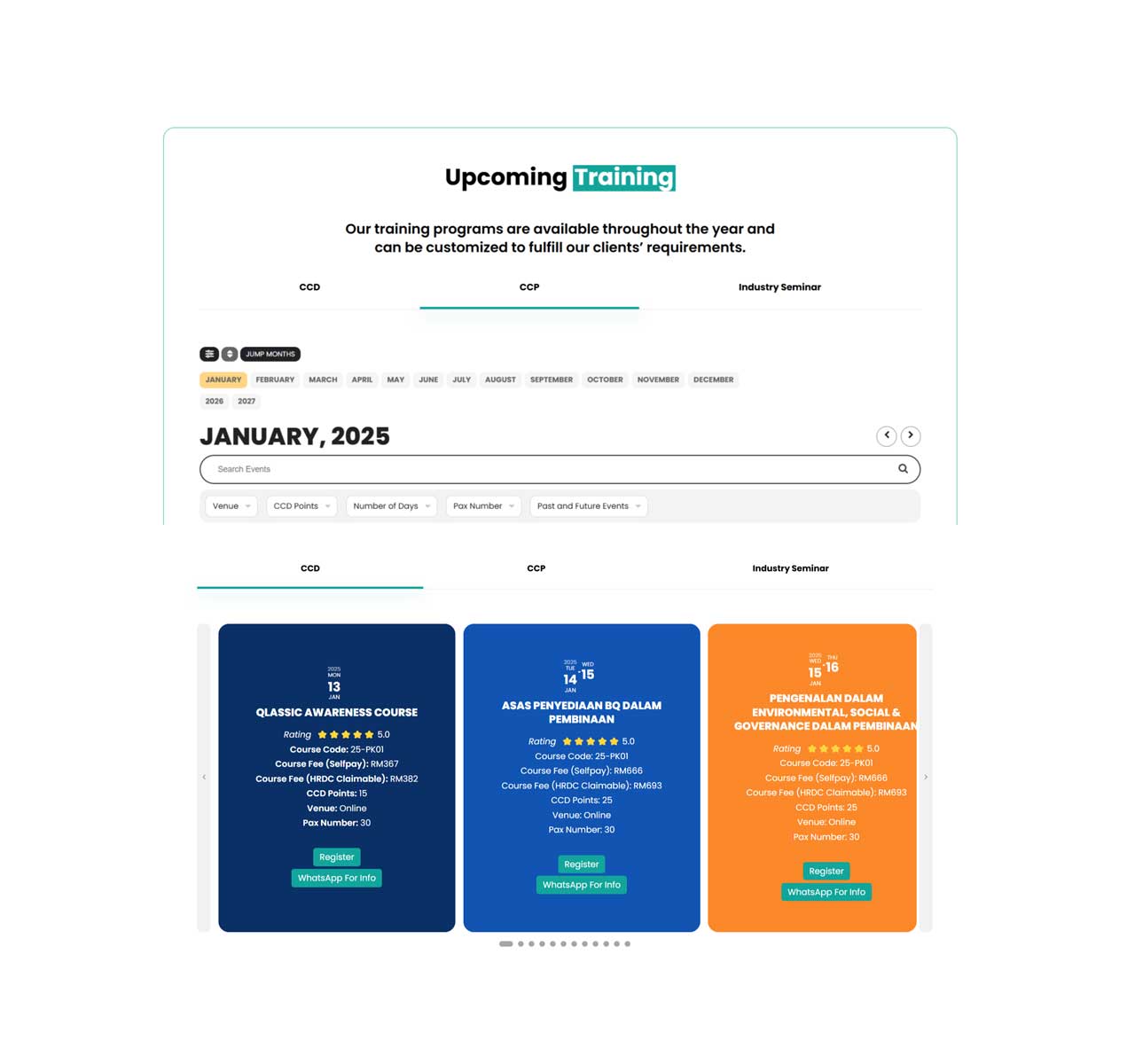
2. How can I display a filter and search box above the slide event? like the image in attachment