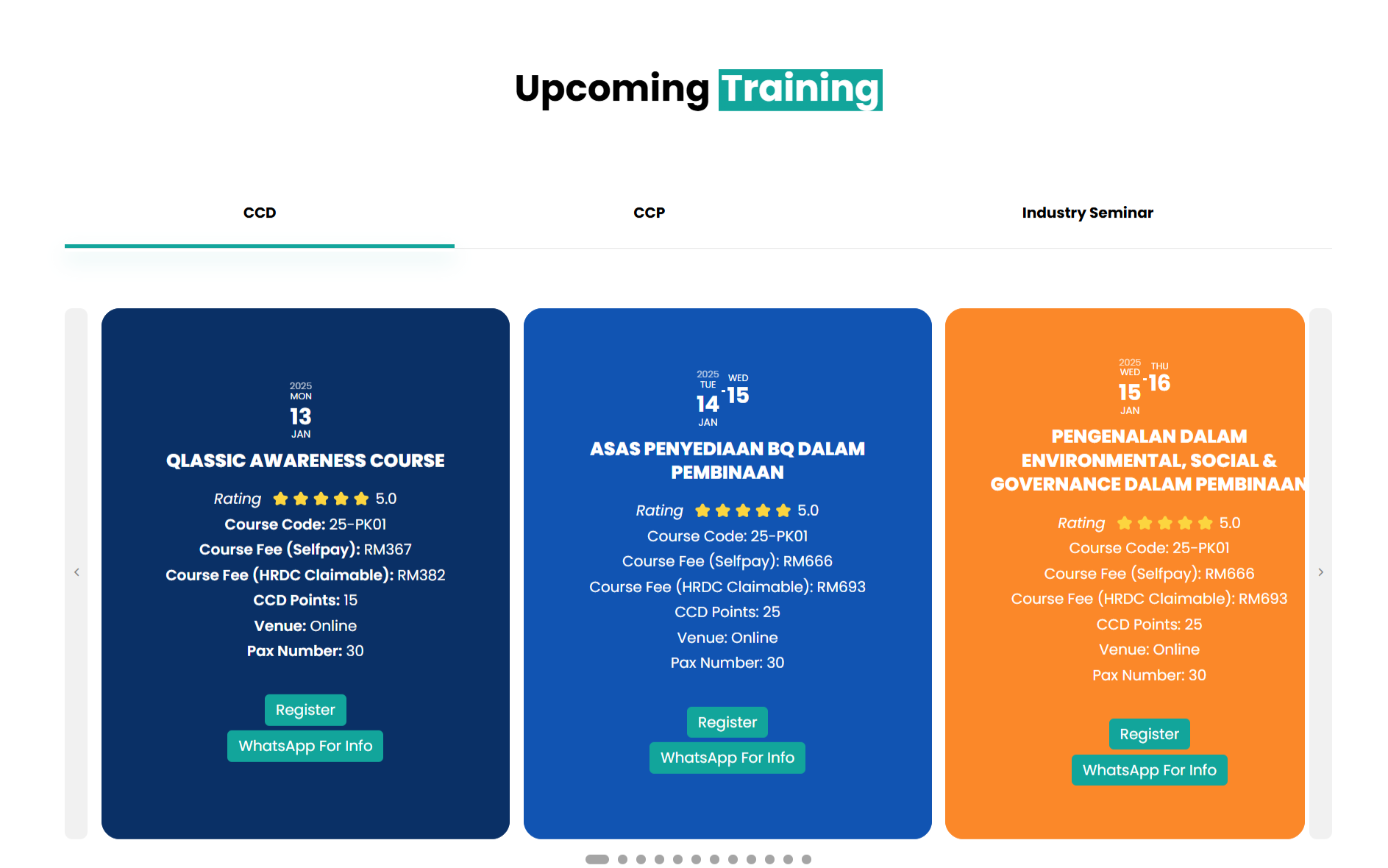
- The first question is about the Event Slider. As you can see, everything is currently center-aligned. I want to change it to be left-aligned. [See the attachment]
Replies for tickets on suppota
Hello,
You can just cancel your subscription and keep using the add-on:
https://docs.myeventon.com/documentations/how-to-cancel-addon-subscription-before-auto-renew/
Just won’t be able to download new updates and get support.
Hello,
Please add this CSS code to EventON > Styles (If you don’t see any change, EventON > Scripts & Styling > turn off Write dynamic styles to header > save settings > turn on Write dynamic styles to header):
dd.variation-BasePrice { display: none !important; } dt.variation-BasePrice { display: none !important; }
1. It is left-aligned by default. Did you mean right-aligned? If so please go to EventON > enable Enable RTL (right-to-left all eventon calendars).
2. Could you elaborate? Where are you trying to show the filter? You can just copy the parameters from the shortcode to any other shortcode and it should work.
3. Please take a look at Event Slider add-on:
https://www.myeventon.com/addons/event-slider/
Try on https://dev.myeventon.com/wp-admin/
Shortcode where events are on a webpagee with event cards view in overlay:
[add_eventon_list number_of_months=”24″ ux_val=”3a” hide_month_headers=”yes” tiles=”yes” tile_bg=”1″ tile_style=”1″ etc_override=”yes” hide_so=”no” filter_hide_indicator=”yes” hide_mult_occur=”yes” hide_empty_months=”yes” show_year=”yes” ft_event_priority=”yes” accord=”yes” exp_so=”no” filter_show_set_only=”no” filter_clear=”yes” filter_type=”default” filter_relationship=”OR”]
Shortcode of a calendar webpage with embedded event cards:
[add_eventon_fc grid_ux=”0″ nexttogrid=”yes” etc_override=”yes” jumper=”yes” style=”def” mo1st=”yes” load_fullmonth=”yes”]
On both webpages are the dates from the past!
Please use Code Snippets:
https://wordpress.org/plugins/code-snippets/
It allows you to create JS snippets.
The issue isn’t with the server, but with your theme or any of third-party plugins enabled on the server. So enabled WP_DEBUG will not show anything.
Please try disabling the theme and all third-party plugins one by one.
I cannot delete this test page:
https://www.chemstage.com/wp-admin/post.php?post=27737&action=edit
So please delete it.
It seems that you are using Polylang and not WPML. I believe that when you use /en (http://www.chemstage.com/en), Polylang doesn’t load events because there is no connection between EventON and Polylang.
If you disable Polylang, and then create two new events (for L1 and L2) and then try to show them in two shortcodes with lang=”L1″ and lang=”L2″ will it work. Could you try and let us know?
Ashan,
The same on dev2:
https://dev2.myeventon.com/events/test-235/
It doesn’t save the image itself, replaces it with “Screenshot”:
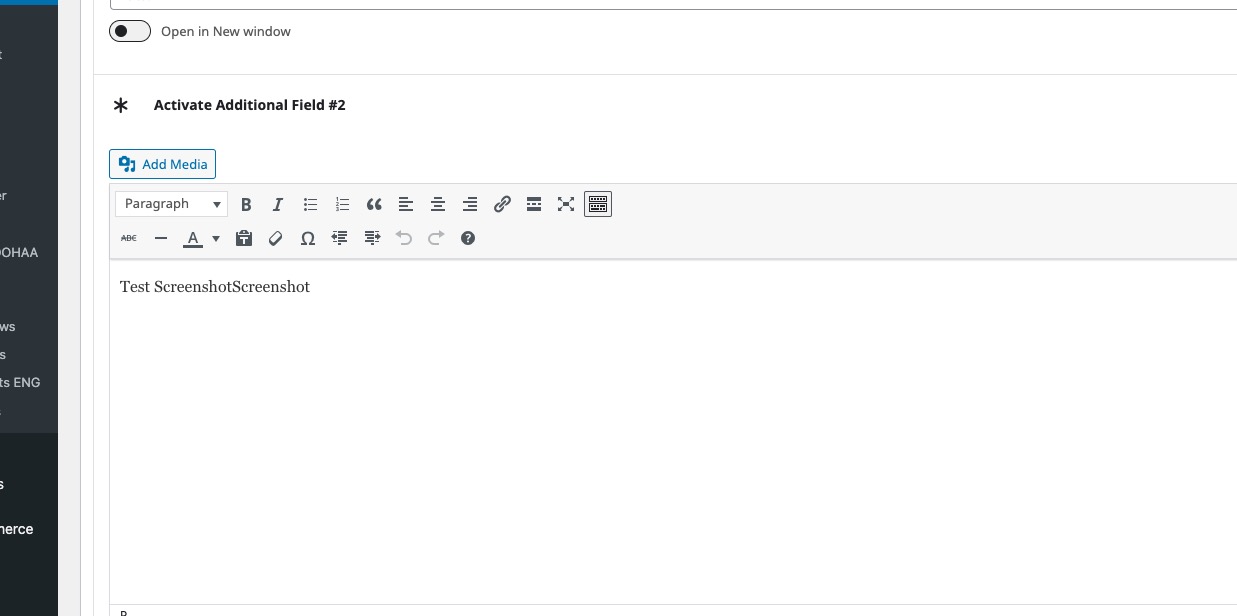
Hello,
Thank you for your messages, I am going to assign this ticket to Ashan and he will be able to take it from here and find you a solution. Please allow some time for him to get back to you, we greatly appreciate your patience and thank you for being a eventon customer! Also please disable any IP blocking on your site if there are any.