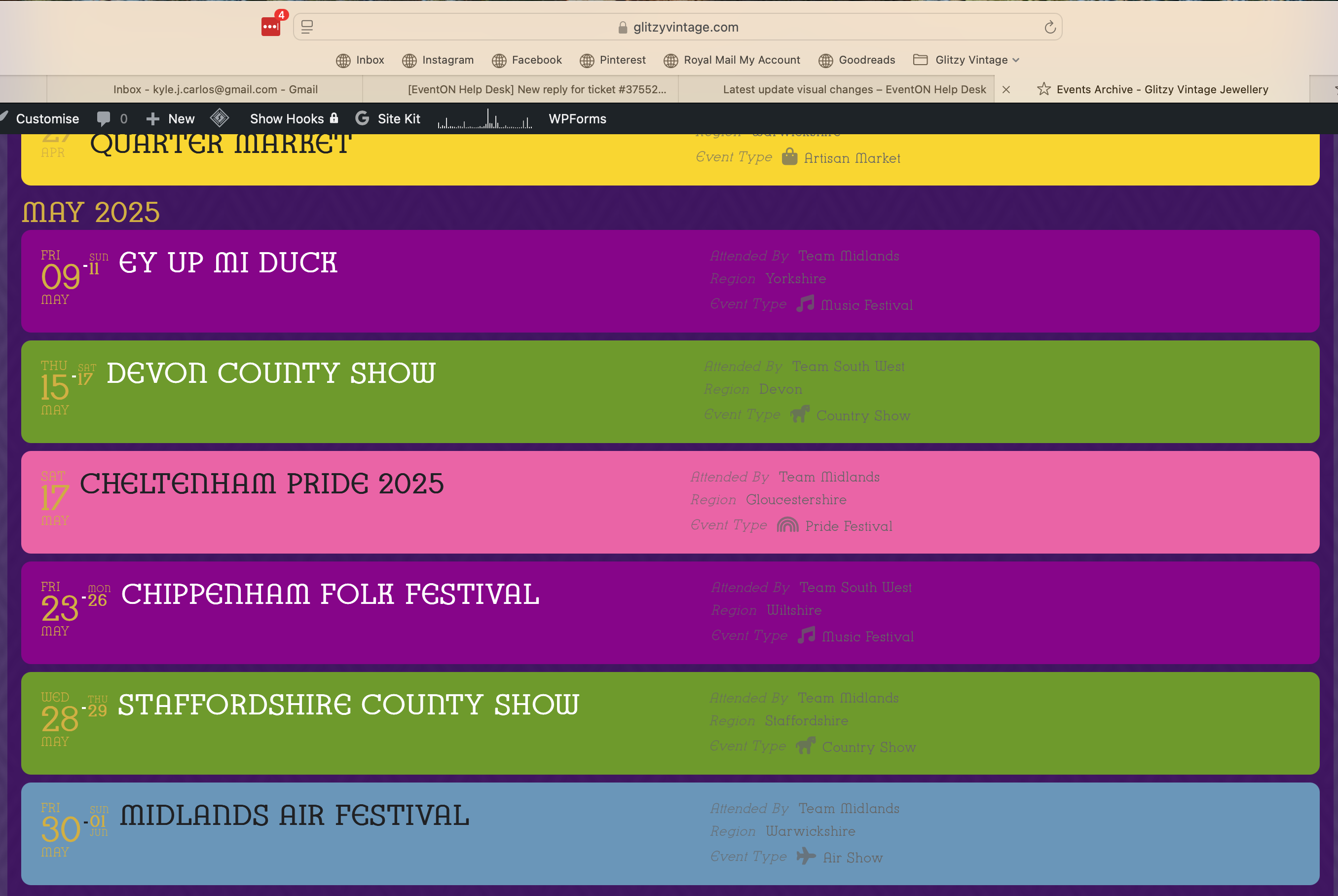
You can see both issues 2 and 3 in this image.
2. The event information/details on the right hand side are unreadable in the new pale grey font – this needs to either be in clear black all the time, or auto change to match the event title.
3. Is the event date pulling through the gold text – it looks out of place and is hard to read. Again this needs to match the font color of the event title.
Issue 2 seems to be related to a dynamic style tag:
.evo_lightbox .evo_tax_social_media a{color:#656565}
however setting an override to this on the styles panel isn’t taking any effect.
Hi Artem,
Thank you that fixes the issue listed as ‘1’ in my list above. Sadly issues 2 and 3 are still persisting.
Hi Artem,
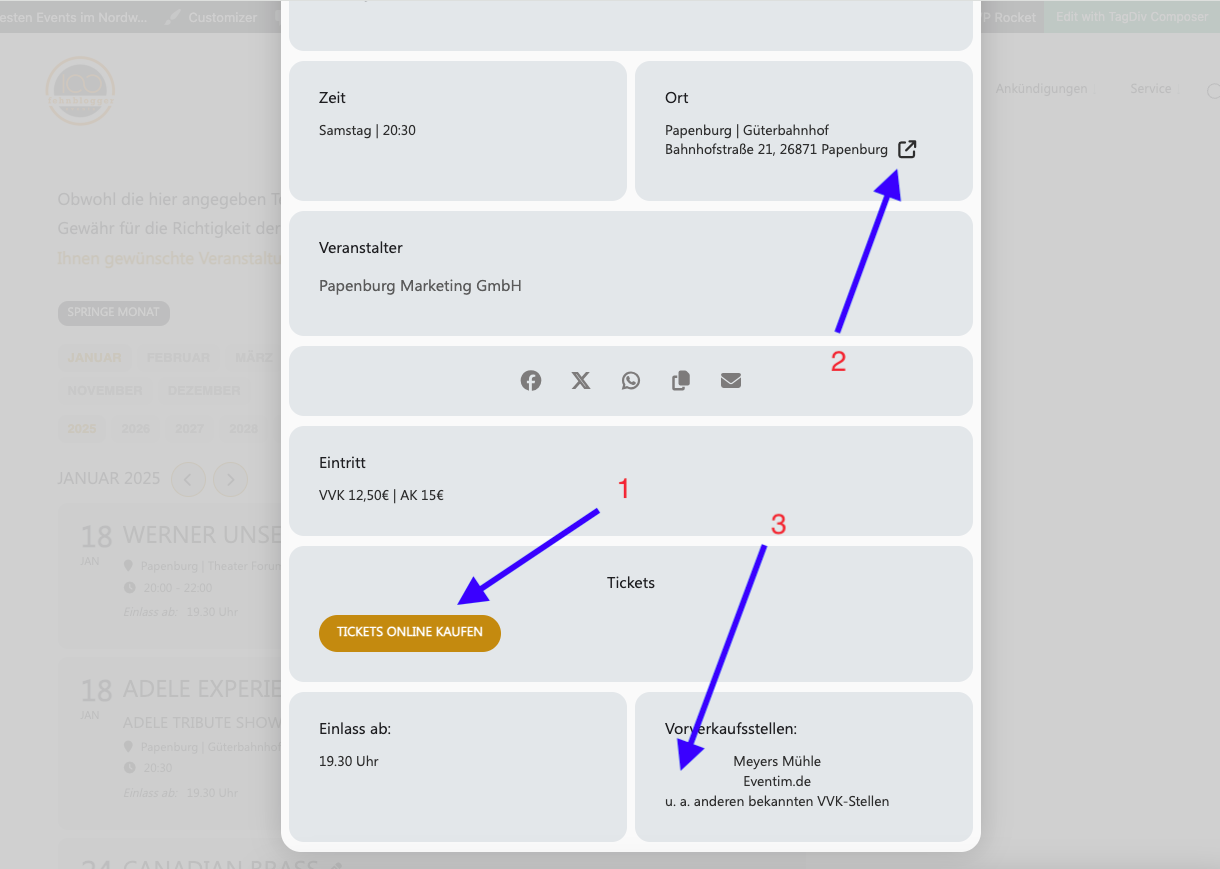
The “write dynamic styles to header” button also no longer works since the update. After “Save” the button jumps back. With your instructions, the custom text will be placed in the middle. But it was correct left-aligned.
What I want:
1. Button “Tickets Online” centered
2. Remove Google Maps link
3. Text left aligned
You requested login data when submitting a support request.
If this can’t be fixed, I would like the option to rollback to the previous version.
Thank you for your support.
I switched to safari and there it worked so it seems it was an issue with my chrome browswer
Im messed around with it and now at least I got the starting date correct so this are the two dates
13-15 june and 27-29 june nothing else if I add the reocurring date and press save nothing happens if I open and close the event the second date is not here anymore
URGENT!
Please note that since December the Reminder plugin does not work at all! Even when I disable all the three reminders in the preference pane all attendees keep getting empty emails!!! This is really a very serious problem because our most appreciated clients block our email addres as they think it is spam.
Today I had to disable the plugin and hope this will stop sending these emails.
PLEASE take consider this as a serious problem with a number one priority!
Jeroen Vink
URGENT!
Please note that since December the Reminder plugin does not work at all! Even when I disable all the three reminders in the preference pane all attendees keep getting empty emails!!! This is really a very serious problem because our most appreciated clients block our email addres as they think it is spam.
Today I had to disable the plugin and hope this will stop sending these emails.
PLEASE take consider this as a serious problem with a number one priority!
Jeroen Vink
Hi,
here is FTP access:
Host/IP: (SFTP)
172.105.67.26
Username:
asnywebb
PW:
sdjkfhkj&&543″”kkLLL8Gvv?#
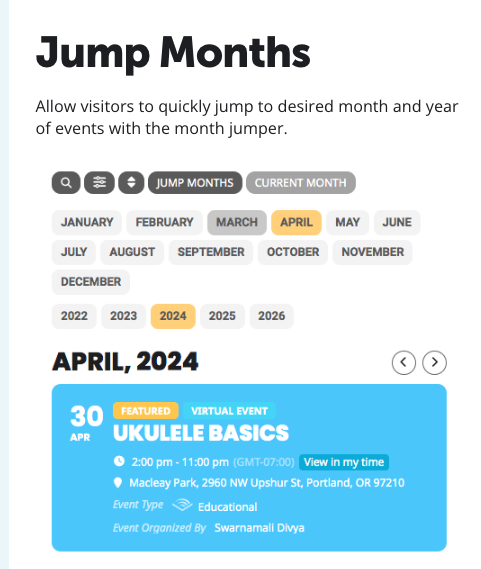
Here is the example from your site that I want to add to the events page above the day by day calendar and on the home page above the featured events on the homepage.