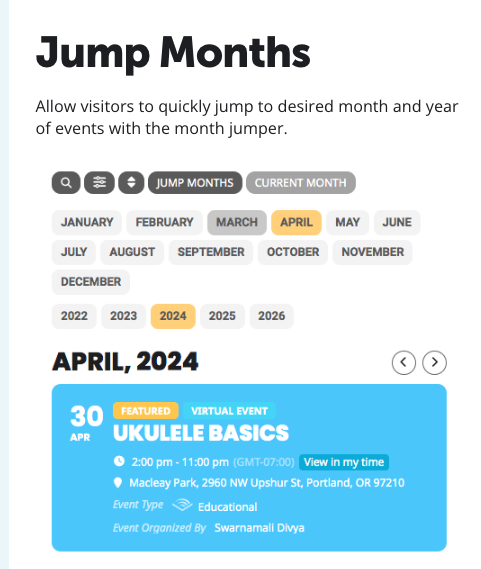
Here is the example from your site that I want to add to the events page above the day by day calendar and on the home page above the featured events on the homepage.
Replies for tickets on suppota
Here is the example from your site that I want to add to the events page above the day by day calendar and on the home page above the featured events on the homepage.
Hi There,
Plugin update to 4.8.1 version has eliminated the issue. Thanks. Setting are visible now.
How they look on my end:
https://helpdeskx.s3.amazonaws.com/wp-content/uploads/2025/01/16163525/Screenshot_20250117-003423_Chrome.jpg
Could you let us know more about how they should look like?
Please add this CSS code to EventON > Styles (make sure to go to EventON > Scripts & Styling > enable Write dynamic styles to header):
.evo_custom_content.evo_data_val.evodfx.evofx_dr_r {text-align:center !important}
Thank you for your messages, I am going to assign this ticket to Ashan. Please allow some time for him to get back to you, we greatly appreciate your patience and thank you for being a eventon customer!
Please send us wp-admin access to your site as a private message for us to further assist your situation.
Shows on our test site correctly:
https://dev2.myeventon.com/events/single-event-test/
Hello,
Unfortunately, your third-party and Tickets add-on aren’t compatible with each other.
Could you try adding the partial functionality to Checkout page?
Please also note that we don’t receive any reply emails, so please reply here.
Could you send us the order id of the add-on you are trying to refund?
Please also cancel your subscription while we are working on the issue:
https://docs.myeventon.com/documentations/how-to-cancel-addon-subscription-before-auto-renew/
Hello,
Please go to EventON > Tickets > Checkout > enable Make additional guest names required in checkout.