Archives: Replies
Replies for tickets on suppota
Reply to: tickets(407112)
Hello,
We have another important update.
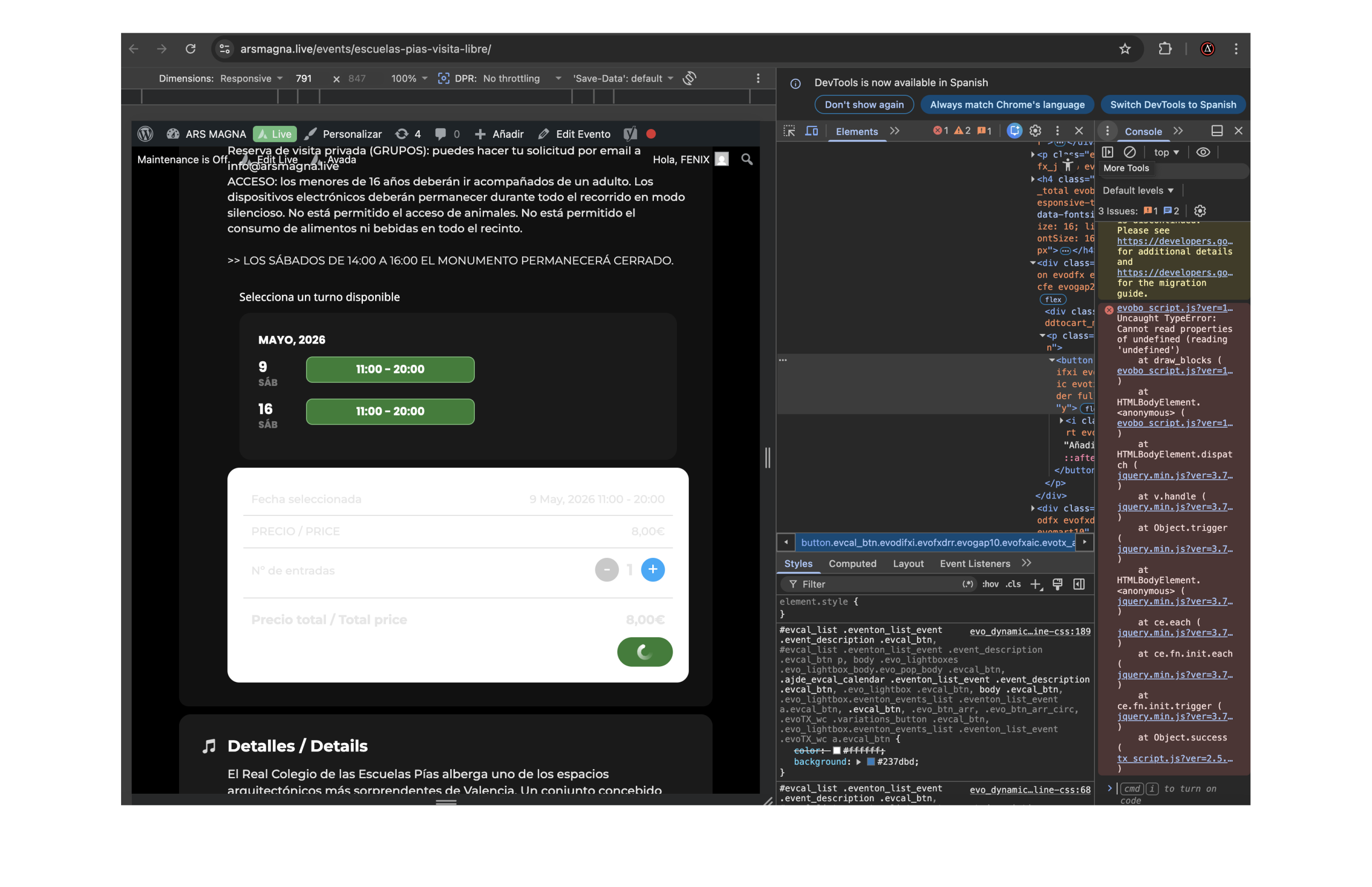
When EventON Bookings slots are enabled, the add-to-cart button remains stuck in a loading/processing state and never completes.
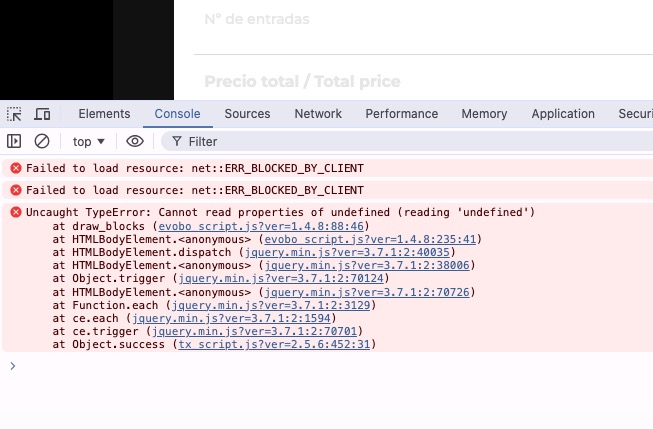
In the browser console we see this JavaScript error:
Uncaught TypeError: Cannot read properties of undefined (reading 'undefined')
The error points to:
evobo_script.js
Specifically around:
draw_blocks
So it seems that the Bookings script is trying to process/draw the selected booking blocks, but some expected internal data is undefined.
The visible behaviour is:
- Booking slots are displayed.
- The customer can select a date/time slot.
- The ticket/price block appears.
- When clicking “Add to cart”, the button keeps loading and the process does not complete.
- This makes Bookings unusable for live sales at the moment.
Because customers are already asking for available dates, we urgently need a stable workaround or fix.
For now, we may have to stop using Bookings and create normal EventON ticketed events per date, but we would appreciate your development team checking this evobo_script.js / draw_blocks error as soon as possible.
Best regards
Reply to: tickets(407112)
Hello,
Thank you for reply. Please check this.
One important clarification: we already tried recreating the affected Escuelas Pías booking event from scratch yesterday, but the issue still remained. The booking form displayed correctly, the date/time slot could be selected, and the General/Reduced variation selector appeared, but the booking still did not pass correctly to the WooCommerce cart.
So I do not think the issue is only caused by old Avada/Fusion data stored in the original event.
Current findings:
- EventON + Tickets + Seats + Ticket Variations & Options 1.1.12 works correctly for seated concerts.
- Ticket Variations & Options 1.1.16 caused issues with the seating/ticket flow, so we fully removed it and kept only 1.1.12 active.
- EventON Bookings still does not add the booking correctly to the WooCommerce cart.
- This happens even after recreating the booking event, not only on the older event.
The issue seems more specifically related to the combination of:
- EventON Bookings
- Ticket Variations & Options
- WooCommerce cart
- possibly Avada, but not only old Avada data inside an existing event
Could you please ask development to check whether Bookings is fully compatible?
The key problem is: the booking/date/time and ticket type can be selected, but the final selection is not correctly added to the cart.
Best regards,
Reply to: tickets(407112)
Hello,
A quick additional update.
After reverting EventON Ticket Variations & Options from version 1.1.16 back to 1.1.12, the seating map initially worked again. However, the issue came back shortly afterwards.
We discovered that the newer version 1.1.16 had not been completely removed from the site. It had only been deactivated/uninstalled, but it was still present in the plugins area/server. At some point, WordPress appeared to switch back to the newer version, so 1.1.12 became inactive and 1.1.16 became active again.
Once we fully deleted version 1.1.16 and left only Ticket Variations & Options 1.1.12 installed and active, the seating map, ticket type selection, cart and checkout started working correctly again.
So, for our current setup:
- Ticket Variations & Options 1.1.12 works correctly
- Ticket Variations & Options 1.1.16 breaks the seating/ticket flow
There is still one remaining issue: EventON Bookings is not working correctly. The booking form is displayed, and the ticket type selection appears, but when trying to add a booking to the cart, it does not pass the booking/product correctly to WooCommerce cart.
Best regards,
Reply to: tickets(404660)
I disabled ”EventON – Dynamic Pricing” for now.
Reply to: tickets(404660)
Ah you are right, sorry.
I created this test event and enabled Dynamic Pricing there:
https://dgsens.artt.media/events/test/
Seems to be working.
Could you send us a link to an event with the issue, so I can check it?
Reply to: tickets(407143)
1. I want you to update the add-on, so it was easier for our devs to test things and provide you with fix. Changelog:
https://docs.myeventon.com/documentations/changelog-for-rsvp-events-waitlist/
2. Usually wp-admin > Plugins page should show available updates.
I still cannot access wp-admin because of incorrect password. Could you check?
Reply to: tickets(407112)
Please help me
Reply to: tickets(407112)
Ashan,
Could you check this event:
https://arsmagna.live/events/escuelas-pias-visita-libre/
The error:
This new test event works:
https://arsmagna.live/events/test/
I cannot enable Troubleshooting Mode, so could you check if the error can be fixed from our side?
I think that the issue is with Avada. ”Disable saving all Fusion/Avada related data into events” wasn’t enabled, so old events weren’t saving correctly, that’s why variations don’t work only on old events.
Reply to: tickets(407112)
Oh no! It is broken again…!