Reply to: tickets(372821)

  1. Thank you for taking care of the unclickable categories (Symptom No. 3 and 4 above).
  2. “cannot re-create Problem Description issue. Is there a way we can 100% re-create the issue?”

(Regarding Symptom No.1) To be honest, so far Andrea Iven is the only admin, whose published events get reset to “publishing-time”. I tried, just like you, on several drafts/tests to recreate the problem too, but so far was not able to observe it when i published action users events.

That gives me the idea to let Admin Andrea Iven do some test publishings on our dev-clone, where the cache-plugin is disabled. I’ll get back to you on that.

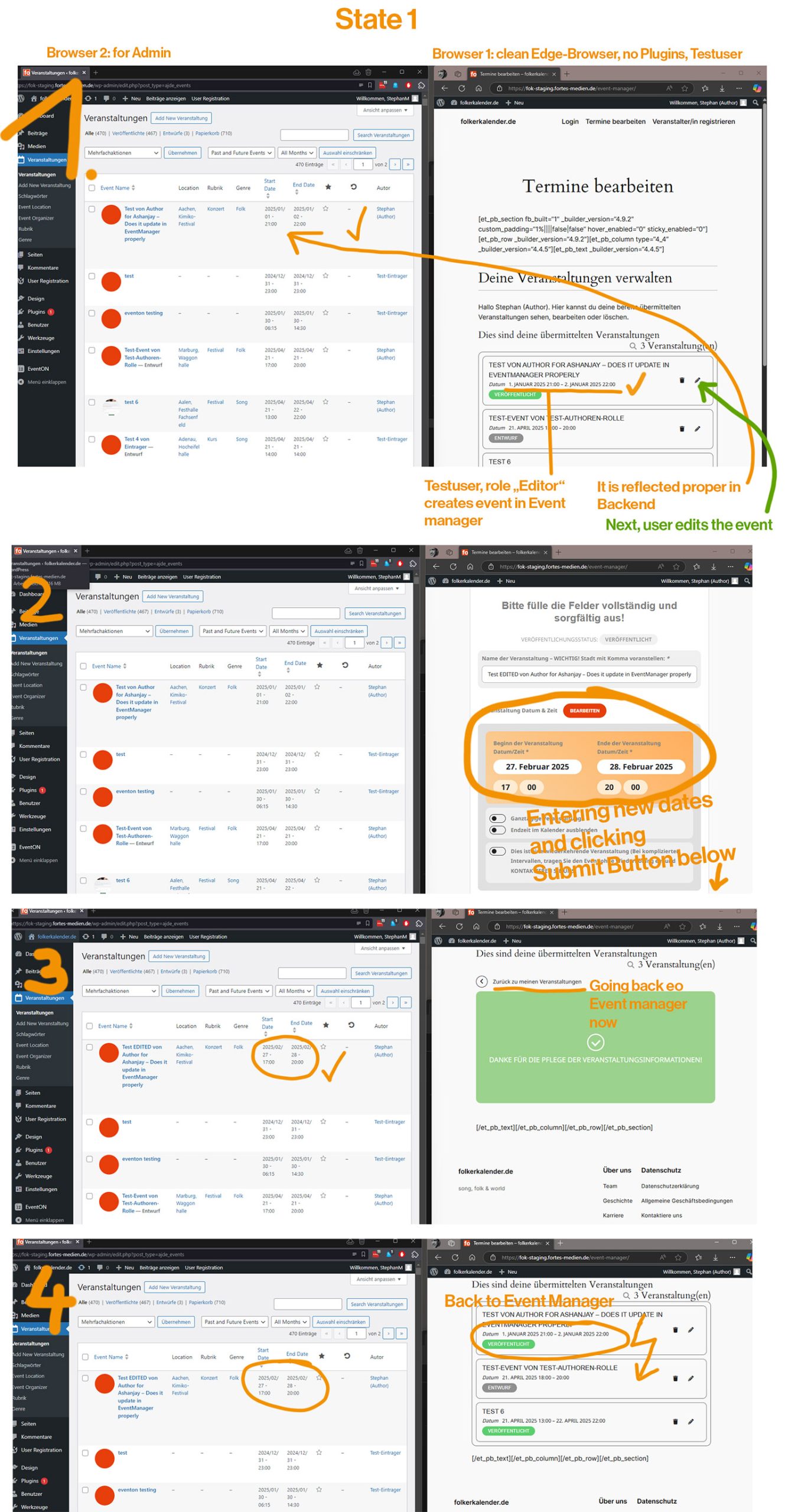
3.ย The event manager shows the event with the old wrong time/date. The backend however shows the corrected proper new time/date.

(Symptom No.4 above.) Attached here are 4 screenshots of steps to recreate the issue with clean browsers? A forced browser reload of the event manager does not help, a browser cache/cookie wipe of last hour DOES resolve the issue of an outdated event-manager)
 

Reply to: tickets(372030)

This seems to be workin fine on our testing website. Are you abel to enable plugin editor 

Instructions : https://docs.myeventon.com/documentations/how-to-enable-plugin-editor-for-wordpress/

Or share FTP access to subscriber addon folder?

Reply to: tickets(371990)

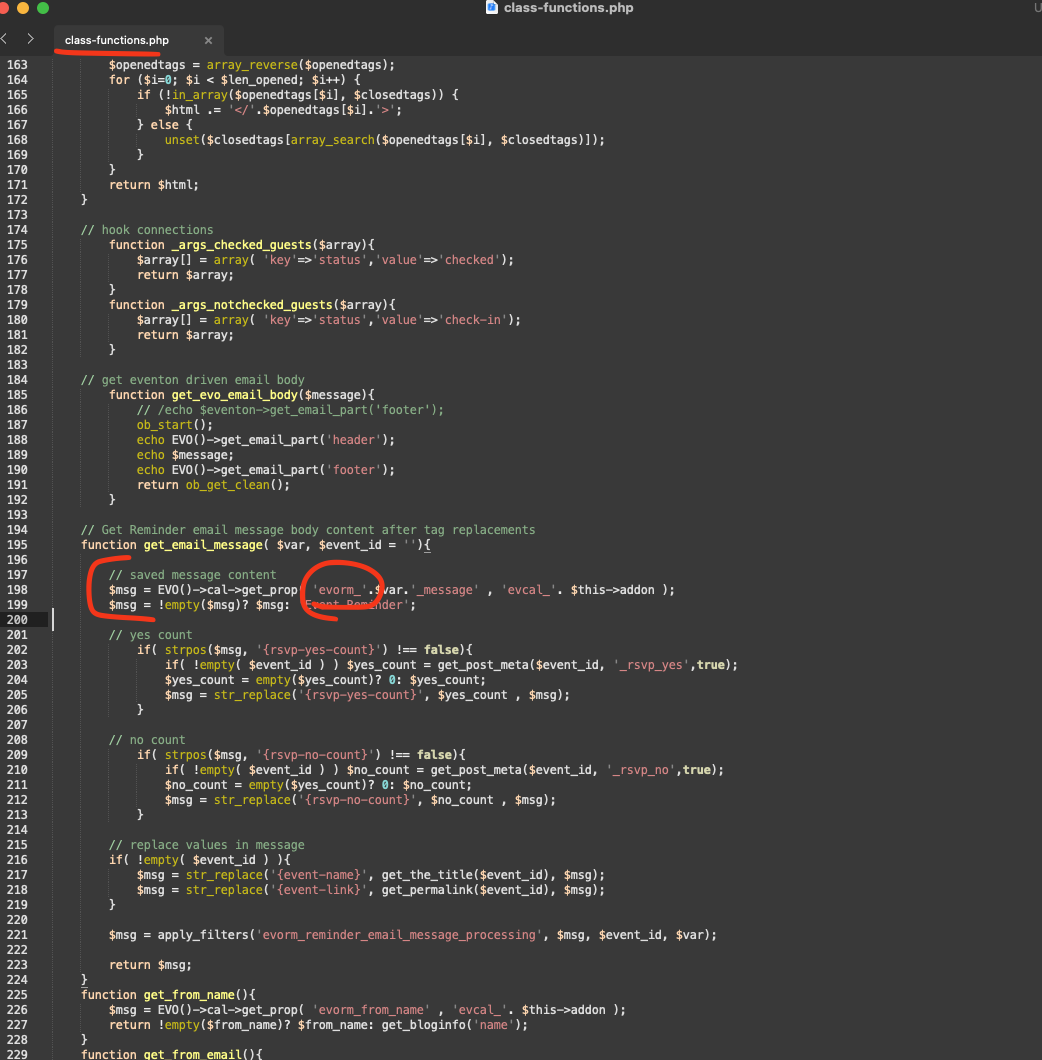
Kindly apply this patch fix to includes/class-functions.php file in reminder addon folder. we are hoping to get this included in the next version update but it might take some time as we need next eventON version for rest of the reminder addon functionality.

Reply to: tickets(367440)

Yes we are done with the staging site. Few more items we are still trying to get finialized before we can release the next update ๐Ÿ™‚ 

Reply to: tickets(321145)

Just tested this shortcode on our end and it works fine. Are you running event lists ext. addon version 1.0.4?

Reply to: tickets(372674)

Hi, Iโ€™d like to add the months as a filter option so I can view future events without displaying a long list of all the events for the entire year. Is this possible?

Reply to: tickets(313206)

Adam this ticket is private would you mind sharing the FTP access to eventon-tickets folder? 

Also whenyou used the auto complete function via functions.php file did that work correctly?

Reply to: tickets(372965)

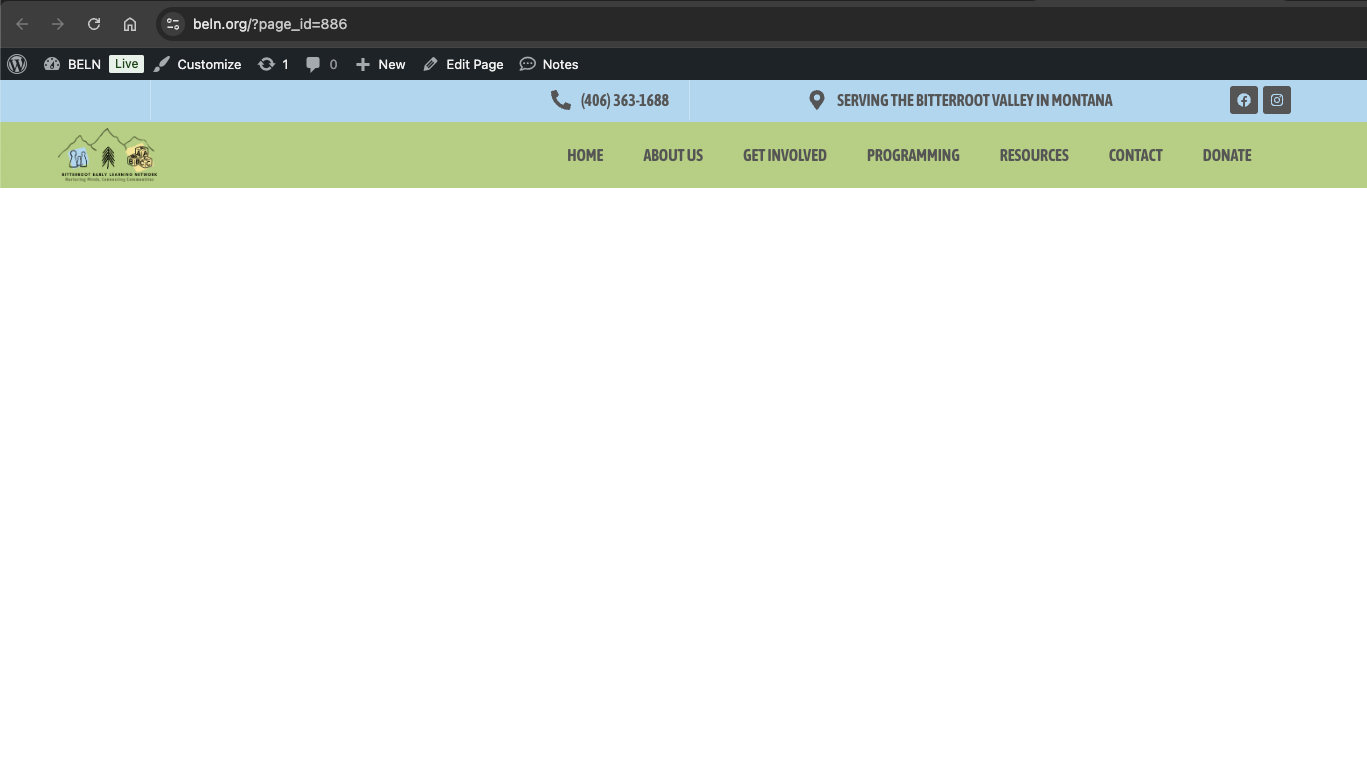
Thank you for your response. Yes, I’ve made that change and that helps in being able to have the pages called by their names vs. title … BUT … that doesn’t resolve the issue. The page is BLANK. There is no calendar. When trying to access any of the new calendar pages we’ve created via Elementor, we now get an error message. This has only been an issue since we added the ticketing add-on. Please advise ASAP.