Please send us wp-admin access to your site as a private message for us to further assist your situation.
Archives: Replies
Replies for tickets on suppota
Reply to: tickets(372791)
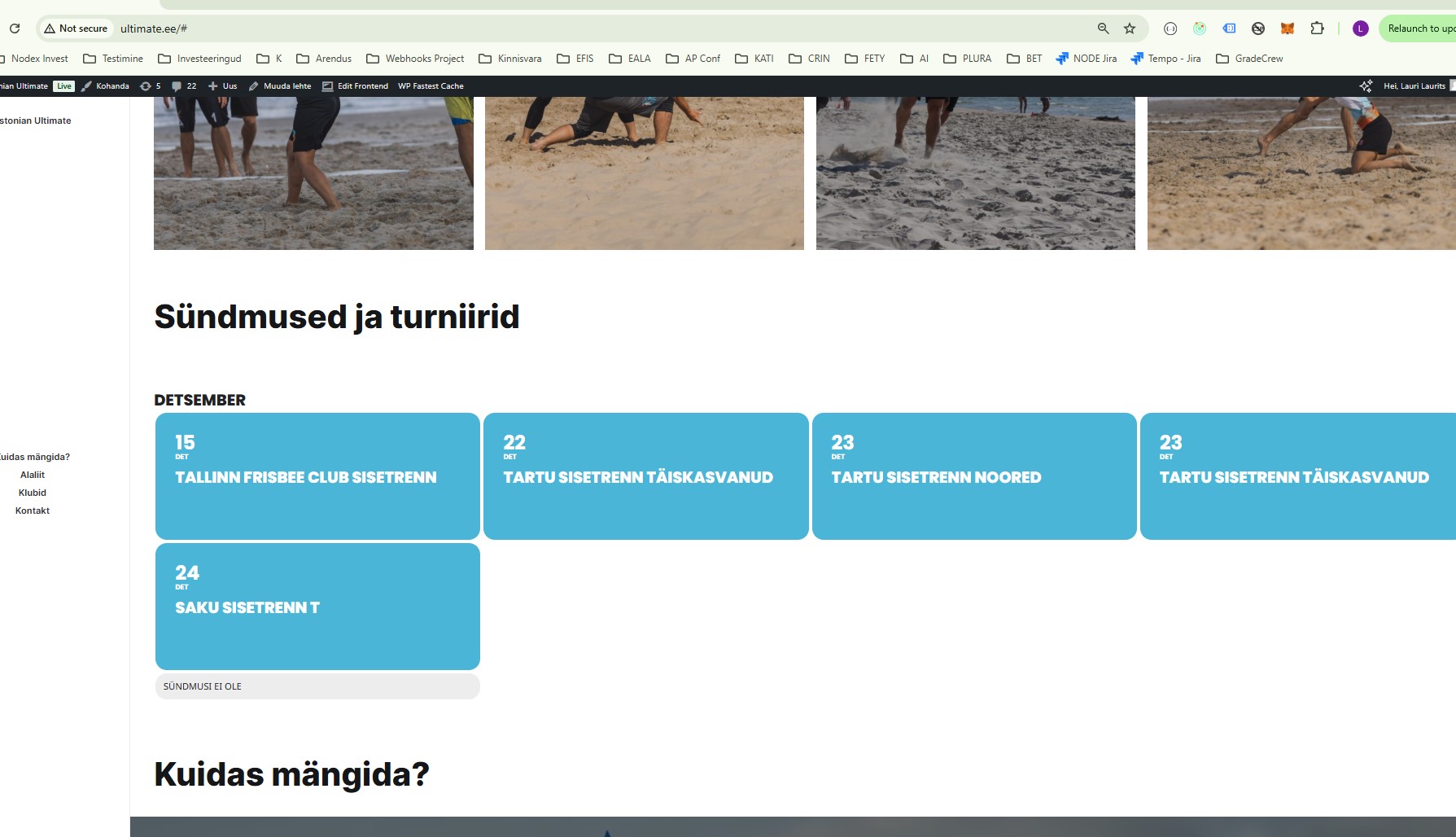
[add_eventon_list number_of_months=”12″ hide_empty_months=”yes” tiles=”yes” tile_count=”4″ event_count=”12″ show_limit=”yes” show_limit_ajax=”yes” tile_bg=”1″ event_past_future=”future”]
Added this shortcode but now i have no pictures on events also arrows are missing show next events dont work.
It should have 3 rows 4 images each events with images and arrows if pressd will show next events not next month but events .. most basic calendar
Reply to: tickets(372892)
Ashan,
The same on dev2:
https://dev2.myeventon.com/events/seats-19/
Reply to: tickets(372892)
Thank you for your messages, I am going to assign this ticket to Ashan and he will be able to take it from here and find you a solution. Please allow some time for him to get back to you, we greatly appreciate your patience and thank you for being a eventon customer! Also please disable any IP blocking on your site if there are any.
Reply to: tickets(372733)
When you put the same number to month_incre and number_of_months they compensate each other so it doesn’t show the current month. You need to put one more to number_of_months.
We are glad your issue is resolved, if you have any further questions or concerns please create a new ticket.
If you have a moment, we would greatly appreciate if you could kindly leave us a review at Codecanyon. By going to your account > Downloads. We are very grateful for your kind review!
Reply to: tickets(372962)
Hello Arten, when I sign up for an event, a point now goes off the purchased rsvp points. So this problem is solved!
But I still have the problem that I cannot buy rsvp points in my own account. Where could the problem be?
Reply to: tickets(373111)
Hello,
Here’s the issue:
PHP message: PHP Fatal error: Allowed memory size of 536870912 bytes exhausted (tried to allocate 163840 bytes)
Please follow
https://docs.myeventon.com/documentations/increasing-wordpress-memory-limit/
Reply to: tickets(372664)
It didnt’ work. It’s returning the same “Event Reminder” message.
Reply to: tickets(372965)
Your calendar page is
https://beln.org/?page_id=886
If you want to access pages by Page Title, please change to “Post name”:
https://beln.org/wp-admin/options-permalink.php
Reply to: tickets(372892)
Hello,
I send the access to the wordpress
https://oasis.gritovisual.es/wp-admin
User: creatividad@gritovisual.com
Password: grtvsl1771978
FTP access:
Host: ftp.gritovisual.es
User: eventon@oasis.gritovisual.es
Password: ZrtDr5ys2PKk