Reply to: tickets(373122)
Replies for tickets on suppota
BTw, like last time, if I deactivate eventon I can edit
Ojhh man, I can’t edit in elementor again. I updated to the latest eventon and now the spinning wheel of death on the elementor edit page again. You might recall I had the same problem last time.
I tried updating to the higher PHP file but still spinning.
Help. Why is this happening every time?
Hello!
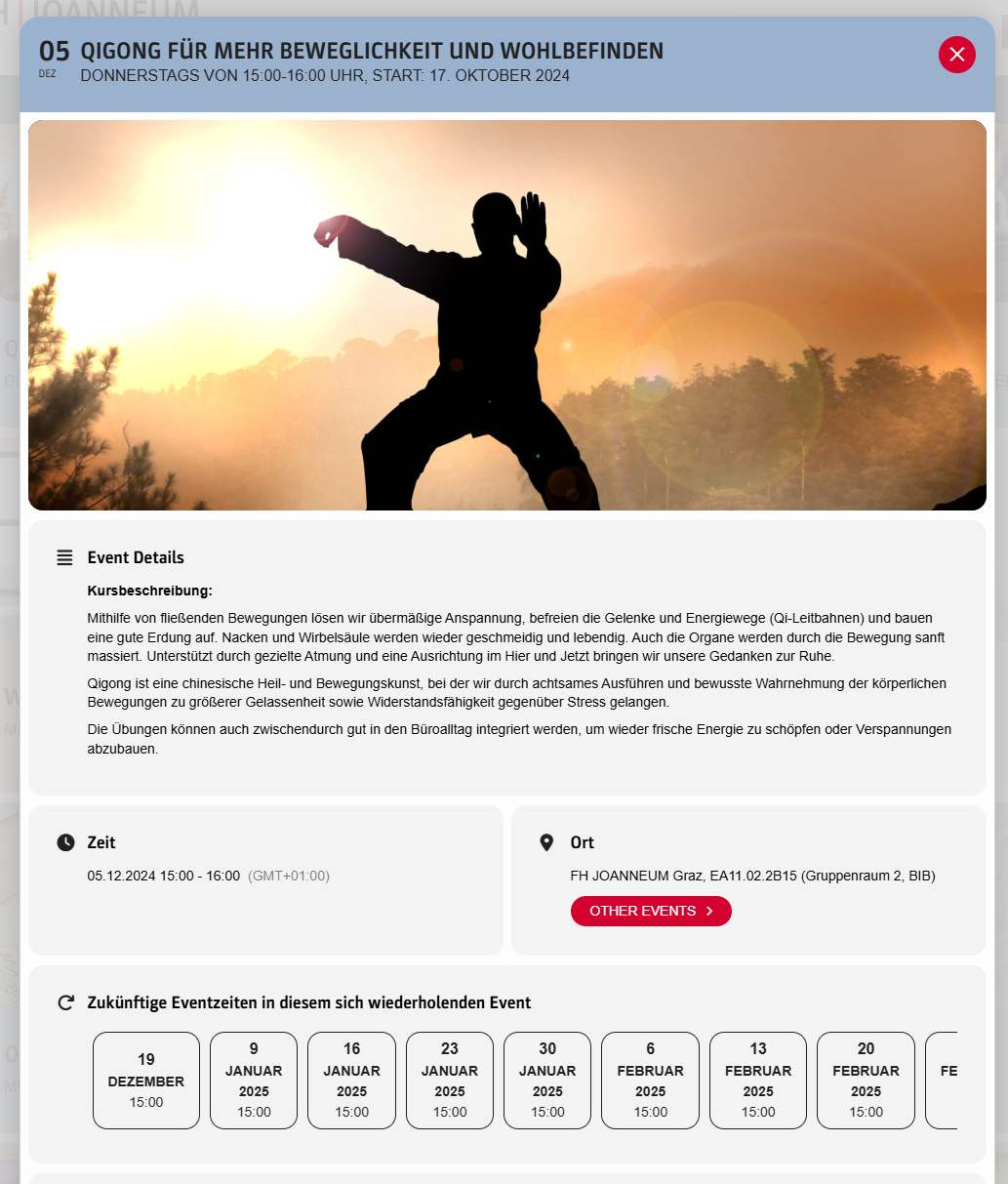
No, I do not open the event card from the event on 5.12. from the calendar, I open the event series on a website with this shortcode:
[add_eventon_list number_of_months=”24″ ux_val=”3a” hide_month_headers=”yes” tiles=”yes” tile_bg=”1″ tile_style=”1″ etc_override=”yes” hide_so=”no” filter_hide_indicator=”yes” hide_mult_occur=”yes” hide_empty_months=”yes” show_year=”yes” ft_event_priority=”yes” accord=”yes” exp_so=”no” filter_show_set_only=”no” filter_clear=”yes” filter_type=”default” filter_relationship=”OR”]
And then it has the 5.12., but should be always the next date of the series.
And today, the event from 12.12. is gone and it still shows the 5.12. at the two places.
In my opinion, the shortcode should always start the current/next date, not a date from the past, if there are dates in the future. If there are no dates in the future, it is ok to show the last date, even if it is in the past, because we don’t want to hide events from the past.
Kind regards,
Klaus
Hello Arten,
Website loging: https://atarosportservice.nl/admin666
Username: AdminExtern
Password: x0dwBByGY!fbnKhcr8pXOcqG
The versions are:
EventOn: 4.7.2
RSVP Events: 2.9
RSVP Points: 0.4
Great, thank you!
Hi Ashan,
Thanks for getting back to me. Yes ok, if you can please patch this in your next update asap, that would be great.
Thanks.
This is the log error
AH01071: Got error ‘PHP message: PHP Warning: Constant WP_DEBUG_DISPLAY already defined in /var/www/vhosts/thebeatbali.com/httpdocs/wp-config.php on line 67; PHP message: PHP Warning: Constant WP_MEMORY_LIMIT already defined in /var/www/vhosts/thebeatbali.com/httpdocs/wp-config.php on line 69; PHP message: PHP Fatal error: Allowed memory size of 536870912 bytes exhausted (tried to allocate 163840 bytes) in /var/www/vhosts/thebeatbali.com/httpdocs/wp-includes/class-wp-object-cache.php on line 318′
Another problem with the calendar is this. I have the past events set up on a separate calendar.
https://thebeatbali.com/past-events/
I try to go back a month (eg to November) on that page, and it just doesn’t open, the process goes on and on and doesn’t ever open.Why? Can we fix that?
If you want to share the wp-admin access to your site with plugin editor enabled. We can take a look and see what is going on. Also if you can share FTP access to eventON folder we can upload the latest eventON version if there is any issues get those resolved for you.