Hello,
FullCal supports filtering by default. Please go to EventON > Sorting and Filtering > enable Event filtering options to show on the calendar.
Should work like this:
https://dev2.myeventon.com/test-755/
Replies for tickets on suppota
Hello,
FullCal supports filtering by default. Please go to EventON > Sorting and Filtering > enable Event filtering options to show on the calendar.
Should work like this:
https://dev2.myeventon.com/test-755/
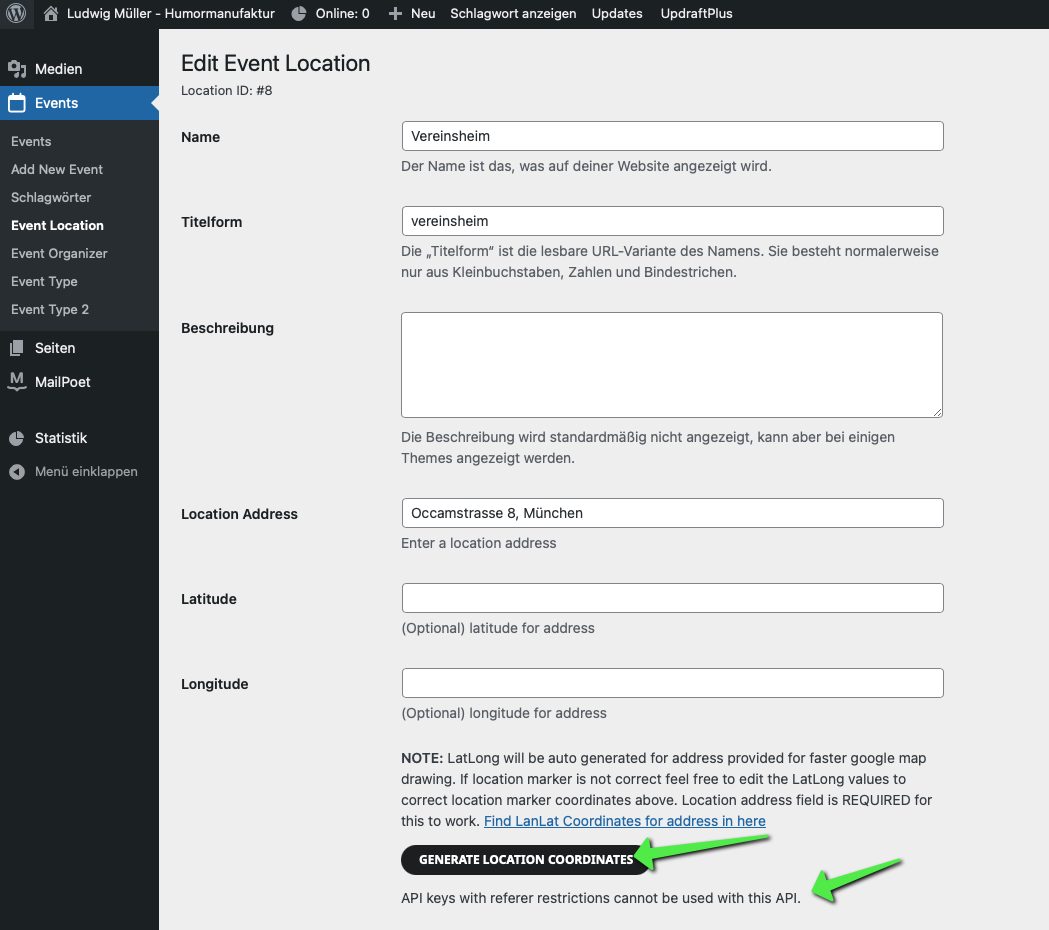
i even cannot create it manually
Hello,
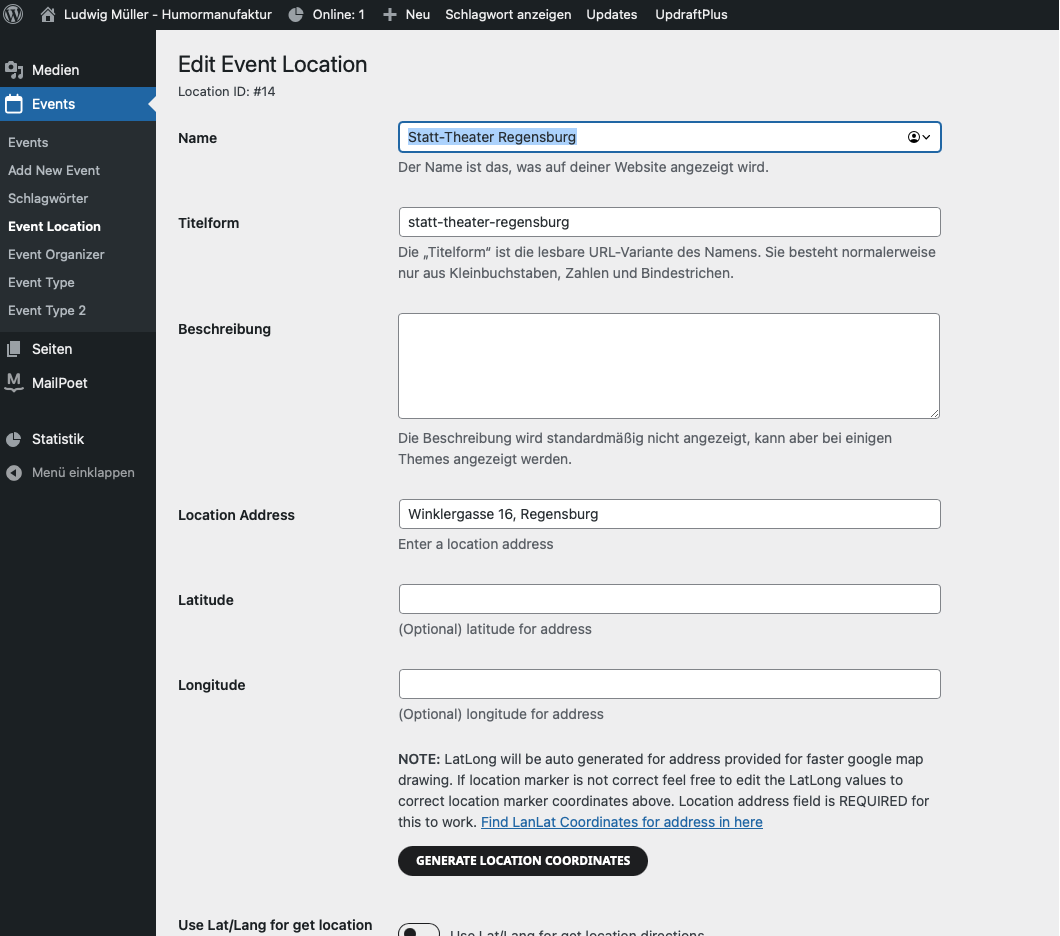
The issue is that most of your locations have not full enough Location Address, so EventON cannot generate Lat/Long values.
For example, this one has Lat/Long:
https://ludwig-mueller.at/wp-admin/term.php?taxonomy=event_location&tag_ID=7&post_type=ajde_events&wp_http_referer=%2Fwp-admin%2Fedit-tags.php%3Ftaxonomy%3Devent_location%26post_type%3Dajde_events
This one doesn’t have:
https://ludwig-mueller.at/wp-admin/term.php?taxonomy=event_location&tag_ID=11&post_type=ajde_events&wp_http_referer=%2Fwp-admin%2Fedit-tags.php%3Ftaxonomy%3Devent_location%26post_type%3Dajde_events
Added ux_val=”3″ to shortcodes. Please try adding it to yours and let me know.
Hey,
it works, what did you change so i can implement it on my site too?
best
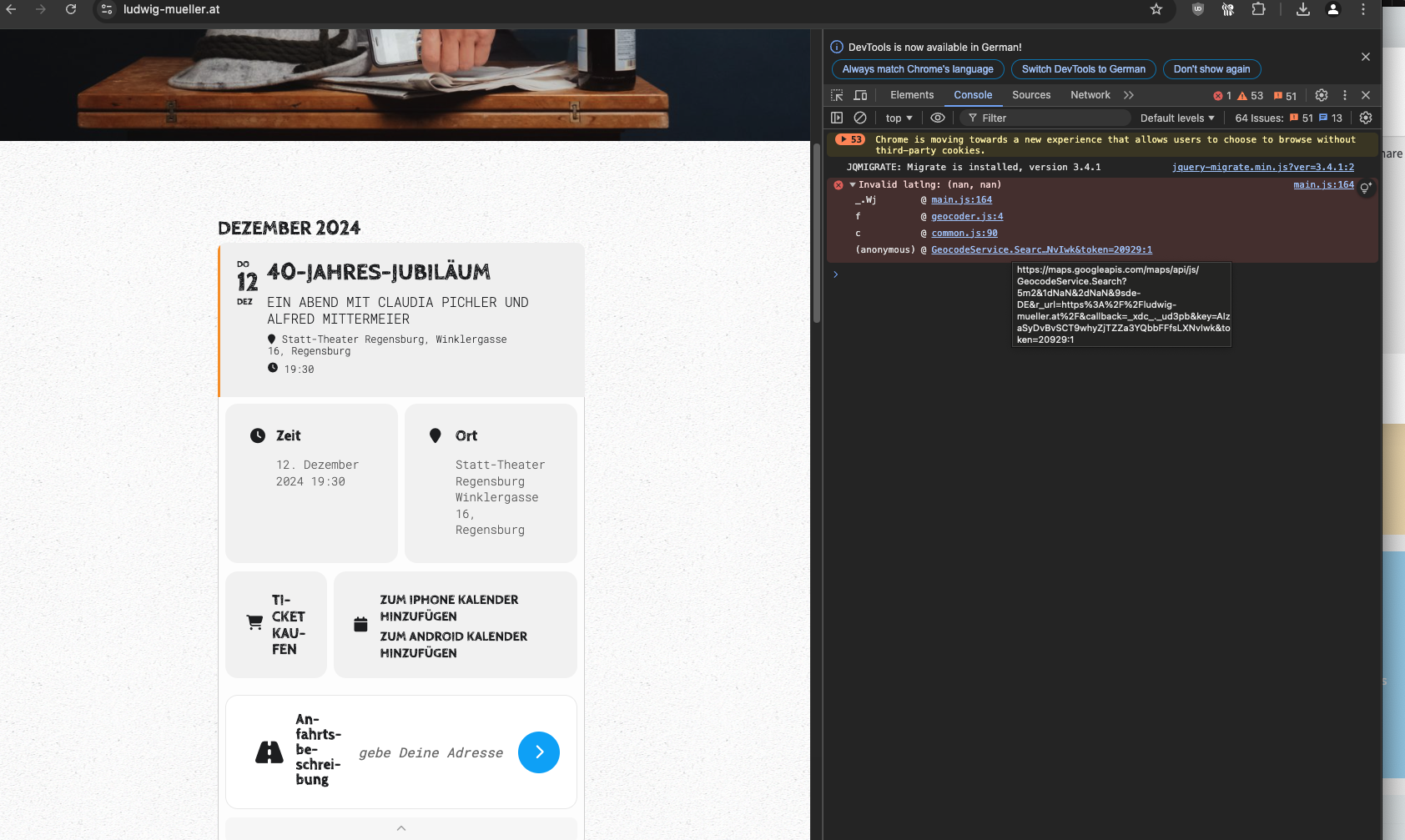
Ok i’ll wait
Yes, I just updated the tickets on December 7th because the client is selling them, but they will randomly mark as being sold out after a few days. Currently, they are okay because I adjusted them, but it is the problem that continues to occur and is messing with sales.
Also, what does turning on, “EventON > Tickets > set Default event ticket stop selling time base: When Event Ends?” do exactly to the plugin when my client will be selling tickets?
Hi Artem
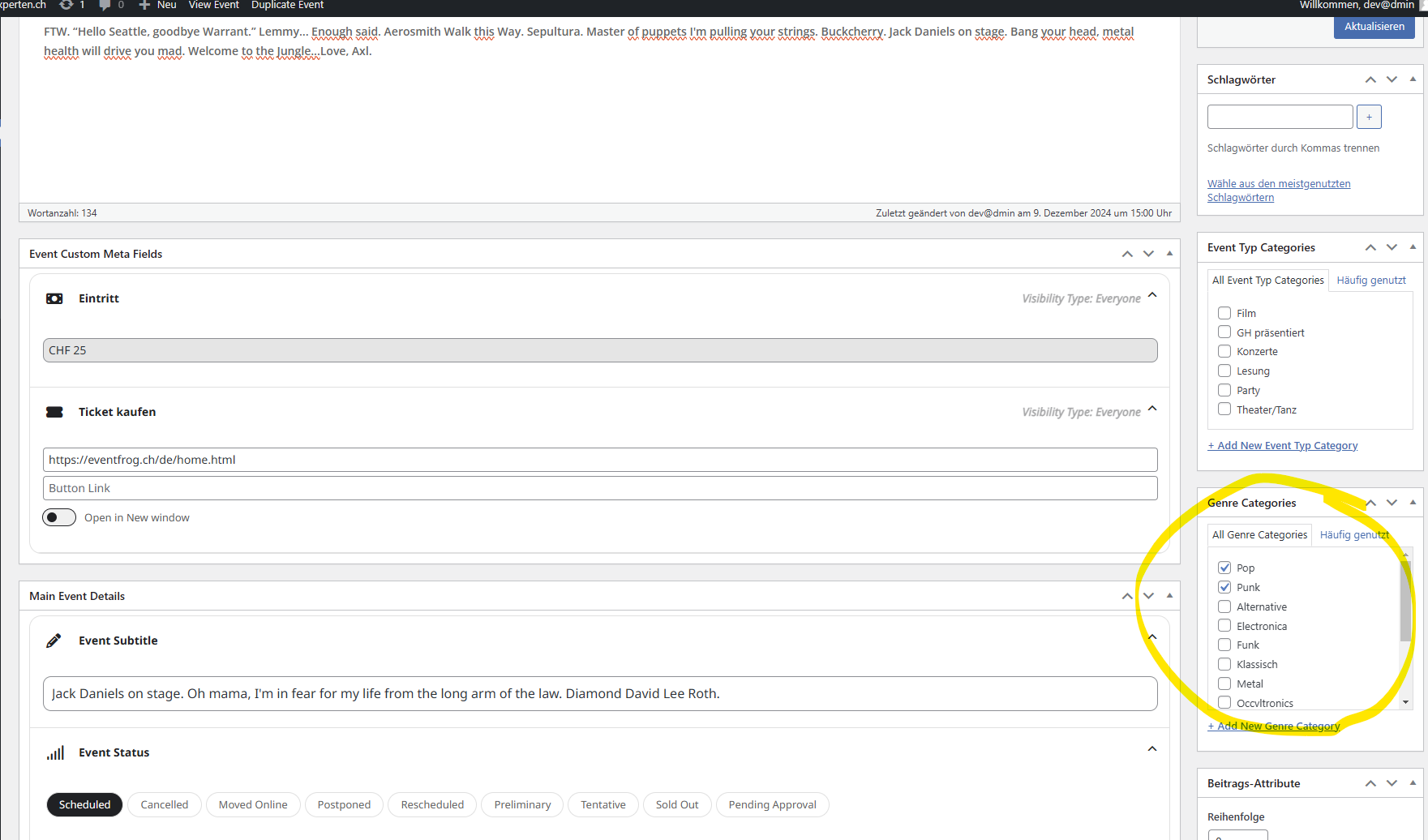
That doesn’t work (or I’m not clever enough). When adding an event, I can select one or more music styles from the “genre categories”. Now I would like to display my selection in the event card. Is there a way to achieve this?
Kind Regards, Oliver