Issue 1+2 appears in Firefox on desktop.
Issue 1 appears in all browsers on desktop.
Replies for tickets on suppota
Issue 1+2 appears in Firefox on desktop.
Issue 1 appears in all browsers on desktop.
Please follow the instructions in this documentation to activate debug in your site to see any PHP errors recorded that can provide insight on to whats going on. Please reply with a link to debug.log file.
Hello,
The latest version of Tickets is 2.5.4. Could you update and check if the issue continues?
To update eventon addons: You can download latest eventon addons from myeventon > my account. Then you can go to your website, deactivate old addon and install new one and activate then delete the old addon. This link will further explain the process. Also you can follow us on twitter to get real-time announcements on updates!
We are moving from CodeCanyon at the moment, so new updates will only be available on our website, I am afraid. Plus we will be able to provide you with new updates, features and fixes much faster.
Why do we have to do this , we have been a paid user for several years. What is the purpose of this. We have wasted a lot of time trying to figure out why it wont update to the latest.. this process feels like it could be a little better for your loyal customers.
Hi Artem,
Sorry for the delayed response.
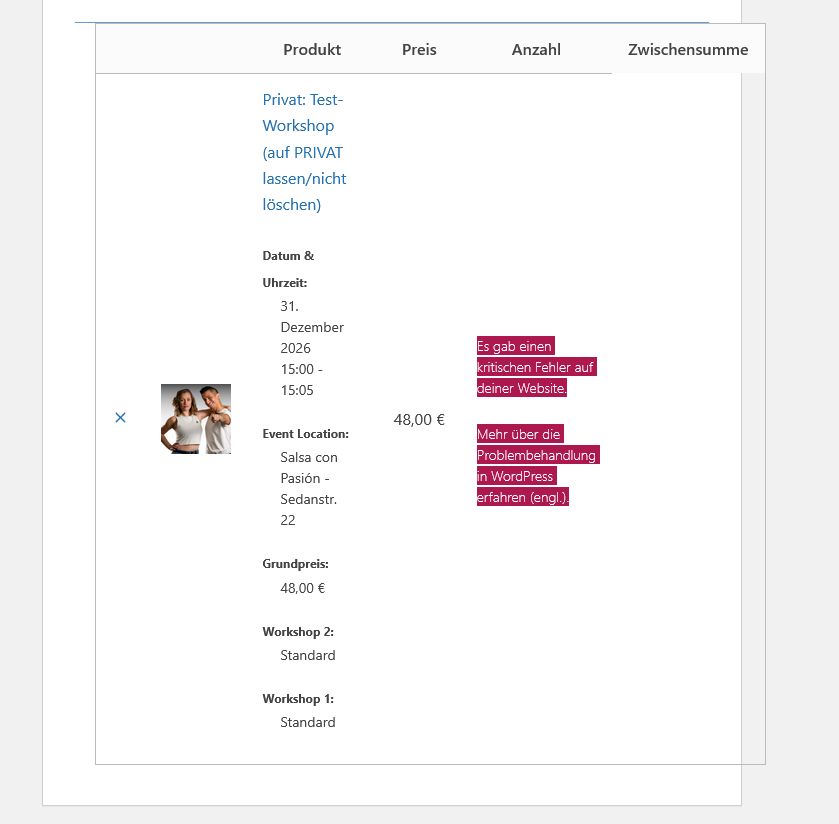
Meanwhile I could track down the problem to a conflict between the plugins EventON – Ticket Variations & Options and CheckoutWC – https://www.checkoutwc.com/
The critical error only occurs if both of the plugins are active and ticket variations are set and tickets are not set to be sold individually.
Th error occurs on cart and checkout page, and indicates a problem with the product quantity, and the script stops being executed there.
Maybe this helps.
Best regards
Ashan,
Please check
They use this add-on:
https://woocommerce.com/products/product-add-ons/
We are sorry for the delay. Our devs are going to check this ASAP.
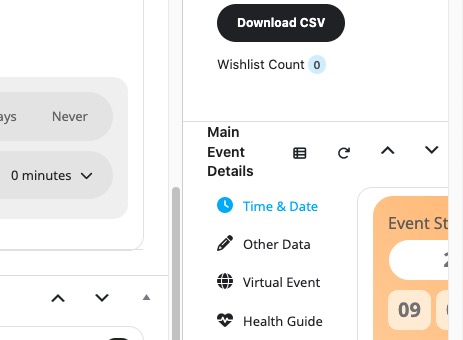
You can drag-and-drop them.
Press and hold Main Event Details and then move it under Event Details:
We are glad your issue is resolved, if you have any further questions or concerns please create a new ticket.
If you have a moment, we would greatly appreciate if you could kindly leave us a review at EventON WordPress Page OR EventON > My Account > Downloads. Your review helps us a lot in continuing EventON improvements!