Yes thanks I thought so but it says ’No downloads available yet.’
Archives: Replies
Replies for tickets on suppota
Reply to: tickets(406687)
hello!
I have followed all your instructions but it doesn’t seem to be working still?
What further bits can I do to help?
Reply to: tickets(404937)
great, thank you so much!
Reply to: tickets(406852)
Awesome! Thank you!
Also, is there a way to make the event settings show wider? They’re all squashed into the sidebar are really hard to navigate, thanks!
Reply to: tickets(406854)
Hello,
Please update EventON, Tickets and QR Code add-on.
To update eventon to latest version: (If auto update works, please try that from with your website plugins page)
1. If you purchased eventON from codecanyon > Go to EventON Full page and verify your purchase to get a free copy of eventON latest version and move your purchase over to myeventon.com.
2. If you already purchased eventON from myeventon.com go to My Account > Downloads and get the latest version copy.
Once you have the latest version zip file. Then you can go to your website > make sure ”Delete eventon settings & data when EventON is uninstalled” is De-slected from eventon settings, delete old eventon, install new one and activate. This link will further explain the process it. Follow us on X to get real-time announcements on updates!
To update eventon addons: You can download latest eventon addons from myeventon > my account. Then you can go to your website, deactivate old addon and install new one and activate then delete the old addon. This link will further explain the process. Also you can follow us on twitter to get real-time announcements on updates!
After the update, please go to EventON > Tickets > Checkout > select all ”Select relevent auto complete ticket order type”.
Reply to: tickets(406784)
I got event names from ”Eventon_events_20-04-26 not on current site.csv” and then tried to import them by using ”Eventon_events_16-04-26 Apr16.csv”.
It worked correctly:
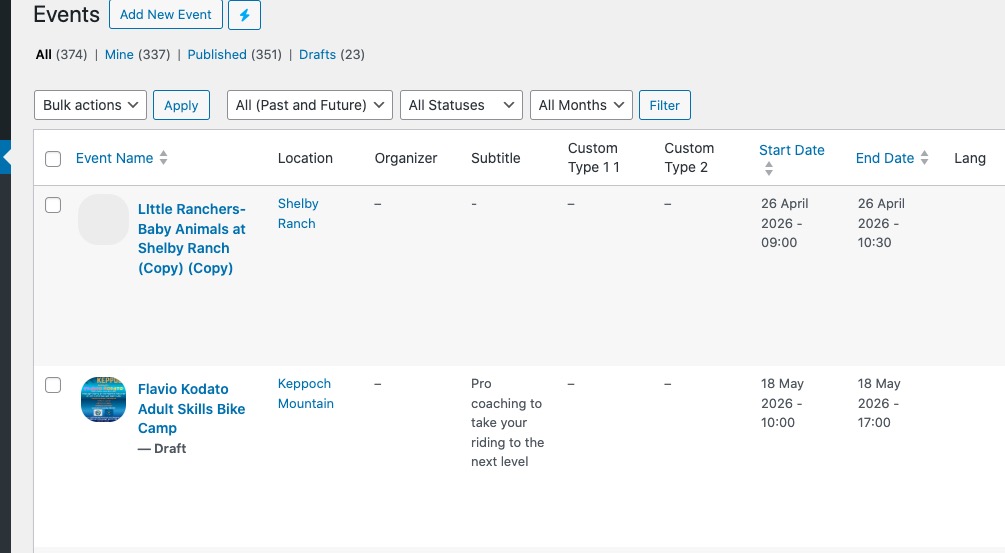
Could you tell me which events cannot be imported no matter what you do?
Can we also check wp-admin?
Reply to: tickets(406281)
! Please send us FTP access from Access Information.
Reply to: tickets(406281)
Please send us FTP access to your site as a private message, so we can perform several tests from our end.
Reply to: tickets(406845)
Ashan,
https://dev2.myeventon.com/wp-admin/edit-tags.php?taxonomy=post_tag&post_type=ajde_events
https://dev2.myeventon.com/tag/bbb/
On dev2 ”View tag” doesn’t show anything:
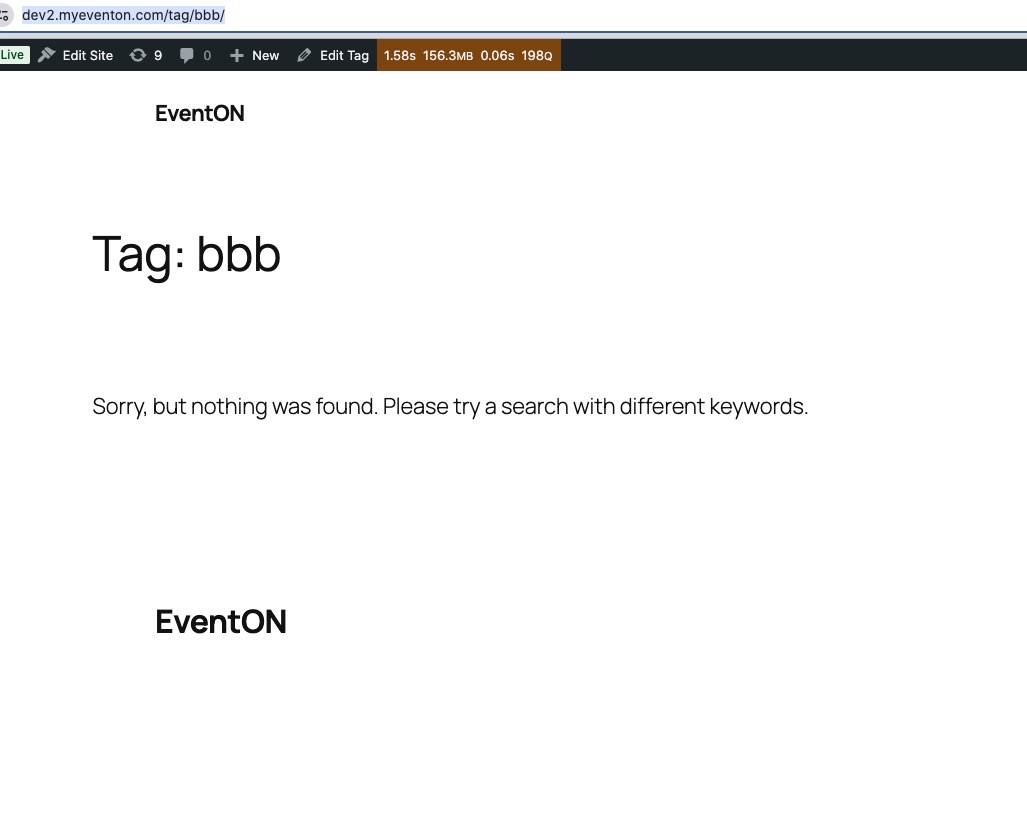
Should it work or tags are for Edit Event to show then on EventTop only?
Reply to: tickets(406845)
Hello,
Thank you for your messages!
I am going to escalate this ticket to development to help in here. Please allow us some time to address this, and we truly appreciate your patience. Thank you for being a valued EventON customer!
Additionally, if your site has any IP blocking or security restrictions in place, kindly disable them temporarily to facilitate our support process.