Yep, if you go back months in the one on the home page you can see that some have dark fonts and some have white. I’d like them all to be white. It looks like if I add an event then the font is white, so I think the issue is just for existing events. What CSS should I add? Thank you!
Archives: Replies
Replies for tickets on suppota
Reply to: tickets(366690)
this page shows google map just fine with restrictions.
https://turkuon.fi/events/collegium-musicum-turku/
If you have enabled restrictions, is there anything in your website that is not working now?
Reply to: tickets(368817)
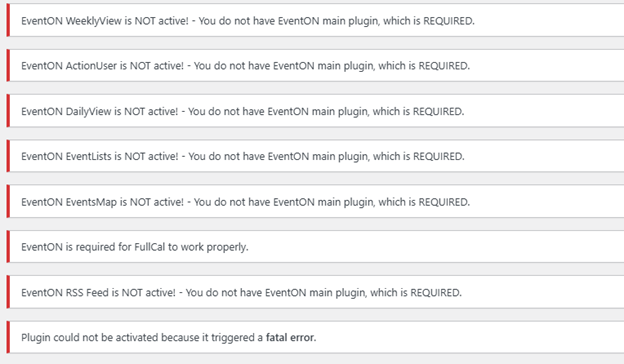
The problem is that the main plugin in in the admin EventOn 4.7.1 but we cannot activate it. When I click on activate the main plugin is says there is a fatal error, see the last message. can someone go into our admin and see if they can fix the plugin so it will activate. It looks like the addon plugins are all up to date.
Reply to: tickets(369390)
Thank you, that worked.
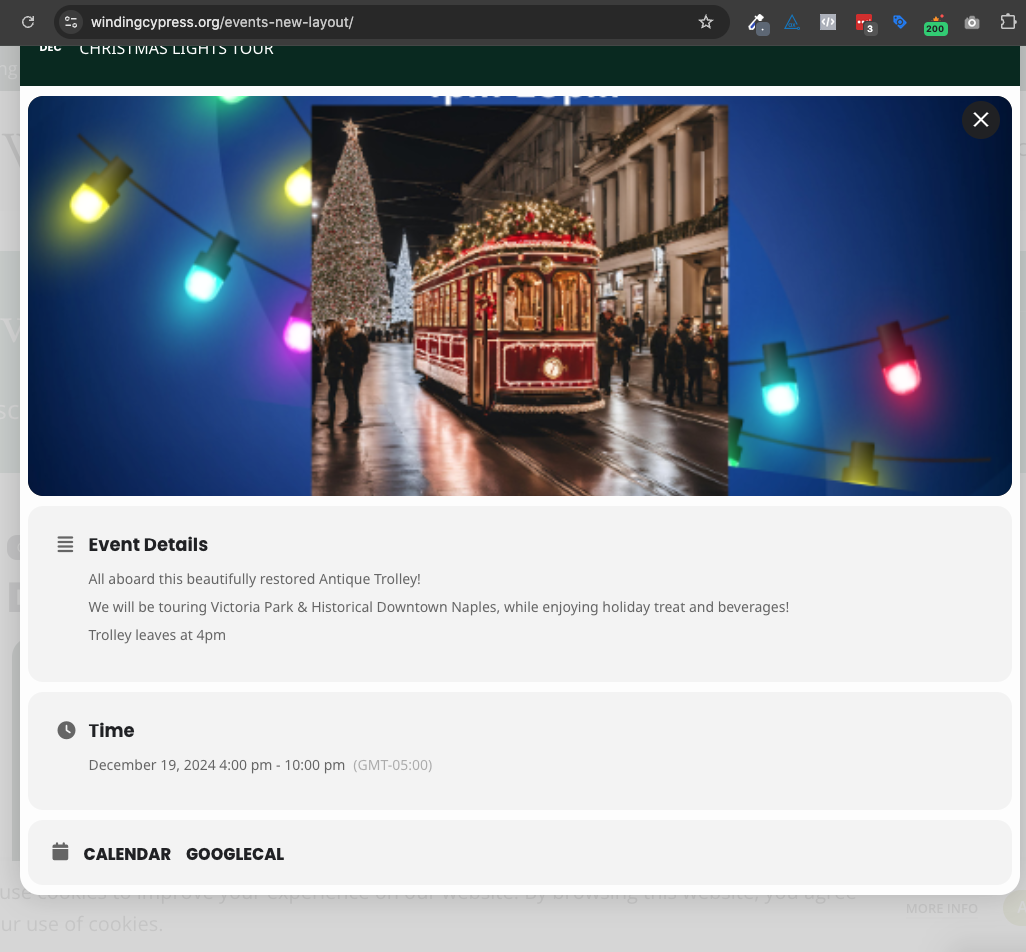
Next question: We want additional event images to appear as a gallery in the event card.
We have the settings enabled but it is not showing the photos.
Reply to: tickets(366690)
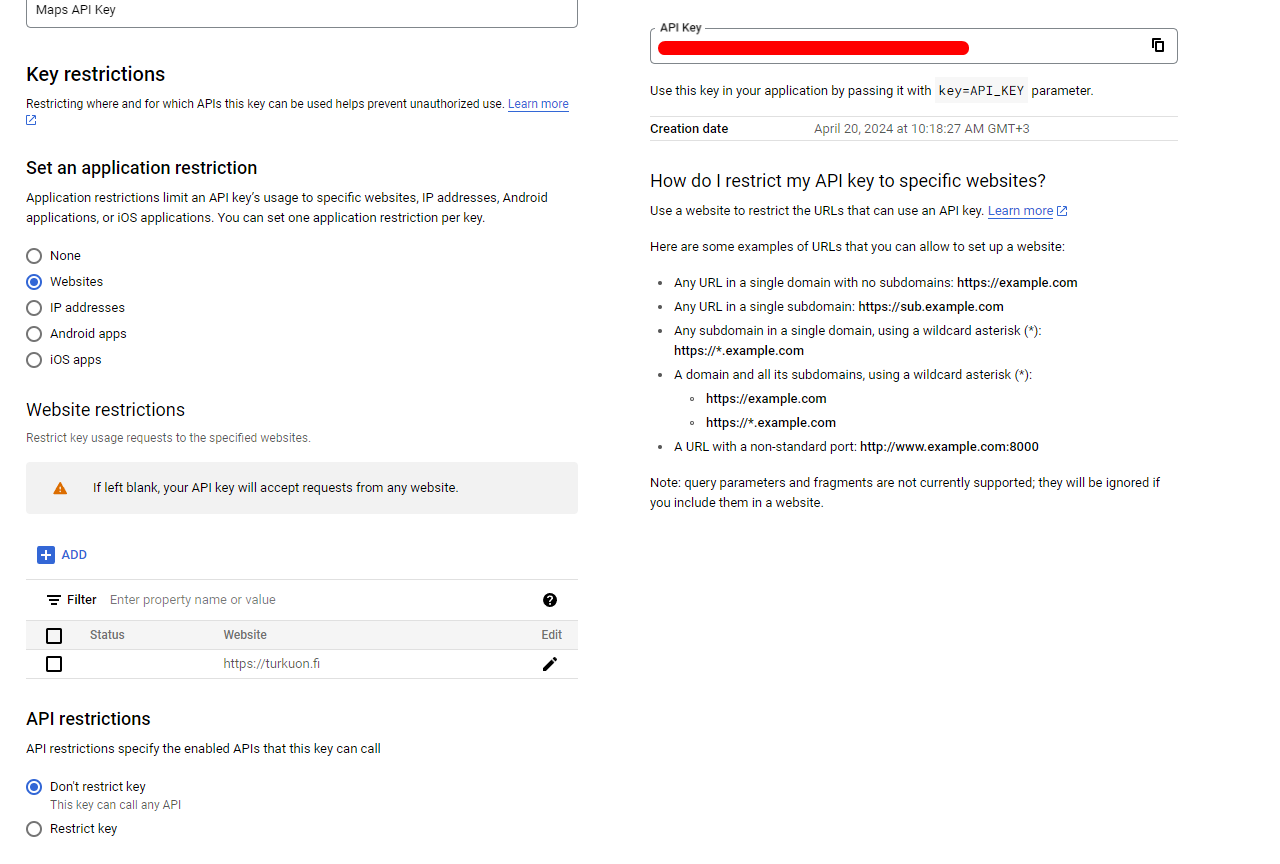
I have enabled API restrictions. you can refer to the attachment for config details.
Reply to: tickets(368465)
Yes I have mentioned multiple times in my replies above, including the last one, exactly like the Google link you previously provided. Is it possible to speak with someone over the phone that can help me troubleshoot shoot this over one call rather than all this back and forth over messages that is now taking many days?
Reply to: tickets(368593)
ok, there should not be any ip blocking set..
Reply to: tickets(366965)
Correction. Ignore my previous comment. Yes, I have gone through this configuration.
My requirement is to remove the date, not the day
Reply to: tickets(368962)
Thank you
Reply to: tickets(369378)
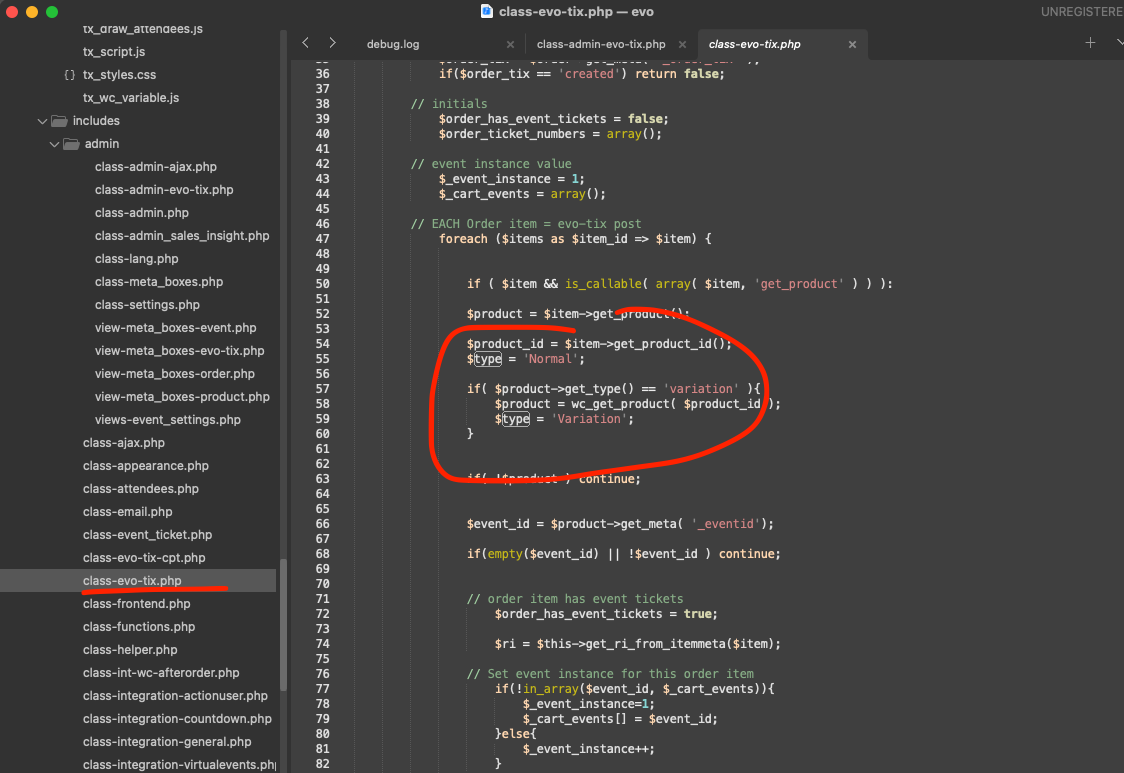
This was never in the code. The ticket type would being either “Normal” Or “Variation” This is the code where this is saved into post meta values.
You must have had some custom work to get those variation values show in there. You are using Woocommerce based variations. To show those variation values in column is not feasible for wider EventON users, because if someone have more than one variation, that column would get very over crowded.