Hello,
EventON cannot be extended this way. Please try following this guide:
https://docs.myeventon.com/documentations/hooks-actions-filters/
Use one of these filters:
eventon_eventtop_one
eventon_eventtop_two
eventon_eventtop_html
You can find them in class-calendar-generator.php.
Please also note that we cannot fully help with PHP customizations since it’s against our Support Policy.
Perfect! In order to avoid such issues, please create a clone website and update everything there just make sure that there are no incompatibilities between software and your server’s current configuration.
sorry I found the probem. my Php version is low which stops EventON from updating which may cause a conflict with the newly updated ticket addon, after updating, the feature works again now.
This approach is very destructive, we are running a live website with clients registering every day, I spent a lot of time setting up events for the whole year, I can’t just delete everything, I have to spend days redo everything, unless you instruct me how to do a backup
Btw, everything is updated
I shared the login information, this problem really disrupts our work, please login and have a look
Hi, the add on is updated to the latest version. My event is this Sunday and my guests can’t register themselves and I can’t download attendance list as usual.
Could you please just login my account and see what happens ?
Hi Dev. We have one type of ticket, but 2 different ways to pay. One is a deposit and the other the full amount, so whichever ticket is purchased comes off the total amount. I don’t need each variation displayed, just the total number of tickets left and when they are sold out. Does that make sense? Thank you
Ashan,
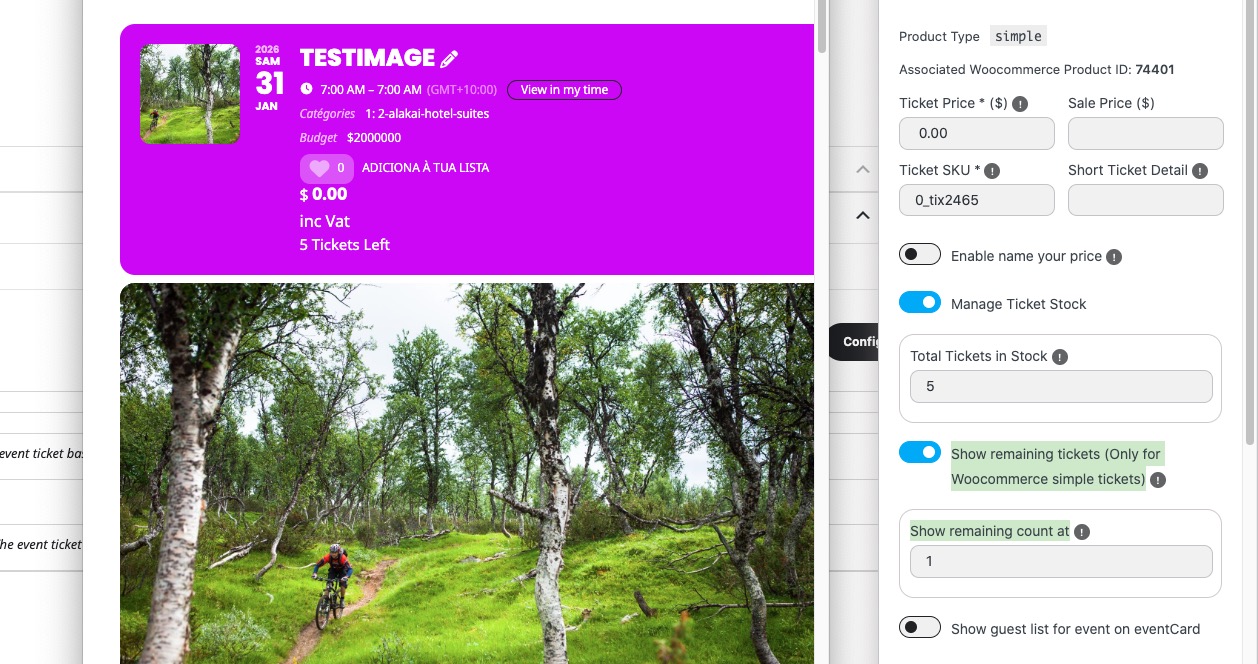
The same on dev2:
https://dev2.myeventon.com/events/testimage/
I enabled ”Show remaining tickets (Only for Woocommerce simple tickets)”, but it’s showing the number:

Hello,
Thank you for your messages!
I am going to escalate this ticket to development to help in here. Please allow us some time to address this, and we truly appreciate your patience. Thank you for being a valued EventON customer!
Additionally, if your site has any IP blocking or security restrictions in place, kindly disable them temporarily to facilitate our support process.
I am sorry, but I believe that I misread your previous messages about the issue with Location/Organizer and what you are trying to do.
This code will show Location/Organizer forms within the submission form.
Please add this CSS code to EventON > Styles (If you don’t see any change, EventON > Scripts & Styling > turn off Write dynamic styles to header > save settings > turn on Write dynamic styles to header).
You can also add this code to wp-admin > Appearance > Customize > Additional CSS.
.evoau_new_location_fields { display: block !important; } button.evoau_term_trig.evoaunew { display: none !important; } .organizerSelect .enterownrow { display: block !important; }
and we cannot force it to be compulsory for submission – can it not just be part of the regular form? and made compulsory for successful submission?
Thank you for your great suggestion, at the moment it is not supported. However please create a new ticket and select Feature Request as category so others can vote on your idea and get it moved into development faster.