Looks like the default time zone was set to UTC 0:00, rather than EST; changing that to match appears to have solved the issue. Good call!
Now events are only showing up once.
I reset the pwd to
dTEM9rtB*(XjRo32E64d#VJp
Replies for tickets on suppota
Looks like the default time zone was set to UTC 0:00, rather than EST; changing that to match appears to have solved the issue. Good call!
Now events are only showing up once.
I reset the pwd to
dTEM9rtB*(XjRo32E64d#VJp
Please send us wp-admin access to your site as a private message for us to further assist your situation.
Which version did you update from?
Also, this is not an option (see screenshot here: https://snipboard.io/N19DIz.jpg)
Please go to EventON Settings > EventCard:
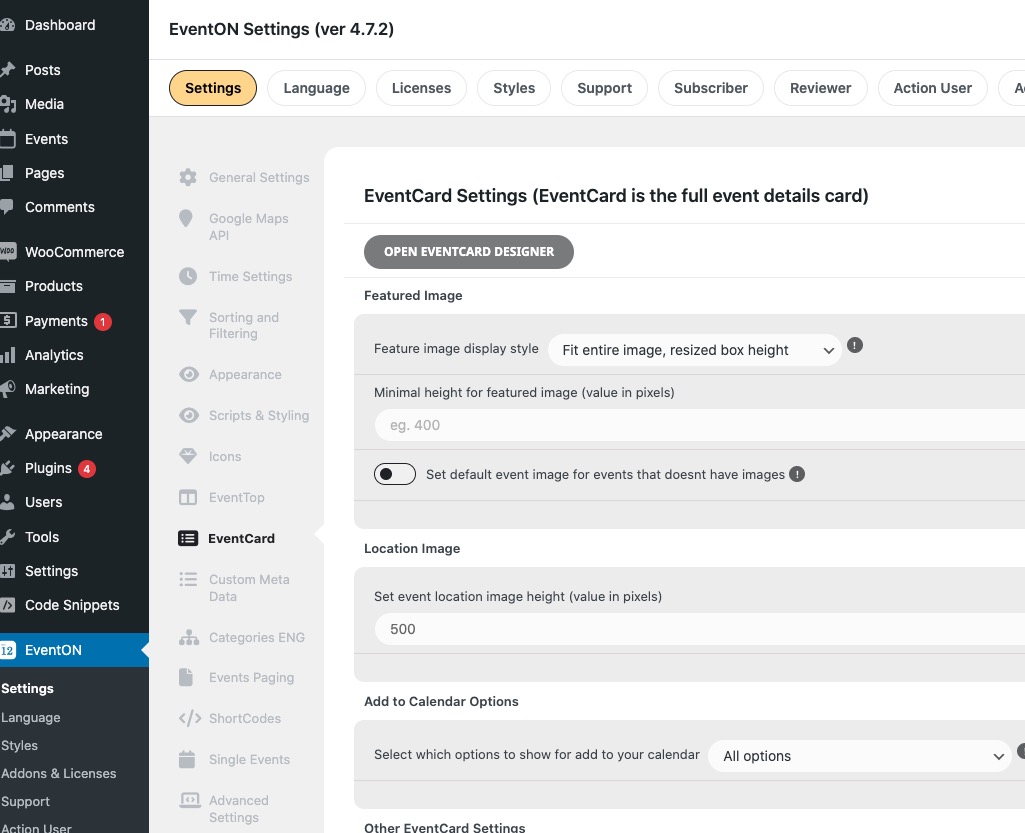
To request the refund for the plugin, please contact CodeCanyon. For add-ons please create a new ticket under Billing & Accounts and be sure to include the order ID for which you need a refund for and the reason for requesting a refund.
Hello,
Are you referring to Event Card sections aren’t visible?
If so please go to EventON > EventCard > open Designer and save > now save EventON Settings.
Perfect! If you have any further questions or concerns please create a new ticket.
Could you elaborate? Are you using Divi page builder? Divi shouldn’t be a problem.
Hello,
Kindly apply this patch fix:
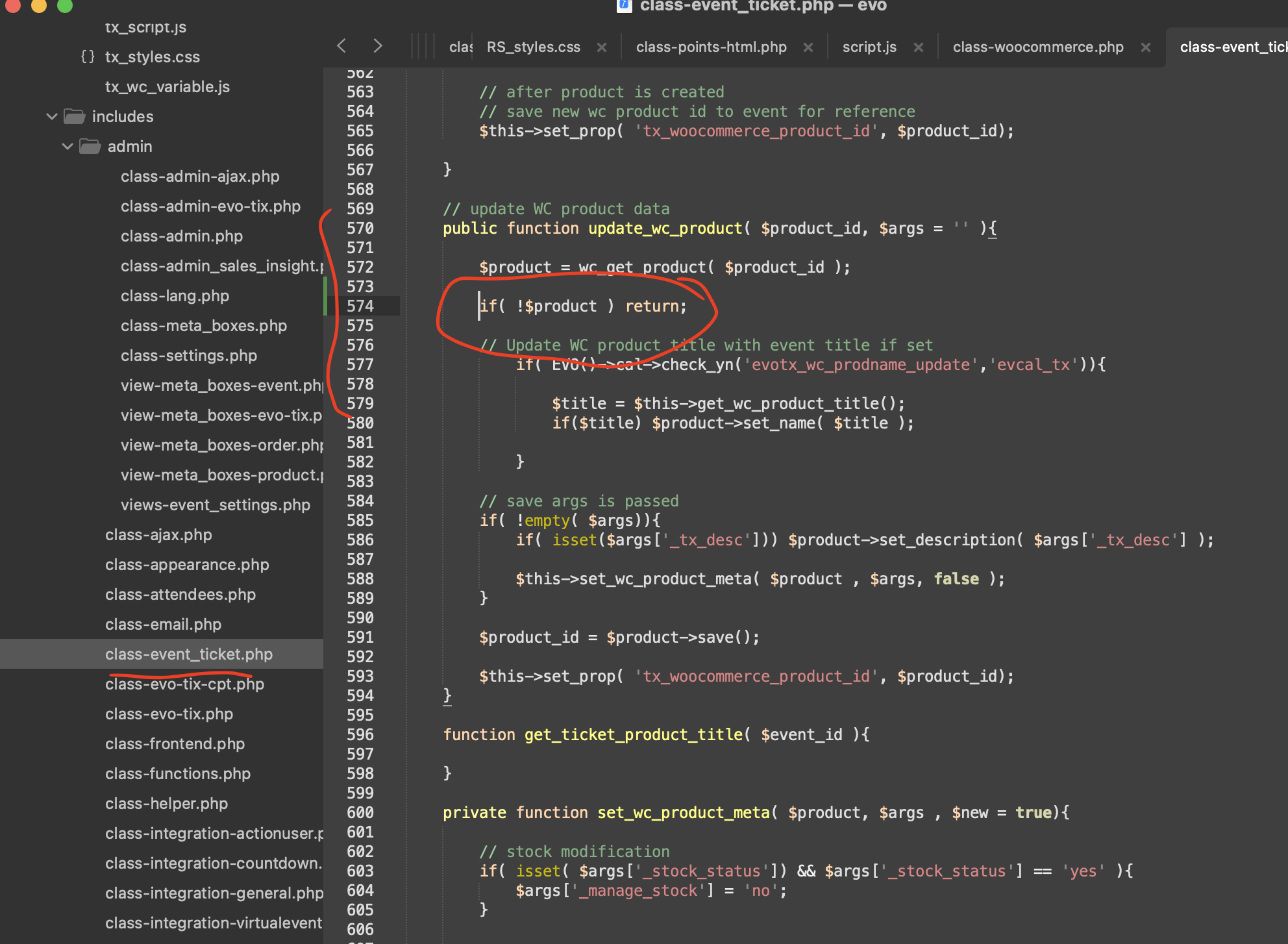
Hello,
I am sorry, the access information you have provided did not work for us. Please check them and post the correct login information as a private message, thank you!
Could you go to EventON > Time > make sure that Default Event Timezone is the same as wp-admin > Settings > Timezone? Also it should be the same as in Edit Event.
Hello,
Kindly add this patch fix:
It will fix the add new event issue and should fix the saving issue as well.
Hello,
Seems to be working when I add “Learn More Link”:
https://dev2.myeventon.com/events/test-copy-4/
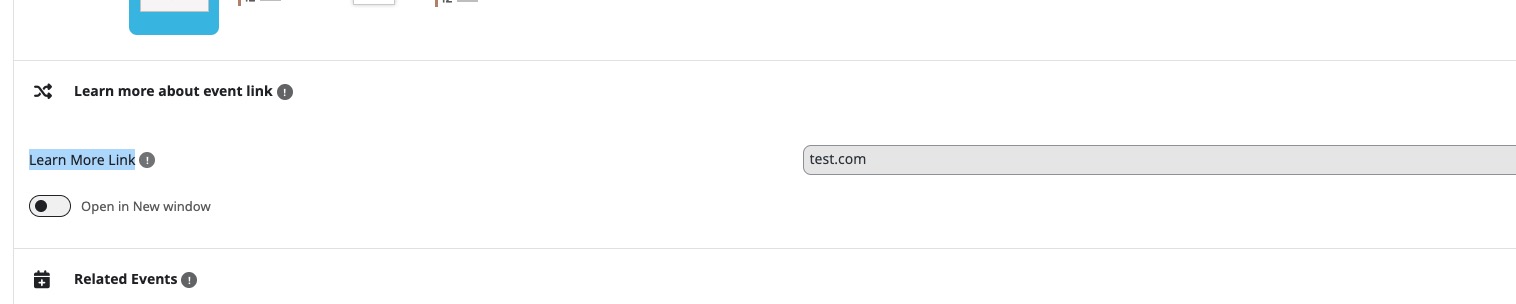
Please send us wp-admin access to your site as a private message for us to further assist your situation.
We are aware of the issue with RSVP 3.0.1. EventON 4.7.2 will fix the issue and will be available very soon. Please stay on the current version.