Hello,
I went to EventON > EventTop > enabled Show edit event button for each event, so now the icon is visible.
Please check and let me know.
Replies for tickets on suppota
Hello,
I went to EventON > EventTop > enabled Show edit event button for each event, so now the icon is visible.
Please check and let me know.
Hello,
Please go to and click on ”Verify Codecanyon Purchase” to get a free copy of the latest version:
https://www.myeventon.com/full/
Because of how the tile image designed, it cannot be shown without being cut off, I am afraid.
Before activating EventON, do you deactivate EventON Lite?
Please send us FTP access to your site by going to Access Information. I don’t want to activate EventON, because it might break the whole WordPress installation, so I need FTP access.
Hi! Sorry for the late response. I think what I was really trying to convey is if I create an event and a user RSVPs to the event, they do not receive a confirmation email. Our staff has also reported that sometimes when our staff sends an email through the event page > other rsvp options > email attendees it also doesn’t always send. Is there a setting we need to select to make sure they always get emails when they RSVP or if anything changes to event where the staff member needs to send an email through that option on the event page?
Hey Artem 🙂
Please use the credentials I sent you. I reset it, and I can log in. I got the images to display. But I still cannot get the Pro Version to activate.
Greg
If you are able to apply that patch fix it will resolve the lightbox hiding issue. Do you need our help with that?
Hi Artem, thank you for your time.
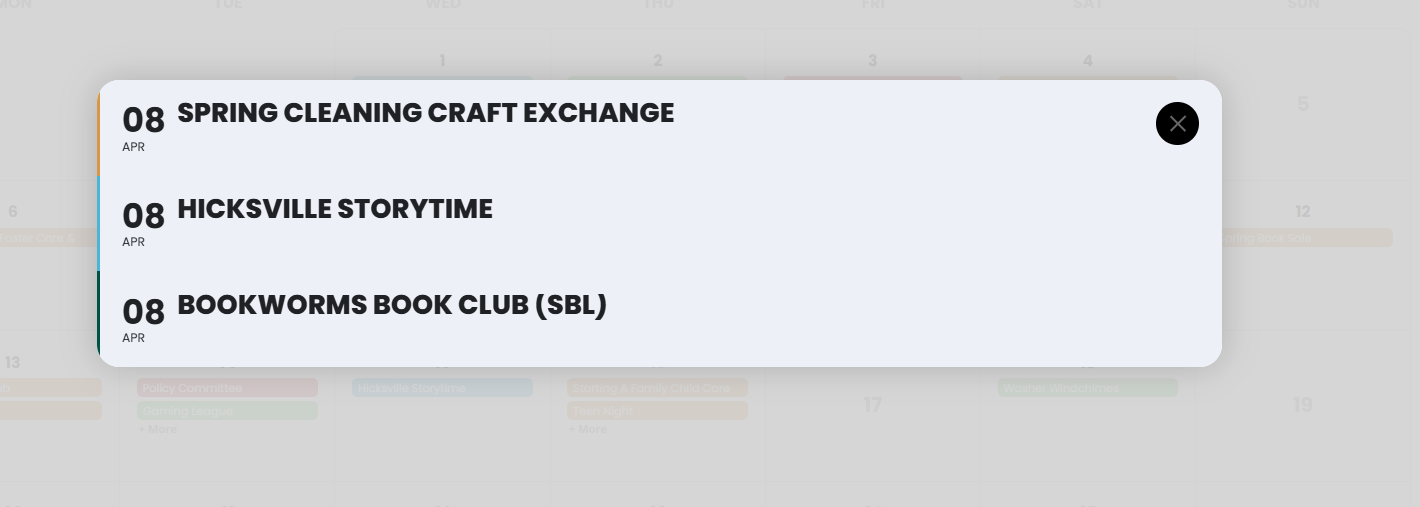
First issue: If you test on my calendar you would see that with FullCal 2.2.4 and EventOn 5.0.9 you see this (below) when you click a day on the calendar. There is a list of events, but you cannot click them and get the dropdown with additional information anymore.
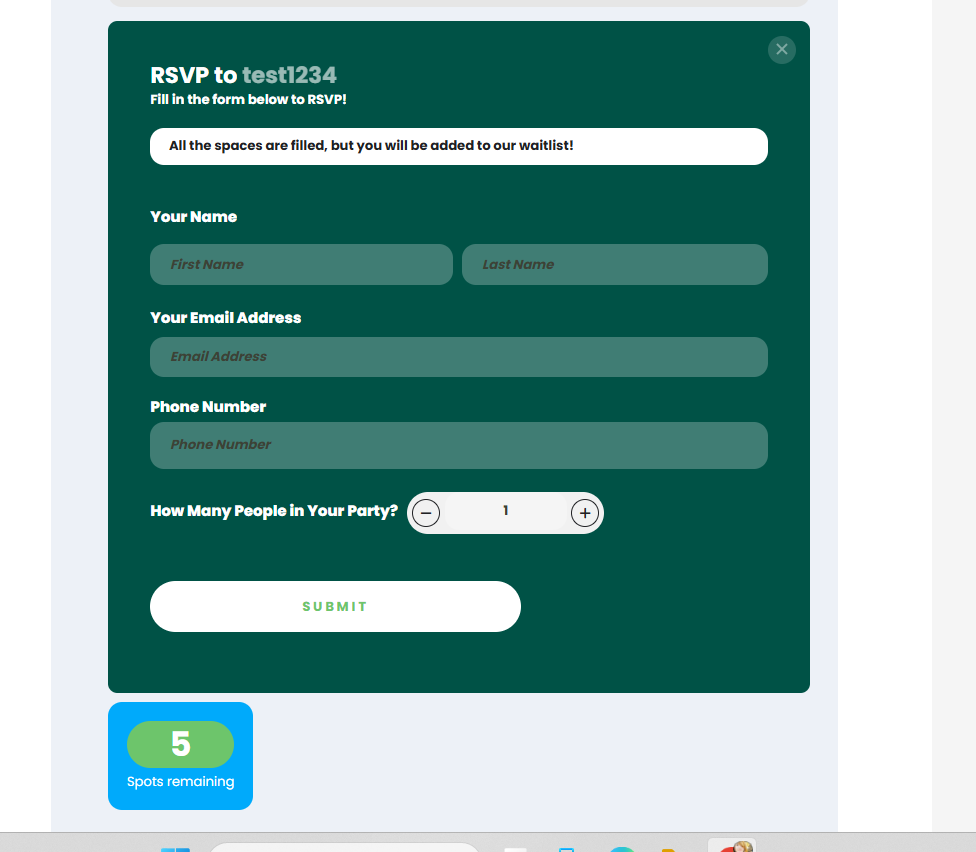
Second issue: Yes, capacity was set correctly. As shown below, there should be 5 available spots at this test event, yet users see a message indicating all spaces are filled. This was tested while using newest versions FullCal 2.2.4 and EventOn 5.0.9, but also occurs if I attempt to update the Waitlist plugin alone using the older versions I am currently running (EventOn 3.0.8, FullCal 2.1.3).
All other plugins, theme, and WordPress version on my site are up to date. PHP version should be sufficient. Is there something else about the way my site is configured that is causing this? I don’t seem to be having any other issues. Thank you again for your time and assistance.
Hello, the responsive version is now correct in one column,
unfortunately the main picture is now vertical and cut off on mobile view. could you solve this?
the test-site isr removed. check the frontpage from now on: http://www.kunstwerk-ulm.de/
I have updated them all.
Still not working. It opens, but the dates that include events are not clickable to open and when you try the hole page freezes and not scrolling.
-Mari