To come back to this subject, is it not possible to set up a unique promo code to make listing an event free?
thanks
Replies for tickets on suppota
To come back to this subject, is it not possible to set up a unique promo code to make listing an event free?
thanks
I understand, however what is the point of adding colors if we don’t know what they correspond to? It seems to me an important feature to give a legend to the event categories. THANKS
About custom fonts. For example, how do you load “genos” font on the website?
>> I load the fonts through Elementor
This style from your custom style affects “Add to Calendar” section:
>> I don’t know what that means
>> All extra code was written by this helpdesk
Can you please go into the site and figure out how to help us? Now that we have updated the plugin the loading times that we had previously fixed have also gotten worse.
As for loading times, our developer have commented out line 673 of EventON plugin ‘ /wp-content/plugins/eventON/includes/class-event.php
$repeats = unserialize($this->meta_data[‘repeat_intervals’][0]); ‘
Can you do the same? Because I m not a dev and the dev who solved it doesn’t work with us anymore.
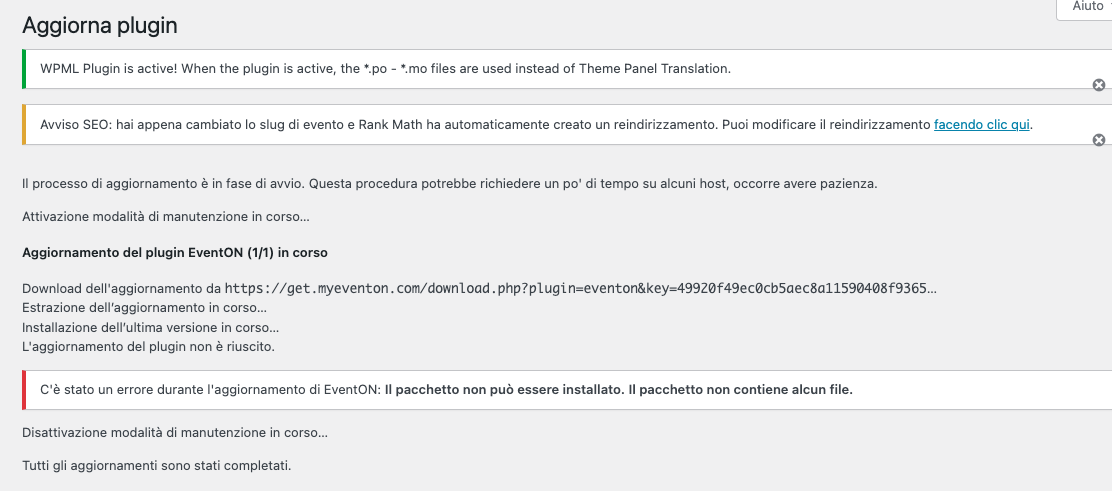
Now I have uploaded update. It did not work, in fact, the performance of loading events in the feed has also worsened.
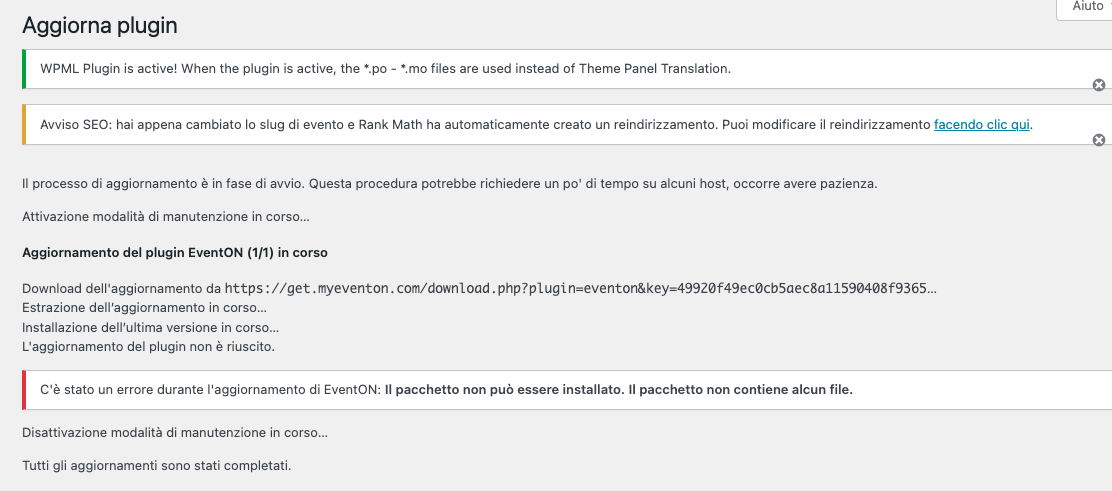
The update fails, it seems the package is empty.
…changing to the customized color…
Which custom color should it be?
>> I think I defined it in the Appearance section
>> Should the color not come from there?
>> I chose a color matching the other headlines
_________________________
About custom fonts. For example, how do you load “genos” font on the website? Because EventON did change it’s styling to match the new font family, but on my side it doesn’t show it.
Are you trying to use this font?
https://fonts.google.com/specimen/Genos
>> Genos was an experiment
>> It worked flawlessly for years with “Sansation” font
>> I checked on two browsers: CURRENTLY font are not displayed anywhere as they should be
1. Ok. I Will try that.
2. Please see the first picture I sent 23, Sep 11:08 Some strange symbols above the arrows.
The Host Provider approved to me that the value allow_url_fopen is enabled by default.
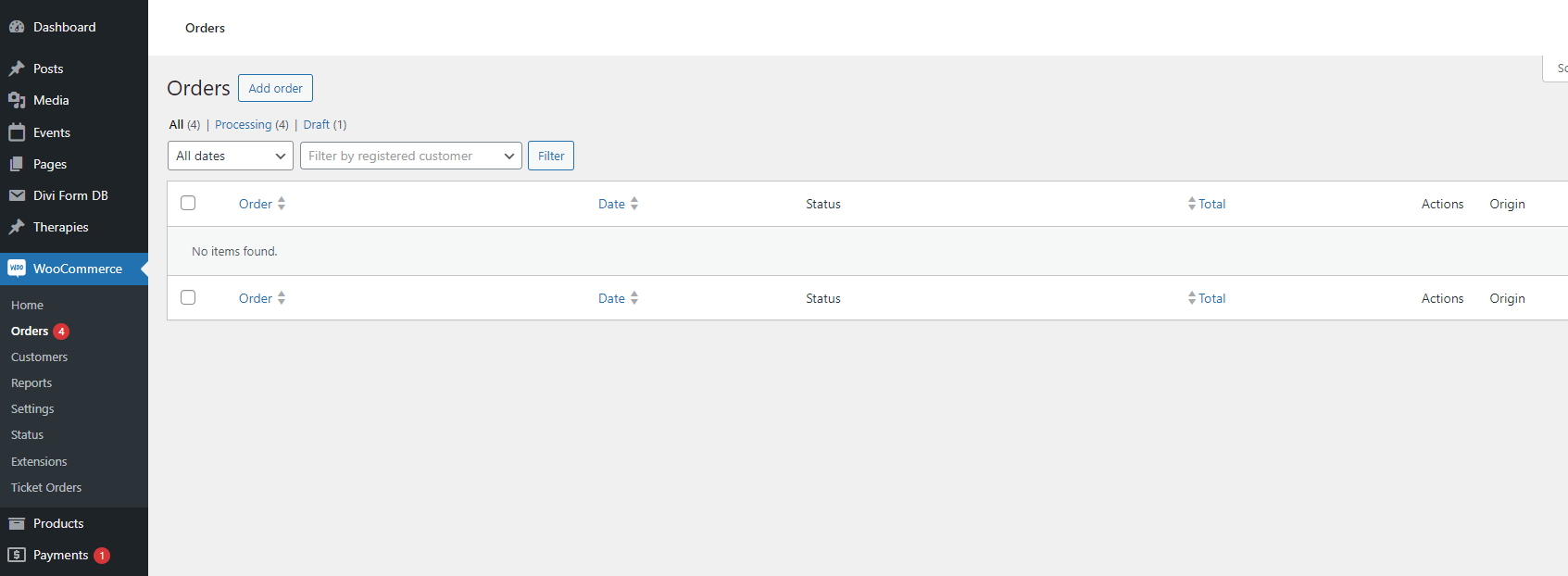
Hi Artem – just to follow up on above, when I click on Ticket Orders and it automatically jumps to Woo Orders, it also doesn’t show anything unless I manually click on All or processing – just blank. See screenshot
Many thanks
Sara