Hello Chad Sutton,
Unfortunately, it’s not available at the moment. Please update manually by following
http://www.myeventon.com/documentation/update-eventon/
Replies for tickets on suppota
Hello Chad Sutton,
Unfortunately, it’s not available at the moment. Please update manually by following
http://www.myeventon.com/documentation/update-eventon/
Thank you for your messages, I am going to assign this ticket to Ashan and he will be able to take it from here and find you a solution. Please allow some time for him to get back to you, we greatly appreciate your patience and thank you for being a eventon customer!
Dang this is bananas. I can not figure out why loggedin users nonce verification fail in your website. WOrks fine on our end. And any resources online and chatGPT’s solutions does not fix it.
The problem is with nonce verification not working for loggedin users.
As a temp solution you can disable the nonce verification and just put out events for next month.
If you would like to do that in here https://www.solarserver.de:8443/wp-admin/admin.php?page=wp_file_manager#elf_l1_d3AtY29udGVudC9wbHVnaW5zL2V2ZW50T04vaW5jbHVkZXM
comment out line 229.
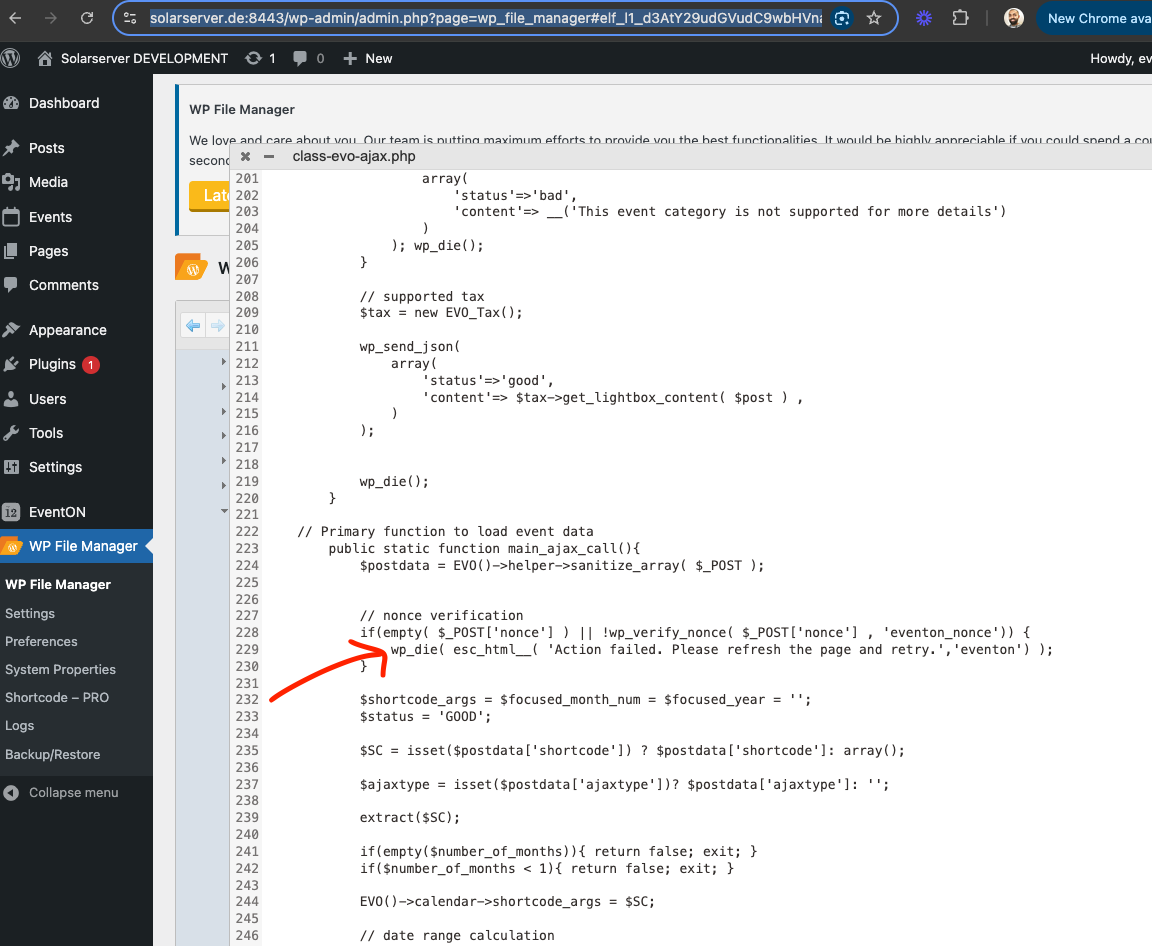
Ok this is coming from when the nonce verification failed.
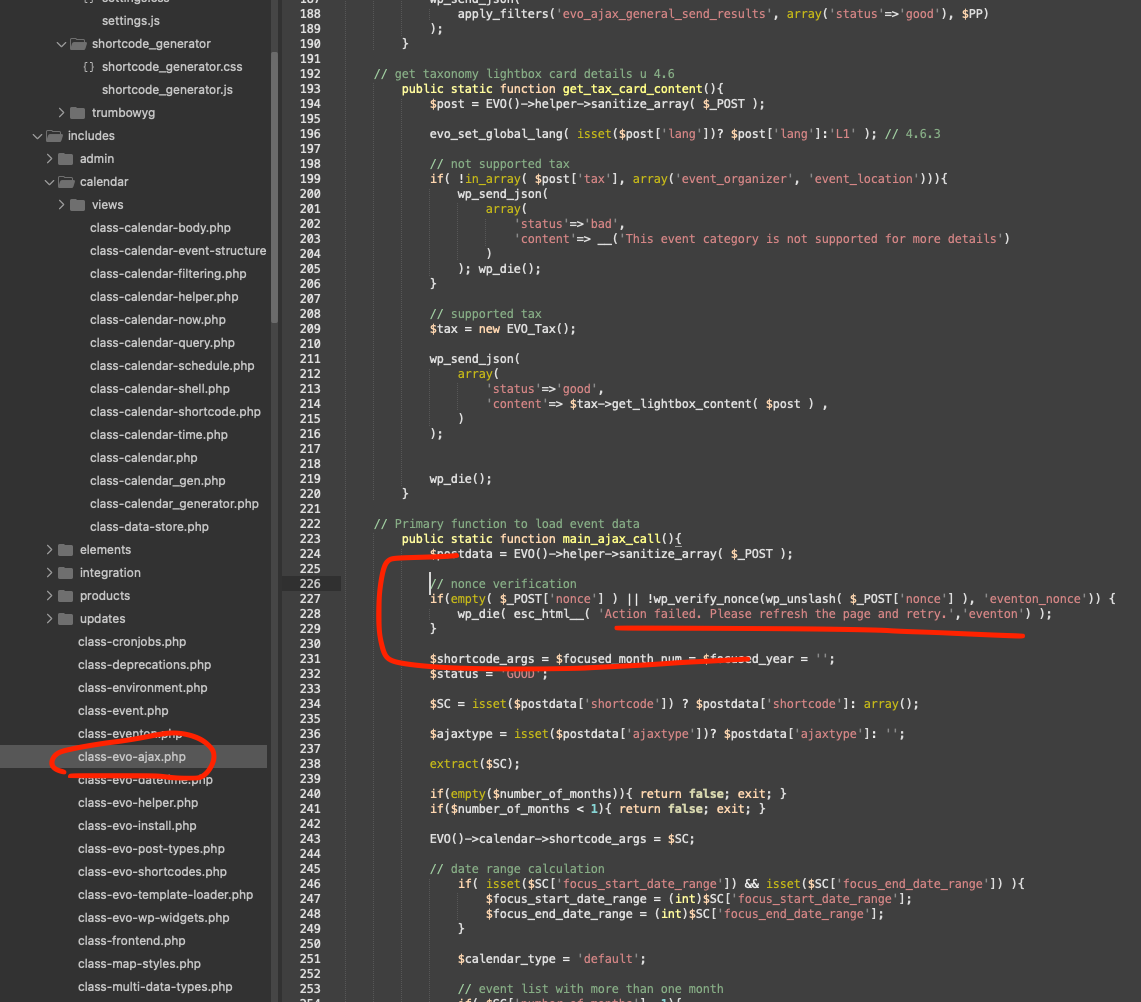
here is where the code is coming from. Let me see if there is any correction with logged in user nonce verification issues.
Hello there Sasha, I am not sure why this is happening. It may have to do more with envato plugin, because it is trying to fetch the update from their server.
If you simply activate eventON license. you should be able to get updates from our server for eventon main plugn. Does that not work for you?
Haha that seems very complicated 🙂 hope you can keep all those straight 🙂
Let me refund you the addon for order ID 195092. And you know what when you buy the correct addon you can use coupon code EVO20T and that will get you 20% off first year license cost 😉
Ok order refunded.
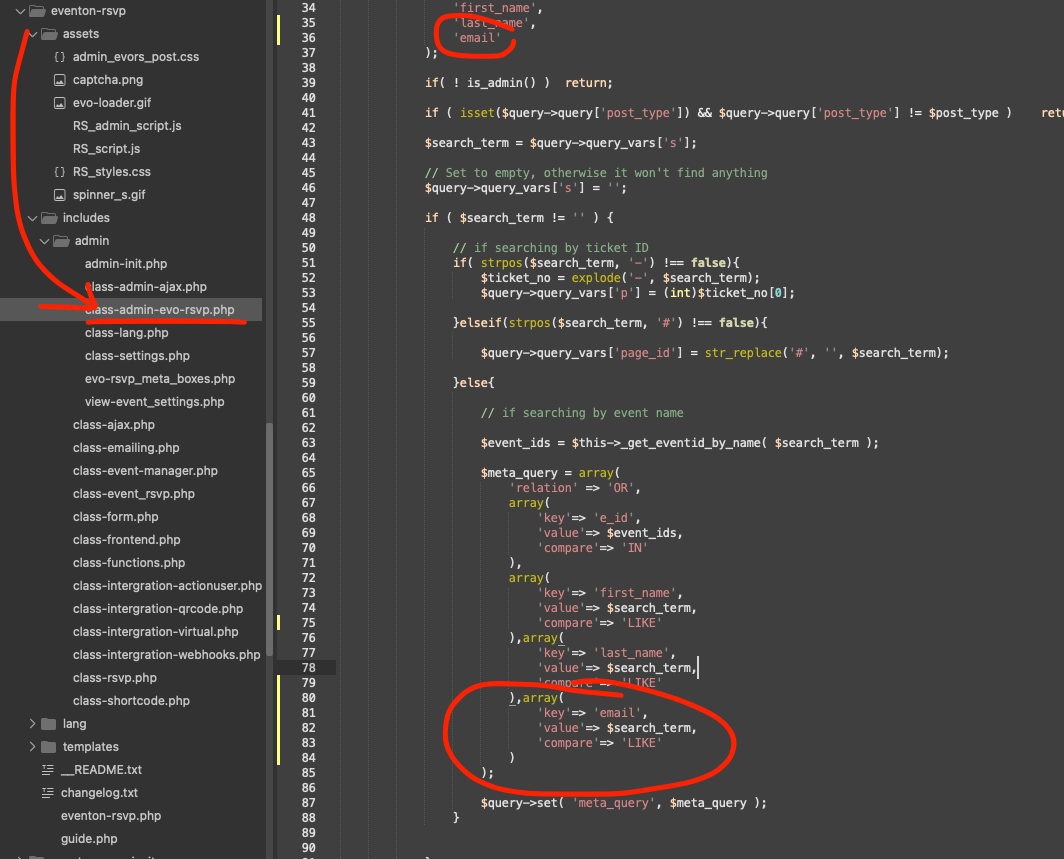
Code:
array(
‘key’=> ’email’,
‘value’=> $search_term,
‘compare’=> ‘LIKE’
)
Here is the patch fix to change your RSVP code to get this working asap for you. This will allow you to search any parts of the email and get matching rsvp attendees. This code change will be in the next version update.
This is the same site, I just upgraded the main plugin and the addons.
Try this:
https://nyksund.no/wp-admin
Username: eventon
Password: GZUpzh7dHxbY!!0ugf78e5aY
Pål
Ok please give it a try on your website now. I changed a few codes. should be able to upload the new JSON seat map. Try it and let us know if you have any issues.