Hello,
Thank you for your messages, I am going to assign this ticket to Ashan and he will be able to take it from here and find you a solution. Please allow some time for him to get back to you, we greatly appreciate your patience and thank you for being a eventon customer!
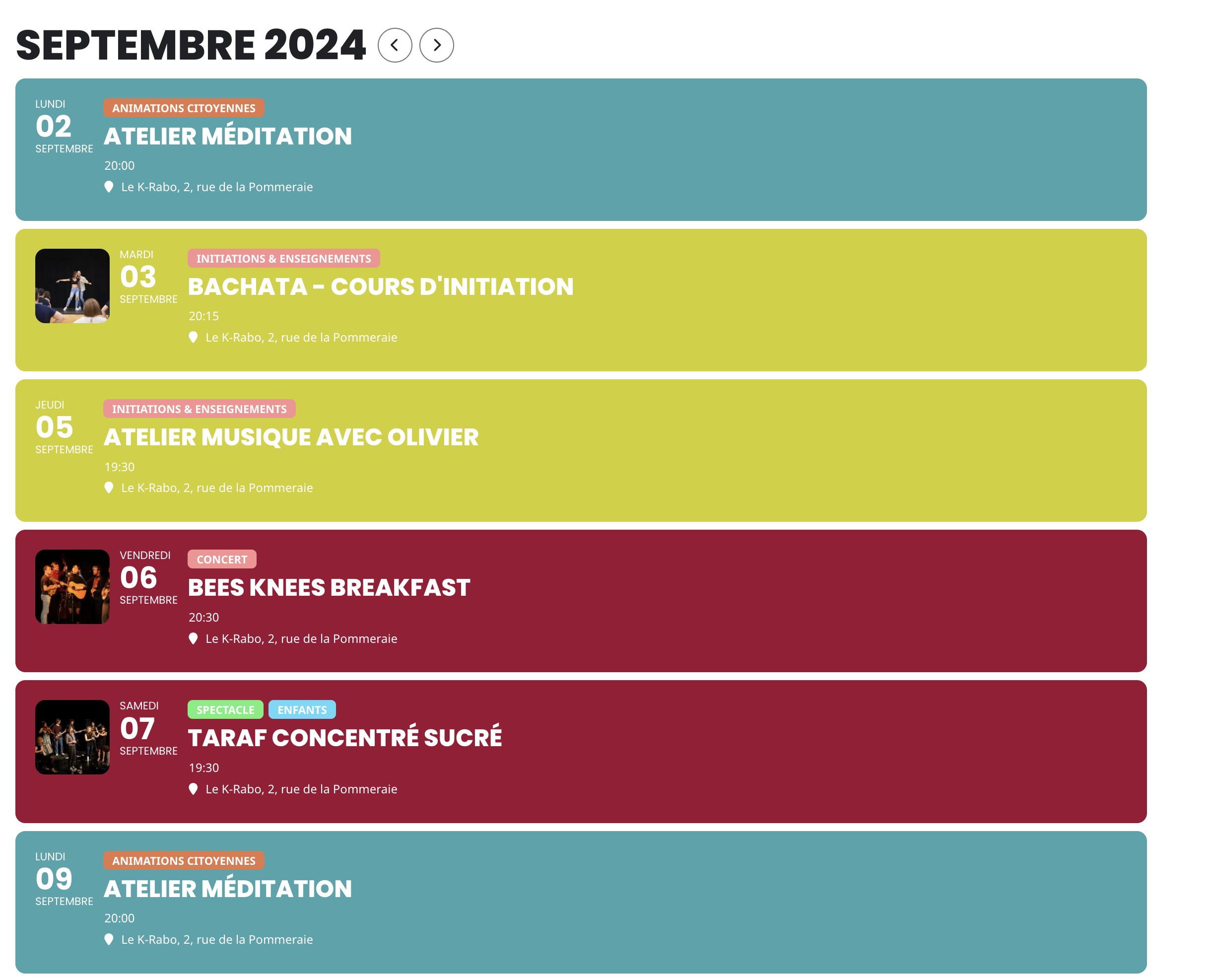
Hi Team, I realized you have an online help that describes how to add Custom Event Status (https://docs.myeventon.com/documentations/how-to-add-custom-event-statuses/) that answers the above question. However, I can’t find how to customises colour for each status, only part of them can be edited in Settings > Appearance > EventTop Styles
can you provide a direct link to where the edit home page is- as the one I found in your pages is not the same as the actual home page
a direct link to the edit page so I can see the shortcode
After our discussion above, this morning I would like to buy the addon RSVP. Unfortunately, I bought the wrong one, th Tockets/addon, which I didn´t want to buy now.
I asked in a refund request Ticket #363817 if the Ticket/addon could be changed in the RSVP-addon, but after 8 hours I didnot get any answer.
Is there a change someone could answer and give me feedback if this could be arranged? I was planning to install the RSVP-addon today, so I hope I get an answer quikly and I can work on my calendar with this RSVP-addon.
Thank you for replying.
n myeventon>>>>settings>>>>>event card- the last toggle is Hide location other events button
try adding this to appearance>>>customize>>>>additional css
.ajde_evcal_calendar.sev #evcal_list .eventon_list_event {
border-radius: 0px;
}
#evcal_list .sep_month_events {
border-radius: 0;
}
.eventon_events_list .eventon_list_event .ev_ftImg {
border-radius: 0;
}
.evocard_box {
border-radius: 0;
}
.evo_lightbox.within .evolb_box {
border-radius: 0;
}
.borderr15, .evobr15 {
border-radius: 0;
}
they might need to be !important- if you don’t know how to do that please provide wp-admin access and we can do it
try adding this css to
appearance>>>>customize>>>>>additional css
.evofc_months_strip.names .eventon_fc_days .evo_fc_day.has_events span i {
font-size: 12px;
height: 30px;
margin: 0 0px 3px;
text-align: left;
line-height: 1;
}
if that fails please provide wp-admin access and we will do it for you
your theme line height is overiding eventon so its sending it out of position
Is there a chance someone could give answer today, because i would like to buy the RSVP/addon en install it right away.
Hi, yest that’s correct. To hide the button.
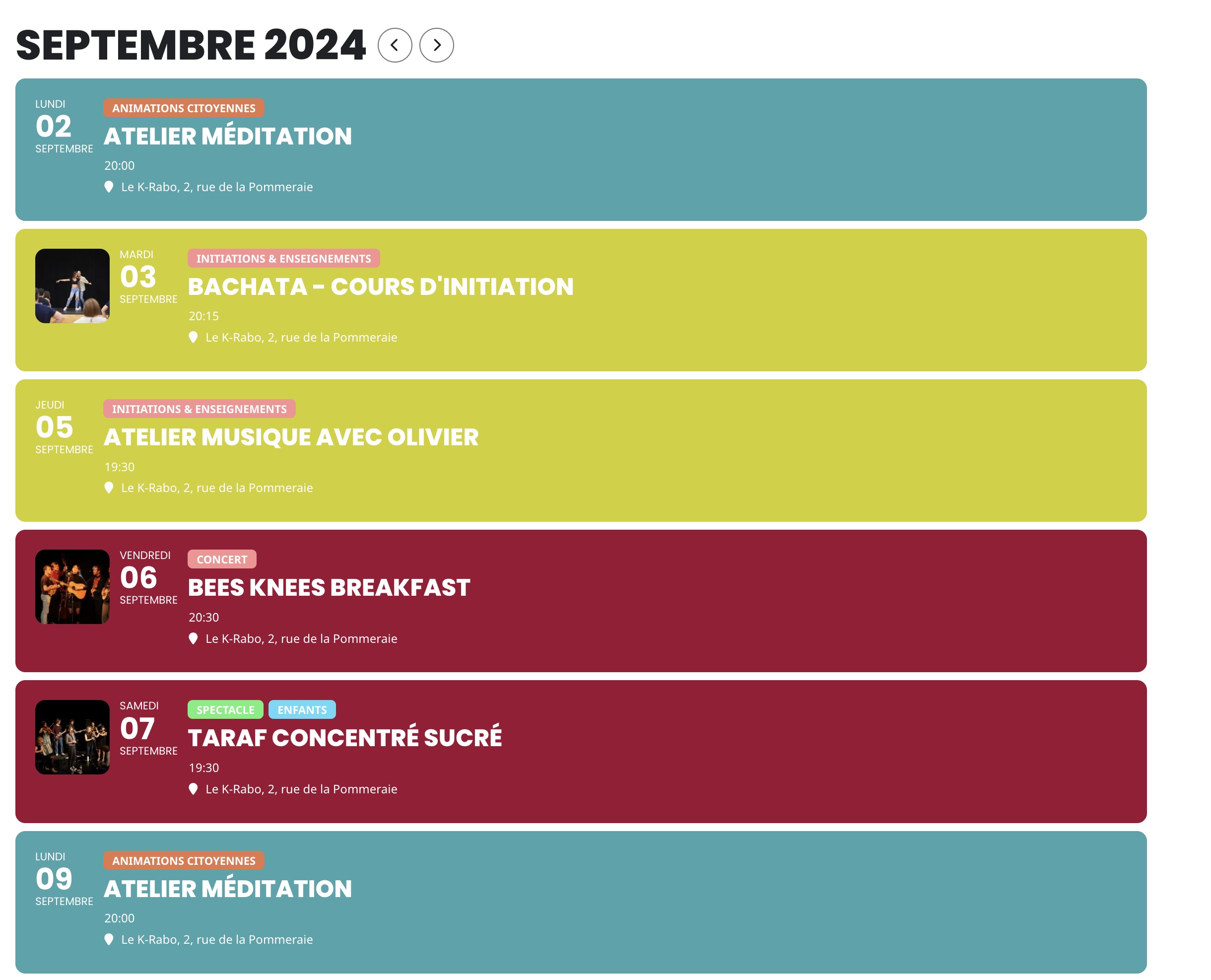
Many thanks, I’ve managed to “hack” back-end to have the result I’m looking for: I used “event status” and translate each (in France) to be align with typology of my events:
- Postponed > Animations citoyennes (“events organized by citizens”)
- Preliminary > Initiations & enseignements (“courses and learnings”)
- Tentative > Concert
- Rescheduled > Spectacle (show)
- Virtual Event > Enfants (Kids > in addition of above, for example: a show (spectacle) for kids
I only have live events physically, so I don’t really need to use “event status”, but I’m quite sure there is a “clean” way to do this, and also a solution to change tag color.