Hello,
We are glad your issue is resolved, if you have any further questions or concerns please feel free to create a new ticket.
Replies for tickets on suppota
Hello,
We are glad your issue is resolved, if you have any further questions or concerns please feel free to create a new ticket.
Hi,
I sent the message before the new EventOn update (4.6.6) which, incidentally, took the site offline. I had to install the previous version of the plugin and the icons returned.
Before that, I had already reinstalled EventOn, but it did not restore the icons like now.
Anyway, thank you very much for your attention. Good weekend.
fixed
color gradients doesn’t work with event types
We are glad your issue is resolved, if you have any further questions or concerns please create a new ticket.
If you have a moment, we would greatly appreciate if you could kindly leave us a review at Codecanyon. By going to your account > Downloads. We are very grateful for your kind review!
Hello,
Please add this CSS code to EventON > Styles (If you don’t see any change, EventON > Scripts & Styling > turn off Write dynamic styles to header > save settings > turn on Write dynamic styles to header):
span.evo_card_organizer_name_t a { pointer-events: none !important; }
Hello,
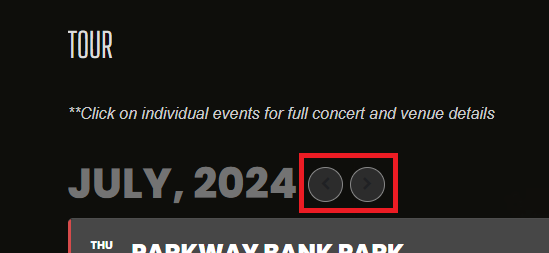
Please add this CSS code to EventON > Styles (If you don’t see any change, EventON > Scripts & Styling > turn off Write dynamic styles to header > save settings > turn on Write dynamic styles to header):
.ajde_evcal_calendar .calendar_header .evo_arrow, .ajde_evcal_calendar .calendar_header .evcal_arrows, .evo_footer_nav .evcal_arrows {color: white}
I don’t have access to Pages wp-admin. Could you allow us access?
I was able to turn off the debug. When I try to load the website, it is very slow. The full calendar does not appear at all, and the regular calendar that I have in the sidebar doesn’t present either. Please advise.
U: EventOnHelp
P: )yHf8AJ3sg$tZVE4jY!BIcAU
I noticed it also does the same thing with the sidebar widget, so I’m hoping one line of code can fix both…Thanks 🙂