Hi Sezer,
Could you please create a separate ticket for us to diagnose your issue further? This will help us track your request more efficiently and ensure we provide the appropriate assistance.
Replies for tickets on suppota
Hi Sezer,
Could you please create a separate ticket for us to diagnose your issue further? This will help us track your request more efficiently and ensure we provide the appropriate assistance.
Hi Bradley,
Could you please update EventOn to 4.6.7?
To update Eventon to the latest version: If you are unable to do auto-update, you can go to codecanyon your account > download and get the latest Eventon version as a zip file. Then you can go to your website > make sure “Delete eventon settings & data when EventON is uninstalled” is Deselected from eventon settings, delete old eventon, install new one, and activate. This link will further explain the process.
Hi Artem,
it would be good to limit the shown events to a max. of 10 to 15 lines and then have the ‘load more button’, so we can show other content beneath the calendar.
Cheers,
Tim
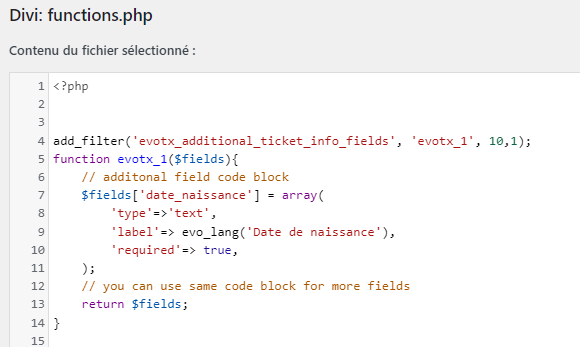
Yes, exactly. But I am a beginner in internet coding and I don’t speak English well, so I hope I didn’t make any mistakes!
In the image, you will find a copy of the piece of code that I inserted into the functions.php file. I hope I pasted it in the right place in the file…
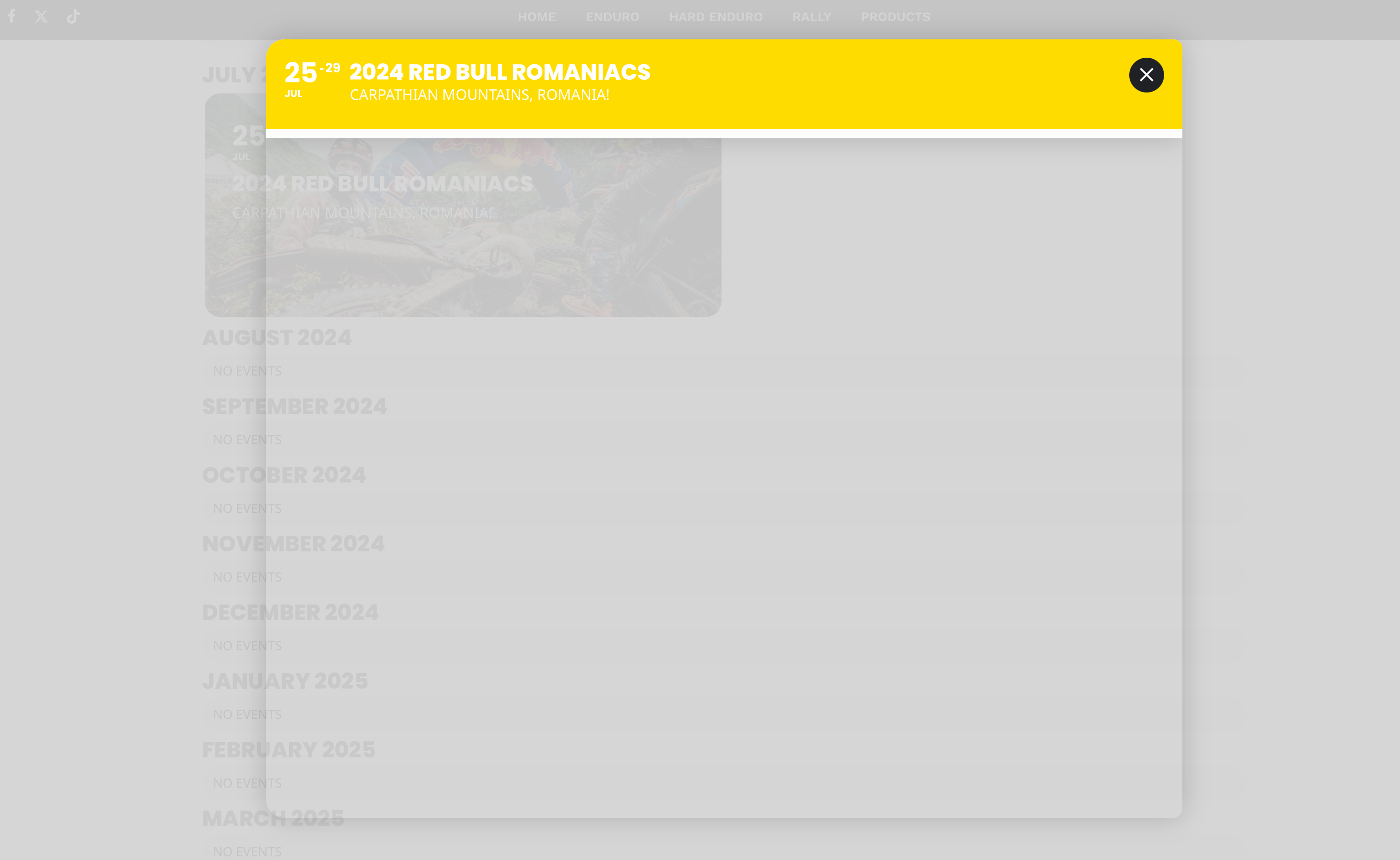
closed. i changed the content filter to default wp filter and it works now
Hi, I see that the additional .p. tags inserted in the content were stripped out on upload.
You will need to visit the url and inspect source to see the addtional .p. tags inserted
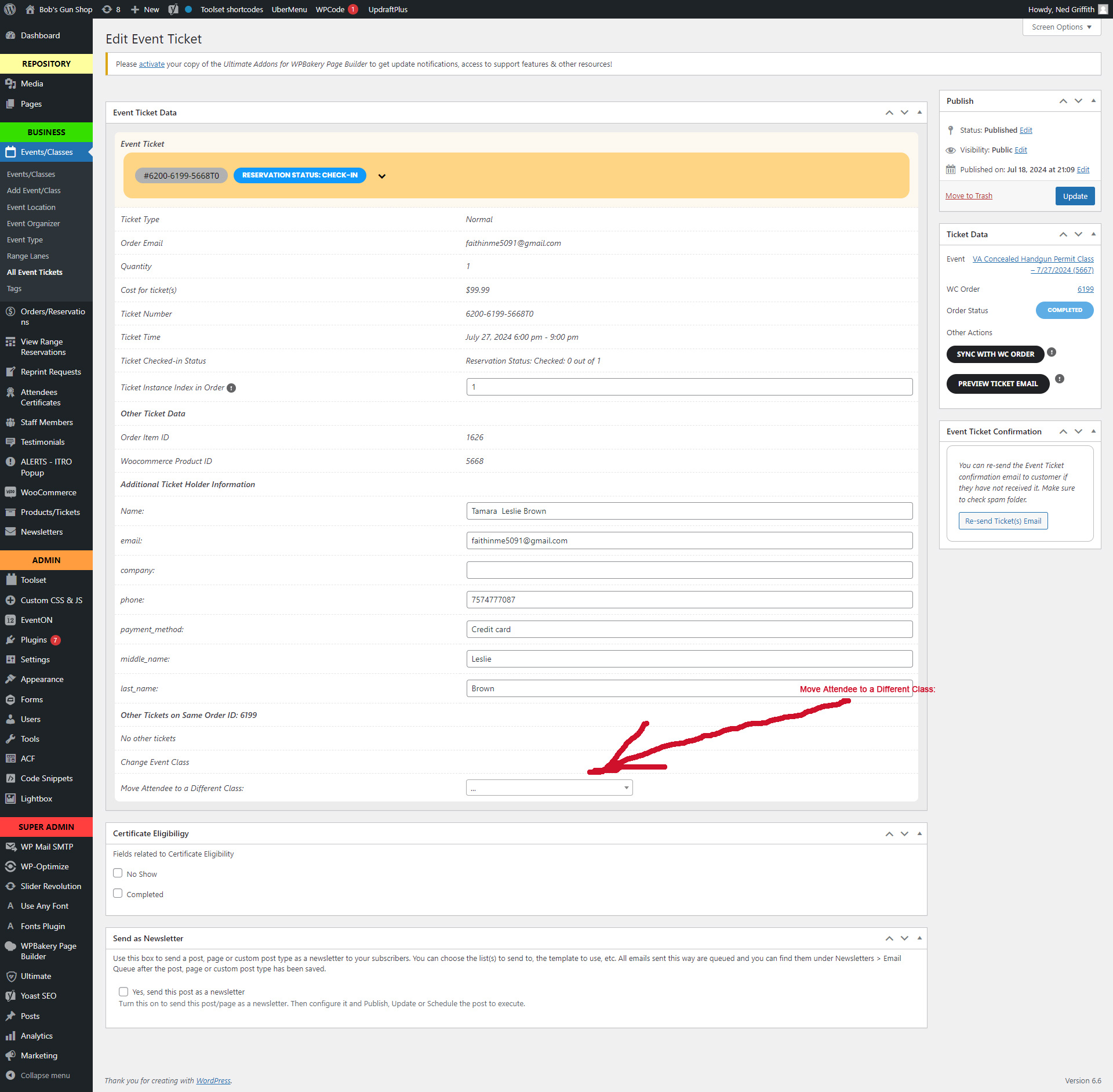
Step 3
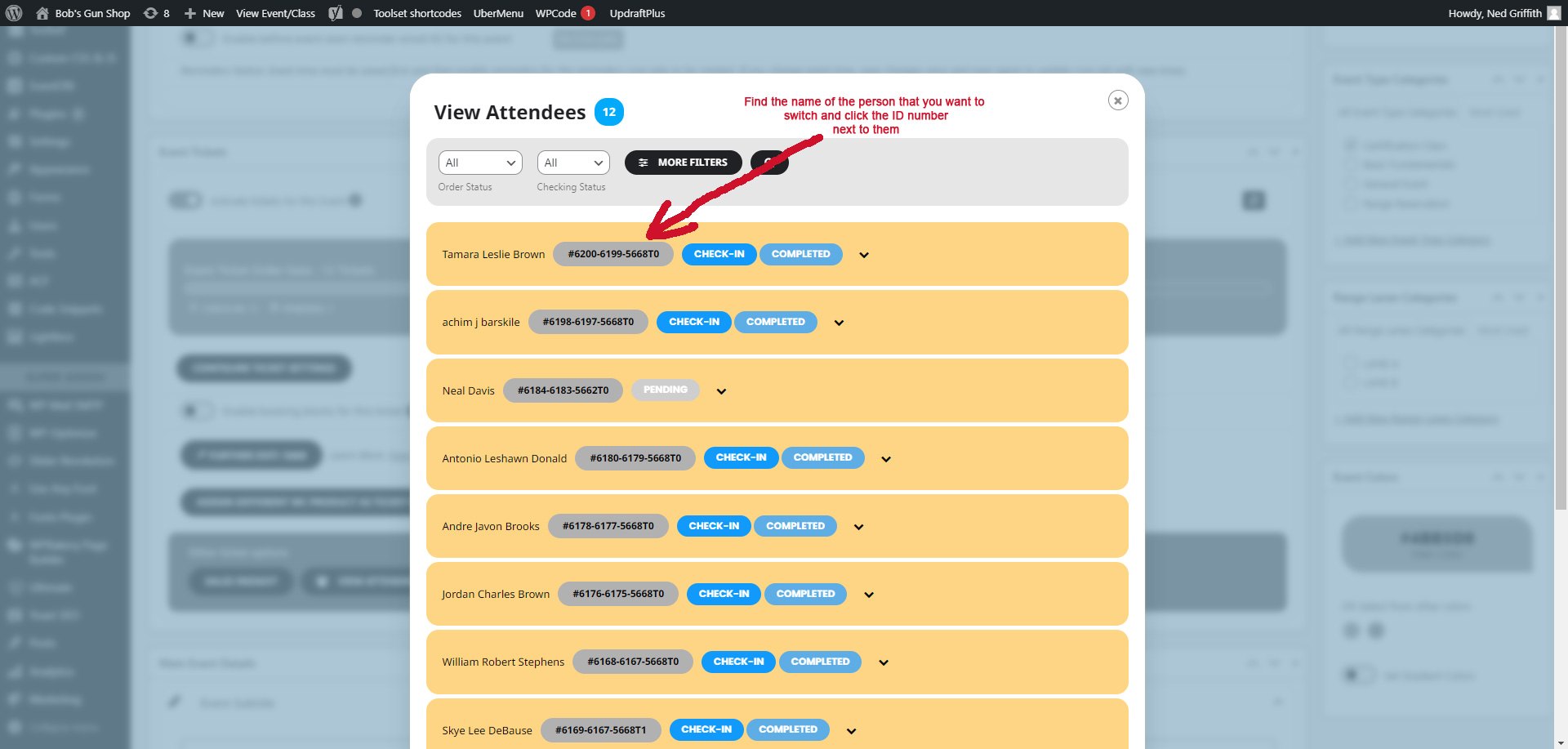
Step 2
Step 1