Hello,
Something like this?
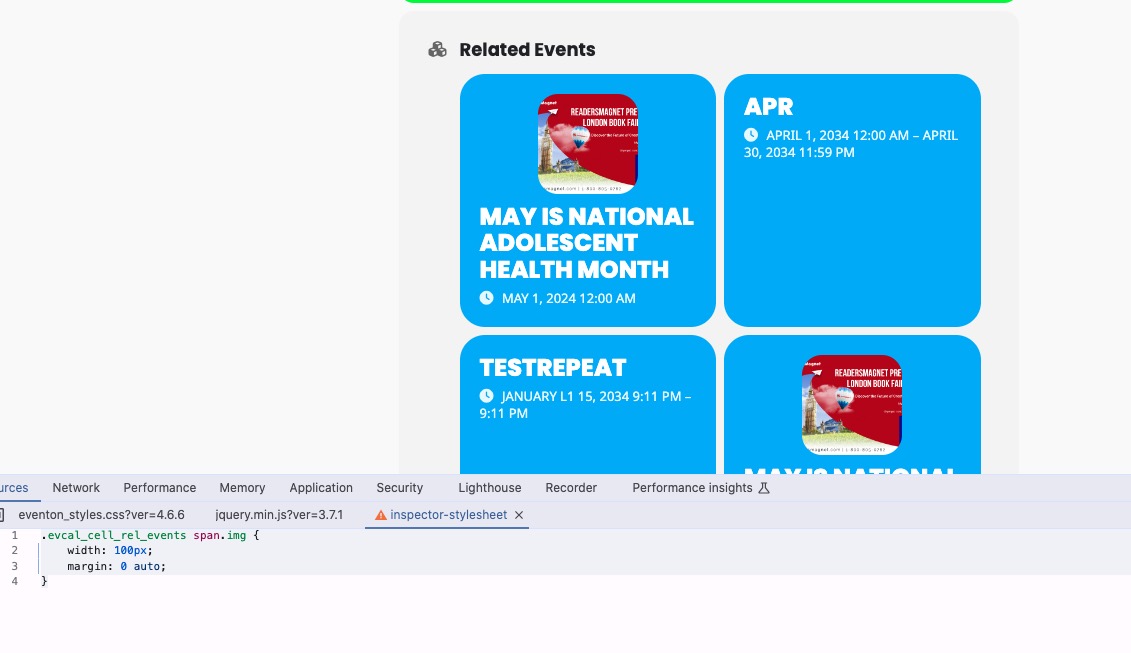
Please try this CSS code:
.evcal_cell_rel_events span.img { width: 100px; margin: 0 auto; }
Replies for tickets on suppota
Hello,
Something like this?
Please try this CSS code:
.evcal_cell_rel_events span.img { width: 100px; margin: 0 auto; }
We are glad your issue is resolved, if you have any further questions or concerns please create a new ticket.
If you have a moment, we would greatly appreciate if you could kindly leave us a review at Codecanyon. By going to your account > Downloads. We are very grateful for your kind review!
Hi again
It seems you did not get what i mean!
In single event in the section of related events has no any option on setting to change.
I need change the image size of related events in single event to 100*100
your answer change for single event no any changes for the related events in single event !
Thank you, that appears to have resolved the issue.
Hi Majid,
Please go to EventON > EventCard > try a different Feature image display style.
Let us know if this works for you.
Hello,
I went to EventON > EventCard > opened Designer and saved. Event Details are visible now. Please check and let me know.
Hi Majid,
Please send us wp-admin access to your site as a private message for us to further assist your situation.
How do I load the font Fajall One?
Okay, it works. However, you need to click on the event again for it to open. I’m afraid that clients might not understand this.
I tried to removing evc_open=”yes” from the shortcode and it seems that it’s working now. Please check and let me know.