Reply to: tickets(405774)

Instead of using WooCommerce Autocomplete Orders, could you go to EventON > Tickets > enable Enable auto complete ticket orders to see if it helps somehow.

I am also going to escalate this ticket to development to help in here. Please allow us some time to address this, and we truly appreciate your patience. Thank you for being a valued EventON customer!

Additionally, if your site has any IP blocking or security restrictions in place, kindly disable them temporarily to facilitate our support process.

Reply to: tickets(405616)

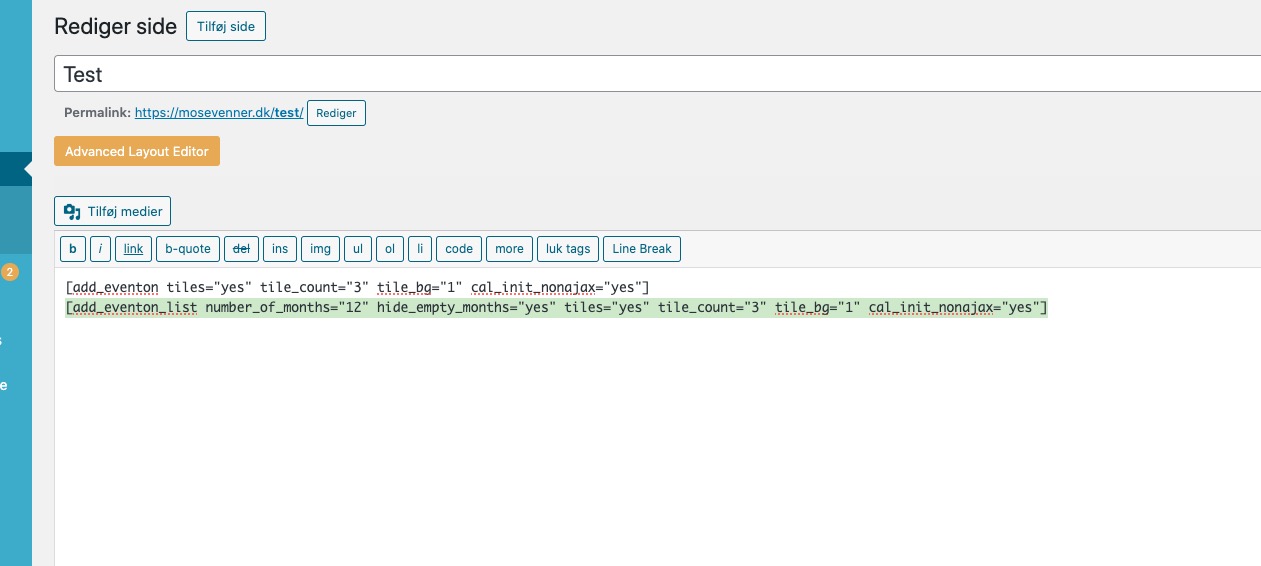
Please take a look at

https://mosevenner.dk/wp-admin/post.php?post=5861&action=edit&classic-editor=1

You can copy the shortcode from the page content:

Reply to: tickets(405810)

Ashan,

Please check on dev2:

https://dev2.myeventon.com/wp-admin/admin.php?page=eventon&tab=evcal_2

On dev2 the add-on is 0.2, but on customer’s website is 1.0.

Reply to: tickets(405810)

Hello,

Thank you for your messages!

I am going to escalate this ticket to development to help in here. Please allow us some time to address this, and we truly appreciate your patience. Thank you for being a valued EventON customer!

Reply to: tickets(405595)

…set the customer explicitly…

Since you put all the data during the checkout, all the data should be already in the order. So you can just complete it.

The rest (exactly how you described) is how I did the purchase.

Reply to: tickets(405594)

You need to update EventON as well as Tickets to fix the NaN issue.

Then we can help you changing some of section’s styling using custom CSS.

Could you tell us more about issues on this screenshot:

https://helpdeskx.s3.amazonaws.com/wp-content/uploads/2026/03/25043708/1000011300.jpg

Reply to: tickets(405779)

Hello Artem, 

thanks for your reply. Sorry, I’m not allowed to grant access to the customers website. So, I try to give as much background as possible. 

For now I had to roll back to EventON 4.9.10, EventON – Event Tickets 2.4.18 and EventON – Ticket Variations & Options 1.1.14 
since there are current events and bookings running. 

With the versions above ticket ordering including variations and options are working fine, as long as we activate in the ticket settings the option ’Sold Individually’. 
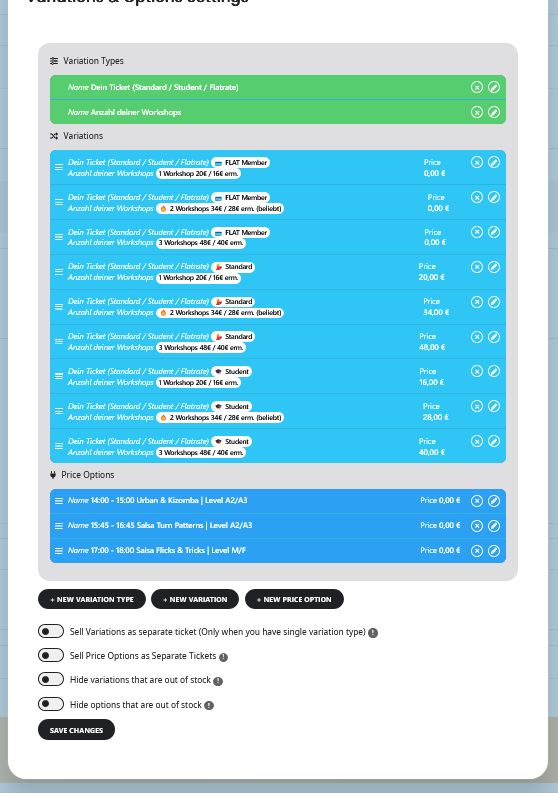
Details about variations pls see screenshot attached. Pls find a URL to an online example in the access info. 

Ticket price is set to 0,00 and variation prices are set to 0,00 

One detail I watched in the frontend after updating  to EventON 5.0.8, EventON – Event Tickets 2.5.4 and EventON – Ticket Variations & Options 1.1.16 was that after selecting the variations and options and hitting the ’add to cart’ button the text ’Ticket added to cart successfully’ and the buttons to cart and checkout did not appear anymore as before.  
The tickets were still added to the cart, but instead of showing the amount of tickets it showed an error message and no further output. 

I hope this helps somehow. 


Reply to: tickets(405774)

Hi Artem,

Thank you for your reply.

Regarding order completion, orders are completed automatically using the “WooCommerce Autocomplete Orders” plugin, but this has been the case for many years and ticket generation has historically worked correctly, so I am trying to understand why this would only start causing issues now.

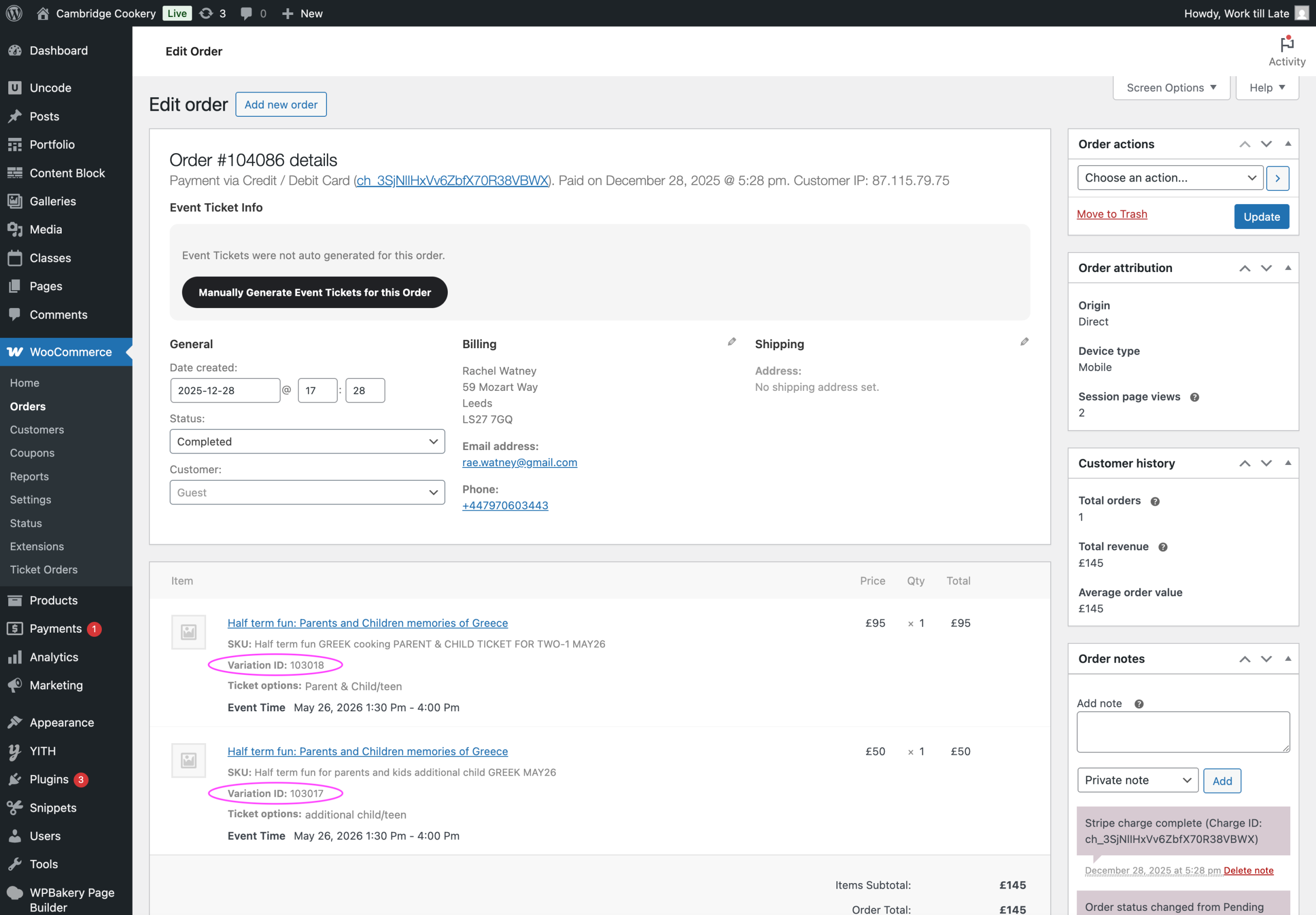
Also, when looking at the affected order data, WooCommerce is clearly storing distinct variation-level information. For example, in order #104086 the purchased items show:

  • Variation ID: 103018
  • Variation ID: 103017

Please see the attached screenshot.

So it does not seem that WooCommerce is only passing one generic ticket SKU at order level, at least from what I can see. Because of that, I am not sure the issue is related to SKUs, although I may be missing something. Likewise, I would be surprised if the autocomplete plugin alone caused this, since it has been working together with EventON for a long time — but of course you may know if something changed in how ticket generation is triggered.

I also wanted to mention that this setup is not something we recently improvised. This is how we have been using EventON Tickets with WooCommerce variable products for a long time, before the Ticket Variations & Options add-on existed, and it had been working reliably for years. As far as I remember, this was also the recommended way of doing it before the add-on was introduced.

Because of that, I am wondering if something may have changed in recent versions of EventON Tickets (for example around v2.5, which mentions fixes related to order handling and variable tickets) that could affect older variable-product setups like ours.

I am very happy to adjust the setup if needed, but first I would like to understand why ticket generation sometimes fails even though the WooCommerce order is completed correctly.

Thank you again for your help.

Jonas
Reply to: tickets(405622)

Hello,

The backend is all set; I was able to translate it using Loco Translate without any issues.
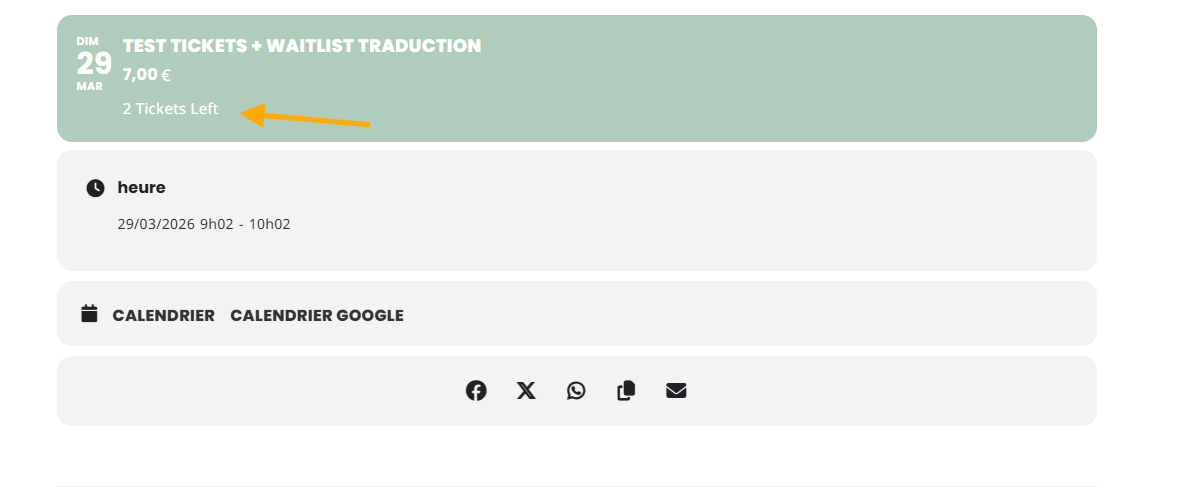
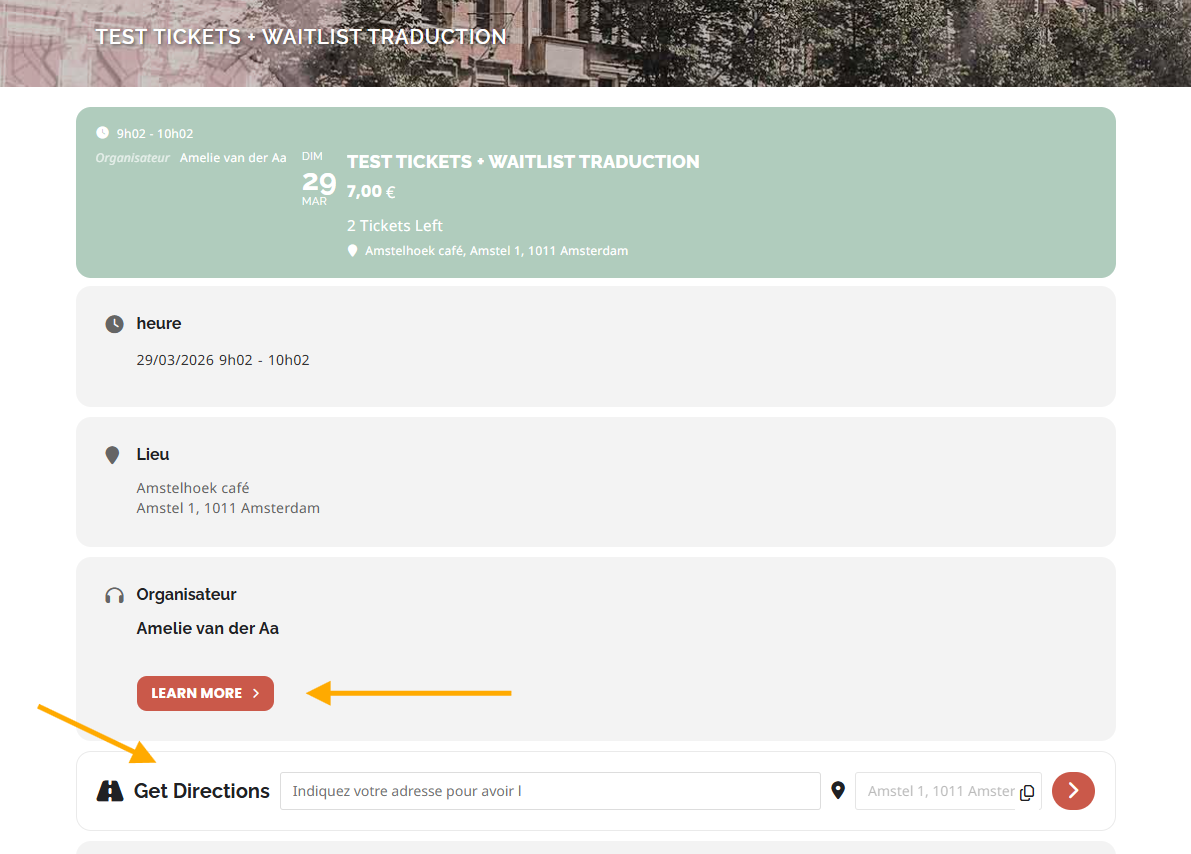
However, I see that the frontend hasn’t been translated yet. Here are a few examples.

Thanks.