Archives: Replies
Replies for tickets on suppota
Reply to: tickets(405616)
Please send me the shortcode that you used for the https://mosevenner.dk/test/
Thank you
Reply to: tickets(405810)
The date and time shown in this picture are also missing in translation
Reply to: tickets(405810)
Reply to: tickets(405496)
Hi, i updated now. But the slider is still fuzzy. have a look: https://www.kinderthur.ch/veranstaltungskalender-was-lauft/ and https://www.kinderthur.ch/
Reply to: tickets(405695)
Thank you for quick action
We’re testing this fix
– * I’ll update you once client confirm this fix is ok.
In the meantime – client pointed me another similar issue with initial date/time
– it seems in some cases initial date/time is not saved (missing start date/time, and wrong values saved)
Check this video (I was able to reproduce it on staging – you can use same login)
https://www.youtube.com/watch?v=R0irW16VIQY
Event: https://stg.visitvarazdin.hr/wp-admin/post.php?post=34422&action=edit
Frontend URL: https://stg.visitvarazdin.hr/events/izlozba-jaje-kao-spremiste-memorija/
Can you check this? seems like similar issue here.
Thanks
Reply to: tickets(405751)
Hello,
Not sure if this is related to EventON. I believe that this is the default functionality of WordPress itself.
Please take look at ”Option 2: Add Custom Code (for Developers)” of this guide:
https://help.wpresidence.net/article/technical-how-to-grant-access-to-custom-post-type-capabilities-for-a-specific-role-after-5-1-1-theme-update/
Reply to: tickets(405774)
Hello,
Could you tell us how do you complete orders? Manually or automatically?
Because it seems that EventON > Tickets > Enable auto complete ticket orders isn’t enabled.
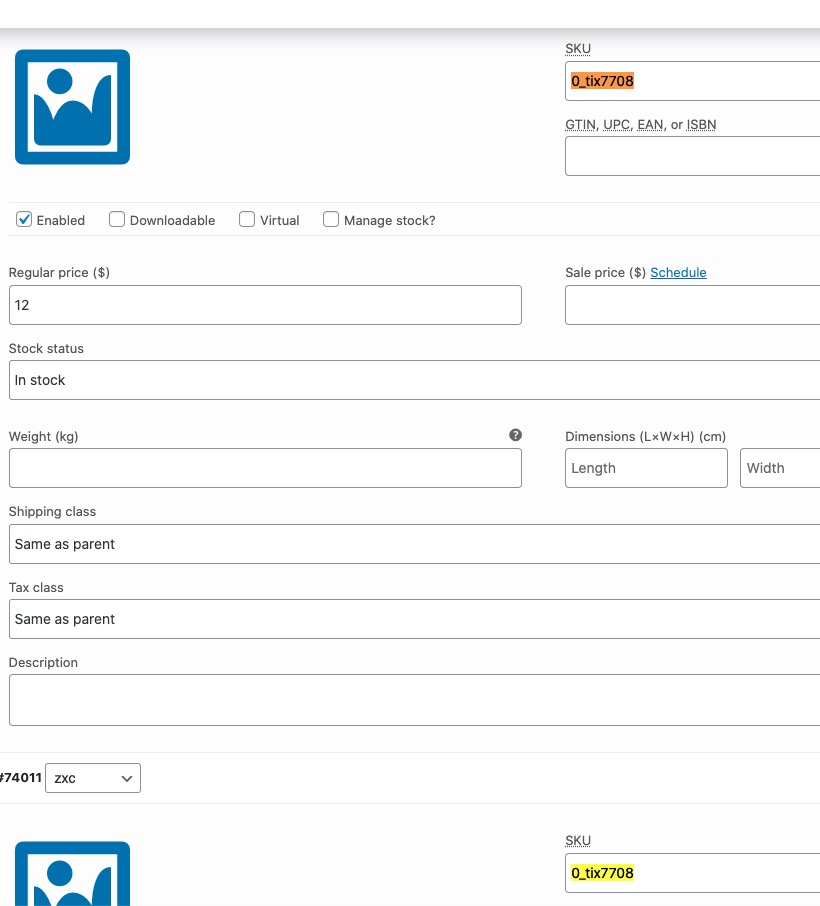
Please also note that since the way you create variations is mostly a hack, you cannot change assigned product.
So for example, SKUs on your side are different for the ticket itself and each variation has it’s own SKU a well.
But on our side they all the same, so that also can cause the issue: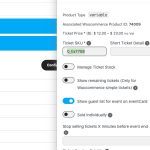
Please note that we have Variations add-on:
https://www.myeventon.com/addons/ticket-variations-options/
Reply to: tickets(405594)
Oh I think it has to do with the sold Individually, but should it display NAN nonetheless?
Reply to: tickets(405595)
Hello, I can confirm that this worked. So the steps you took is to buy a ticket normally from the frontend, set the billing, name etc of the customer and then on the backend you went on the order you created from the frontend, set the customer explicitly and completed the order?