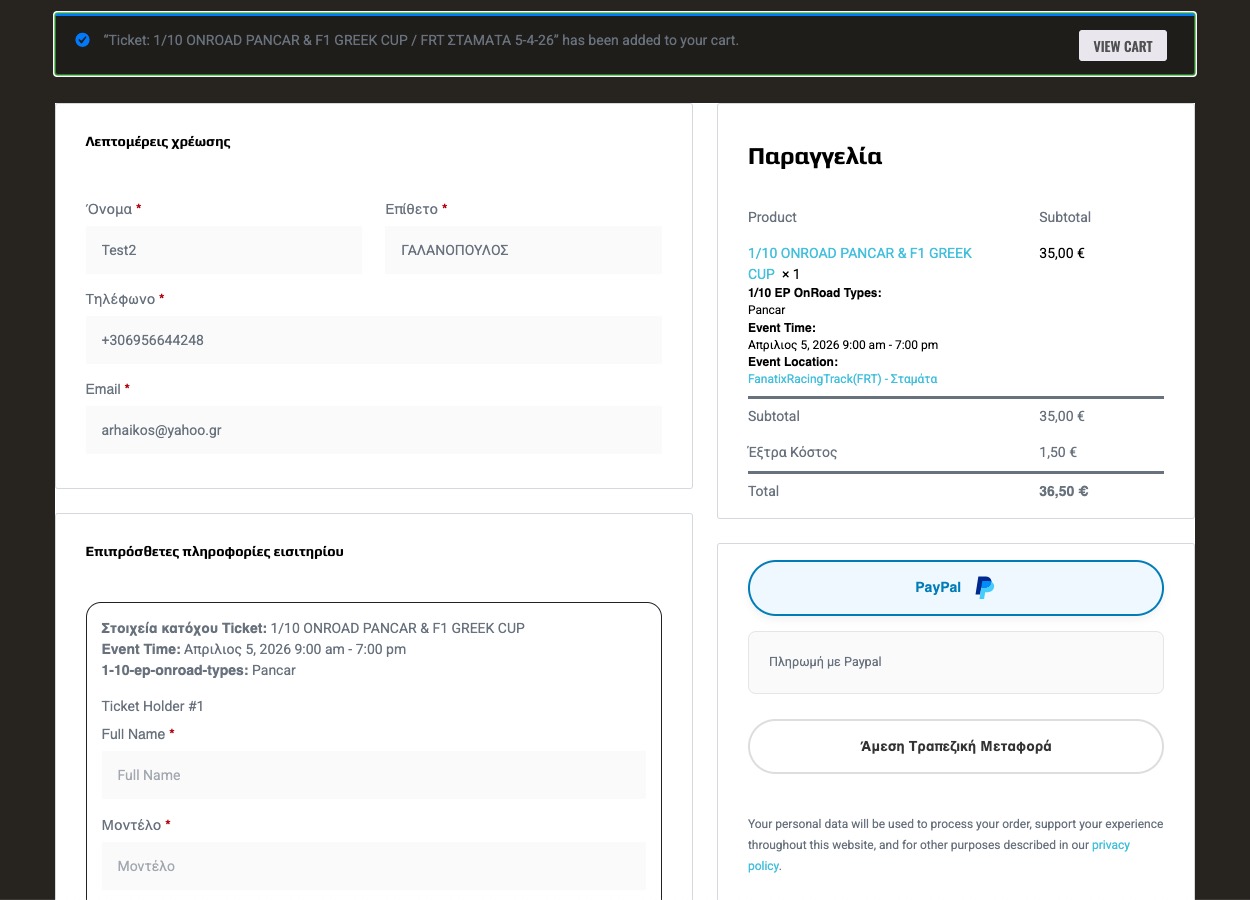
PS. The same thing happened to another event/sale before this:
https://cambridgecookery.com/wp-admin/post.php?post=103934&action=edit
The event has since been deleted by another user, but as you can see here, 8 tickets were sold for that:
https://cambridgecookery.com/wp-admin/admin.php?page=wc-admin&path=%2Fanalytics%2Fproducts&filter=single_product&products=102727&is-variable=true&period=custom&compare=previous_year&after=2025-01-01&before=2026-03-25
And as you can see on the link above to one of the sales, no event tickets were auto generated for the order.
So it’s not just a one-off apparently 🙁
You select Άμεση τραπεζική μεταφορά, it’s the button below paypal
In case it’s helpful.
The class/event with the issue:
https://cambridgecookery.com/wp-admin/post.php?post=103015&action=edit&wpb-backend-editor
The associated WC product:
https://cambridgecookery.com/wp-admin/post.php?post=103016&action=edit&wpb-backend-editor
All orders of that product:
https://cambridgecookery.com/wp-admin/admin.php?page=wc-admin&filter=advanced&variation_includes=103018&period=custom&compare=previous_year&before=2026-03-25&after=2025-01-01&path=%2Fanalytics%2Forders
Affected order 1:
https://cambridgecookery.com/wp-admin/post.php?post=104421&action=edit
Affected order 2:
https://cambridgecookery.com/wp-admin/post.php?post=104086&action=edit
Please check this page with two added calendars I created for a test:
https://mosevenner.dk/test/
Both calendars seem to be working. Could you check and let me know?
Hello,
None of themes are compatible with EventON. If the theme is built correctly, then it should work with EventON without issues.
However, Avada has performance issues when you try to save Edit Event, so we added ”EventON > Diagnose > Disable saving all Fusion/Avada related data into events” to fix the issue.
Hello,
Could you try EventON > Scripts & Styling > turn on Write dynamic styles to header > save settings?
You can also add the code to wp-admin > Appearance > Customize > Additional CSS.
Please add this CSS code to EventON > Styles (If you don’t see any change, EventON > Scripts & Styling > turn off Write dynamic styles to header > save settings > turn on Write dynamic styles to header).
You can also add this code to wp-admin > Appearance > Customize > Additional CSS.
@media (max-width: 960px){ .eventon_list_event .evo_metarow_tix .evoTX_wc table.variations { display: block !important; } .eventon_list_event .evoTX_wc table.variations td { display: block !important; } .eventon_list_event .evoTX_wc table.variations td.value { text-align: left; } }
How do you purchase it without paying?
I want to make a test purchase.
Perfect! Please keep us updated.
I had updated to that latest version on Monday and I have just done the 2.5.4 that I just spotted. All our invoice now go to to completed. I will monitor the latest version and see if it is still happening