Hi Tim,
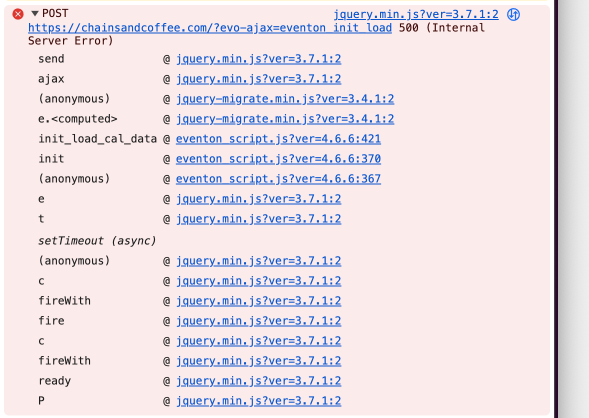
Please follow the instructions in this documentation to activate debug in your site to see any PHP errors recorded that can provide insight on to whats going on. Please reply with a link to debug.log file. If you are not able to do this please send us FTP access to your site so we can do this for you.
Hello,
I went to EventON > EventCard > opened Designer and saved. Event Details are visible now. Please check and let me know.
EventON uses it’s own template for /events, so please follow this to fix all 3:
PROTIP: If the /events page does not work due to theme/plugin conflicts, create a new page, call it “Events Directory” Insert eventon shortcode and use that as your main events page which will have a URL ending like /events-directory. This would be a perfect solution if you have conflicts with /events slug.
Hi Artem
Thanks for your replies
EventOn seems to break various elements of the Events page of my site… Please see https://hellbaystaging.littletorside.co.uk/events/
- The navigation menu is broken and full of errors (when you compare with how it appears on other pages on the site)
- The Events listing content appears beneath the navigation menu so is partially hidden
- I cannot edit the page content with Divi Editor to add a page header image, copy etc.
Please help!
Thanks
https://env-ittrainingacademy-ittadev0724.kinsta.cloud/operations
identifiant : damien.crocq@itta.net
mdp : Maurienne73+
here’s access to my test site
Hi Vincent,
Please send us wp-admin access to your site as a private message for us to further assist your situation.
Hello,
Please send us wp-admin access to your site as a private message for us to further assist your situation.
Most the events don’t start until after 10pm on the day in question. I’m not sure how the show end time of the event being active would make a difference.
But meanwhile I did change the time zone back to GMT and today is showing, not tomorrow. That’s a win!
I will keep an eye on that.
Now, I’m still struggling to find that font size change… Cheers
Hi onto this again. Thanks for your help as always.
I tried adding that script to ‘Styles’ in the settings. Cleared the cache in plesk and the title text is still the same size.
I also added the text to Additional CSS page, cleared cache, and nothing happened there too.
Isn’t the css for font size on the event list somewhere already that can be changed manually?