I’ve made some changes to the shortcode, please take a look and let me know:
Archives: Replies
Replies for tickets on suppota
Reply to: tickets(357036)
Hello,
You can either simply clone your whole website with https://wordpress.org/plugins/wp-clone-by-wp-academy/ or use CSV Importer add-on:
https://www.myeventon.com/addons/csv-event-importer/
Download the .csv file with all events from EventON > Download all eventON events. > CSV FORMAT. Then you can import it with CSV Importer add-on.
Reply to: tickets(357037)
Hello,
There is this error that comes from “avia”:
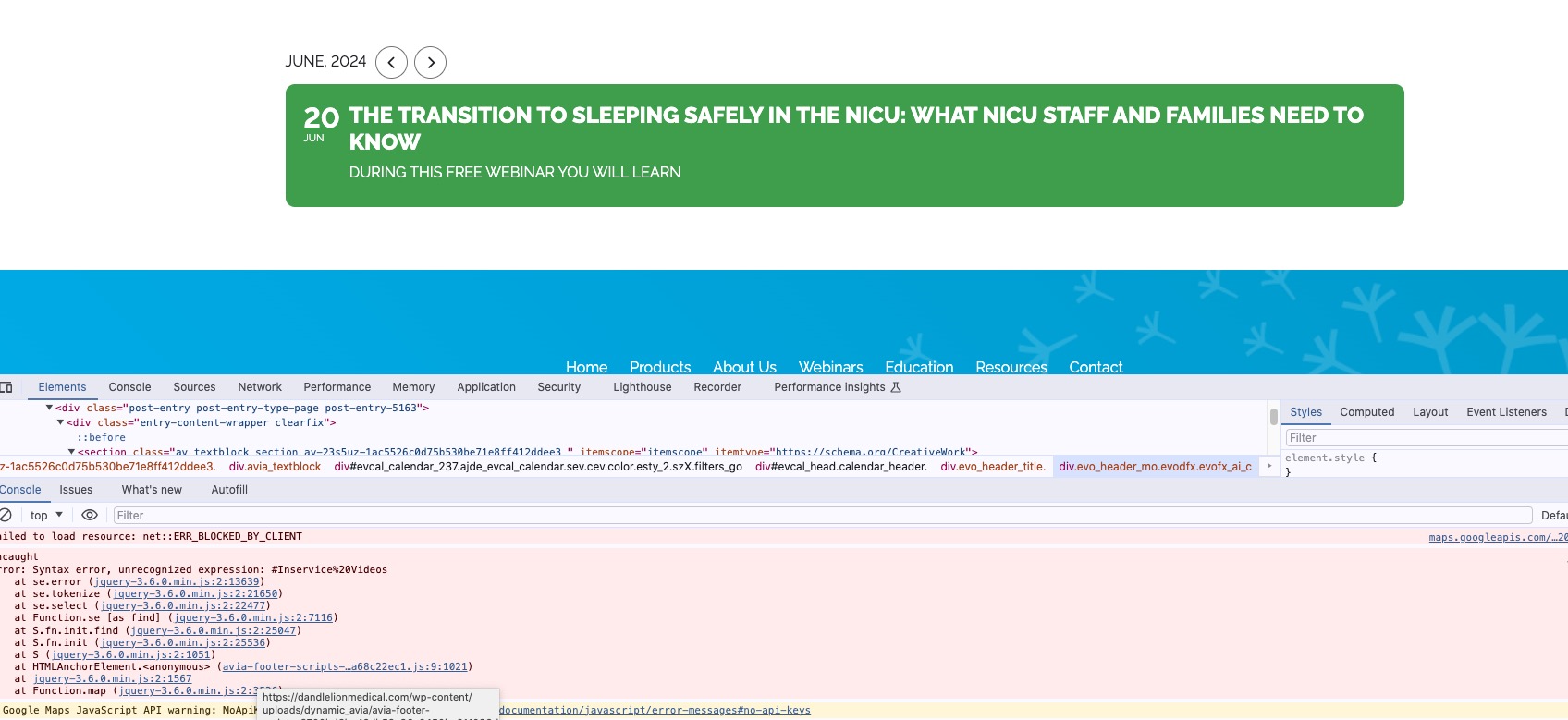
Please send us wp-admin access to your site as a private message for us to further assist your situation.
Reply to: tickets(357041)
Hello,
Please switch to EventON Full and then go to EventON > EventCard > try a different Feature image display style. “Fit entire image…” should work. We are working on fixing this.
Reply to: tickets(353127)
Ok next version 1.0.3 will resolve this further and will add support for tomorrow value for end time 🙂
Reply to: tickets(356299)
Thank you for letting us know, the next version of the RSVP addon will resolve this issue and will allow the change RSVP form to be filled with saved data 🙂
Reply to: tickets(354733)
Sorry for the delay, your website is not working any more. http://epasaoaxaca.com/qpowelcome/
what is the updated link to see the calendar in action with the issue?
Reply to: tickets(353924)
I know we didnt get back to you sooner. The next version of eventON 4.6.6 will resolve this.
Reply to: tickets(356512)
Hi Artem –
Thanks. I’ll put the request in and get back to you. Please keep this ticket open for now.
Thanks,
Charles
Reply to: tickets(353240)
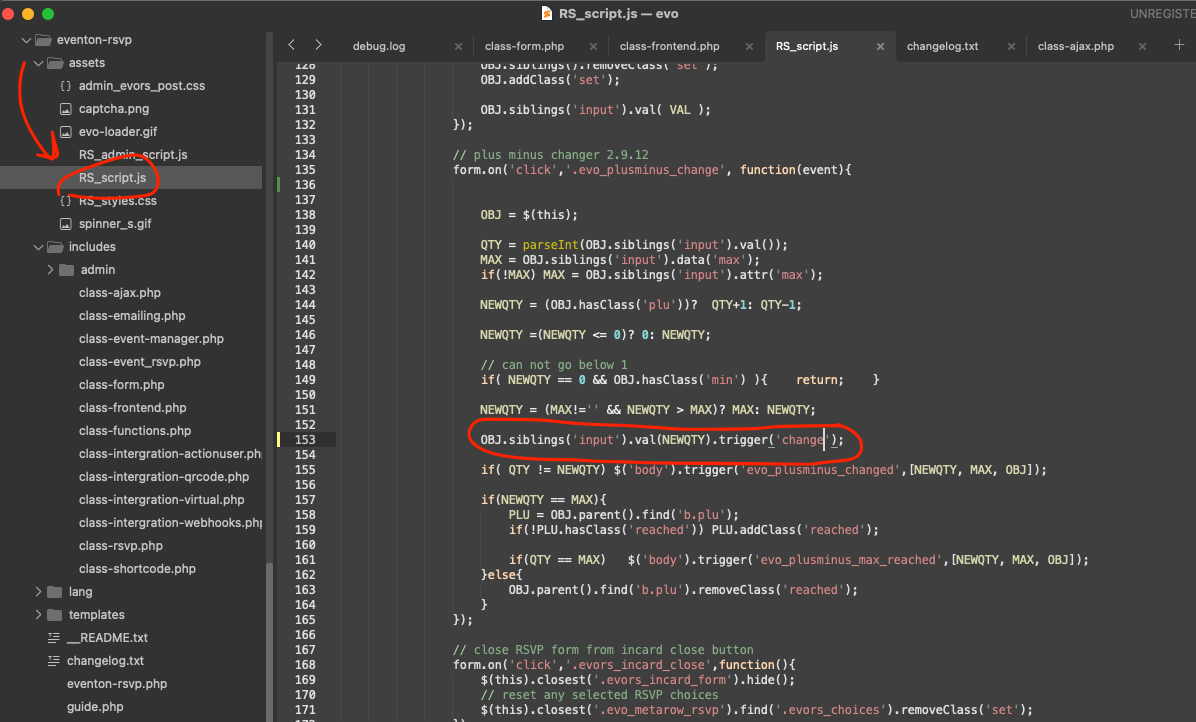
Thank you we are aware of this issue and will get this resolved in the next version. Please use this code change to resolve it for now.