the full code I’m using is as follows
<script src=”https://ajax.googleapis.com/ajax/libs/jquery/3.2.1/jquery.min.js”></script>
<script type=’text/javascript’ src=’https://evenementen.uitinderegio.nl/wp-content/plugins/eventon-api/eventon.js?ver=1.0.6′></script>
<script type=’text/javascript’>
jQuery(document).ready(function($){
$(‘#eventoncontent’).evoCalendar({
api: ‘https://evenementen.uitinderegio.nl/wp-json/eventon/calendar?event_type_2=534 [add_eventon tiles=”yes” tile_count=”3″ tile_bg=”1″]’,
calendar_url: ‘https://evenementen.uitinderegio.nl’,
new_window: false,
loading_text: ‘Loading Calendar…’,
});
});
</script>
<div id=”eventoncontent” style=”height: 100%; width: 100%;”></div>
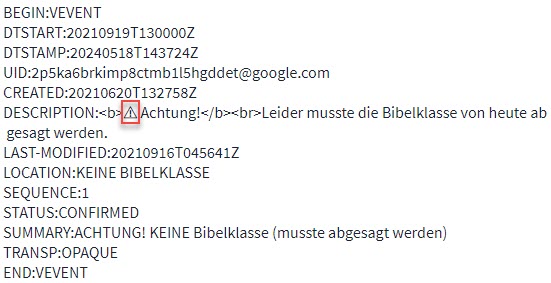
We found an error in one of the entries – it contained an probably illegal character; see attached image.
After removal of this entry from the import file, import worked well.
Ticket can be closed.
Additional information: There are some error messages in the server log.
[Thu Jun 13 06:38:36.364528 2024] [php:warn] [pid 1123617] [client 188.62.56.247:52014] PHP Warning: Undefined array key “DTEND” in /var/www/rogerliebi-test/wp-content/plugins/eventon-ics-importer/includes/class-functions.php on line 204, referer: https://test-rogerliebi.paruzynski.org/wp-admin/admin.php?page=eventon&tab=evoics_l
[Thu Jun 13 06:38:36.365466 2024] [php:error] [pid 1123617] [client 188.62.56.247:52014] PHP Fatal error: Uncaught Error: Call to a member function format() on null in /var/www/rogerliebi-test/wp-content/plugins/eventon-ics-im porter/includes/class-functions.php:204nStack trace :n#0 /var/www/rogerliebi-test/wp-content/plugins/eventon-ics-importer/includes/class-ajax.php(230): EVOICS_Fnc->print_imported_events()n#l /var/www/rogerliebi-test/wp-includ es/class-wp-hook.php(324): EVOICS_ajax->process_ics_file()n#2 /var/www/rogerliebi-test/wp-includes/class-wp-hook.php(348): WP_Hook->apply_filters()n#3 /var/www/rogerliebi-test/wp-includes/plugin.php(517): WP_Hook->do_action() n#4 /var/www/rogerliebi-test/wp-admin/admin-ajax.php(152): do_action()n#5 {main)n thrown in /var/www/rogerliebi-test/wp-content/plugins/eventon-ics-importer/includes/class-functions.php on line 204, referer: hctps://test-ro gerliebi.paruzynski.org/wp-admin/admin.php?page=eventon&tab=evoics 1
Little side note:
If i am using the [add_eventon_list] the side loads much faster. But if i am using only [add_eventon] the performance drops.
But the _list doesnt show prev/next buttons, but i need them to navigate the calendar.
Loads Fast with _list: https://kirche-am-strand.de/veranstaltungen-dev/
Shortcode: [add_eventon tiles=”yes” tile_height=”250″ bottom_nav=”yes” tile_bg_size=”med” exp_so=”yes” etc_override=”yes” tile_count=”3″ tile_bg=”1″]
Loads Slow w/o _list: https://kirche-am-strand.de/veranstaltungen/
Shortcode: [add_eventon_list tiles=”yes” tile_height=”250″ bottom_nav=”yes” tile_bg_size=”med” exp_so=”yes” etc_override=”yes” tile_count=”3″ tile_bg=”1″]
Hey Kenneth,
I have already completed most of the tasks in the tutorial. The number of events has not changed in recent years. Each year since 2017, there have been nearly 200 events with images in the calendar, and I never had loading issues. However, since one of the recent updates, the response time has become extremely poor. I have been using EventOn on various systems since 2017, and this site is the only one with performance problems. Could you please investigate the cause?
Thank you very much and best regards,
Philipp
do you mean the little thumbnail image next to the date at the top?
We will test your suggestion, but this has been the setup for the past 2-3 years.
with a tweak to the css you can actually hide all days that don’t have an event if that helps
Looking at your week view on the link provided
this will get rid of sat and sunday
.evo_wv_day.noE {
display: none !important;
}
.EVOWV_content.wk_1 .evo_wv_day {
width: 20% !important;
}
now if you were to add events to saturday for example you would want to change that 20% to 16.66%
so after you add an event to Saturday and to only hide Sunday the css would be
.evo_wv_day.noE {
display: none !important;
}
.EVOWV_content.wk_1 .evo_wv_day {
width: 16.66% !important;
}
that percentage is the days with events divided into 100%
so you would add that css to
myeventon>>>>styles
if that fails then try adding it into
appearance>>>>customize>>>>additional css (from wordpress)
Hello,
thank you for your reply.
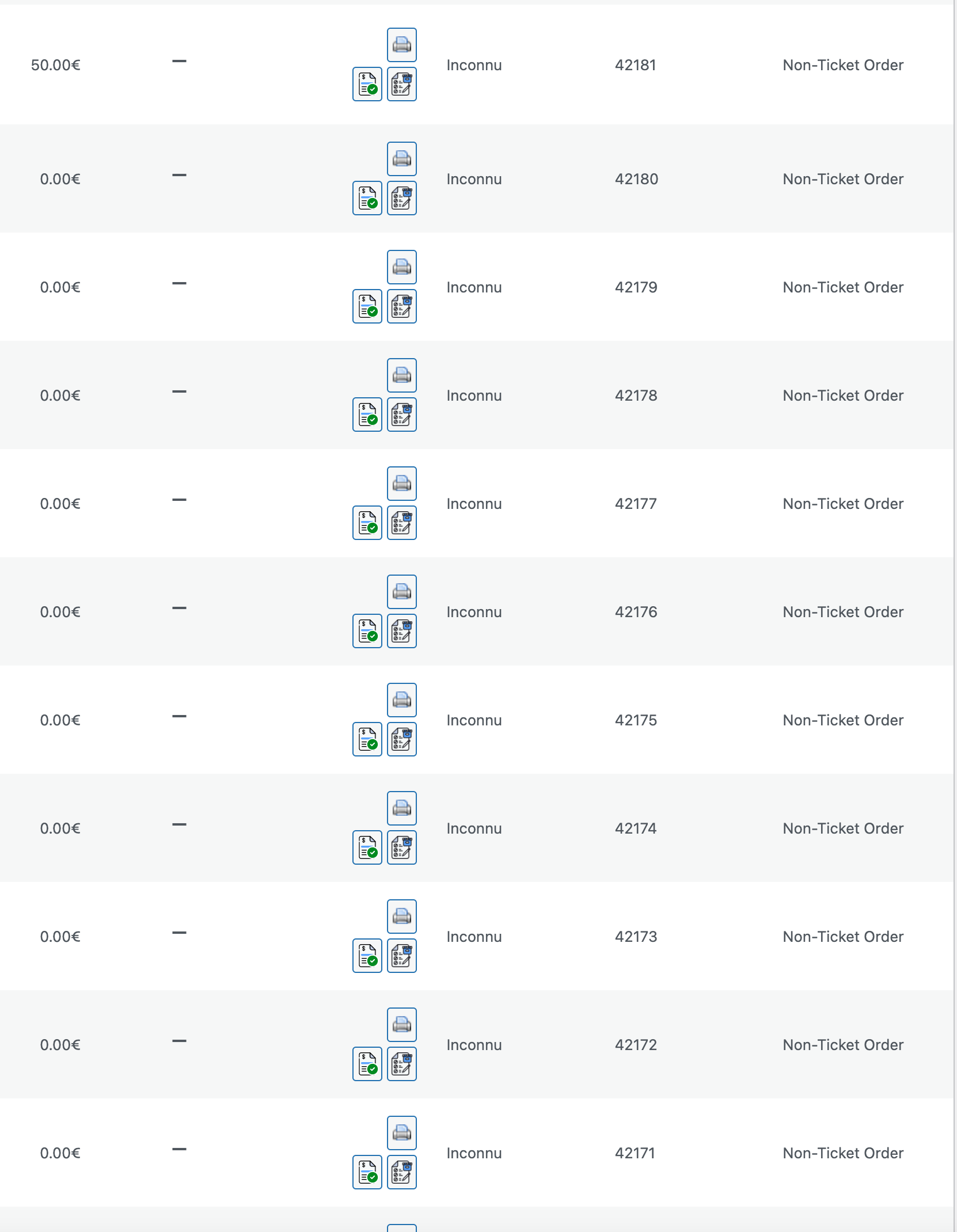
I see that when you create an order it works and I don’t understand why with the June 15 event it doesn’t work.
https://www.world-film-festival.com/events/gala-annuel-15-juin-2024-remember-the-future/
I would like to understand why customers who order variations of this event, the qr code is not generated. I’ve followed your documentation to the letter.
The event is taking place the day after tomorrow and I need to recreate all the tickets with qr code that were not generated when my customers ordered them and send them by email, as the hostesses at the reception desk will be asking them for their qr code.
Thank you
I have refunded you for lists addon and the subscription is updated and active for Weeklyview addon to renew auto on June 10, 2025.