That’s slightly better
Archives: Replies
Replies for tickets on suppota
Reply to: tickets(354740)
Thank you.
I’m not sure how I can recreate it other than adding events as normal. There are a few in the next few days that have the images missing. I have to fix today’s events but I’ll leave the others for a bit longer in case you need to see them.
Event names in the English calendar are:
- This Plant is an Animal
- “Ahí nos vemos” by Abigail Sánchez Cué & Emiliano Guerrero
- Omar Marquéz
My colleague is now adding all events using Add Media instead of copying and pasting them in so I’m hoping that might fix the problem and perhaps these are old events that she did the previous way. But I’m not sure when they were added.
The calendar still does not appear when I check on my phone (iphone 12).
Thanks
Reply to: tickets(355107)
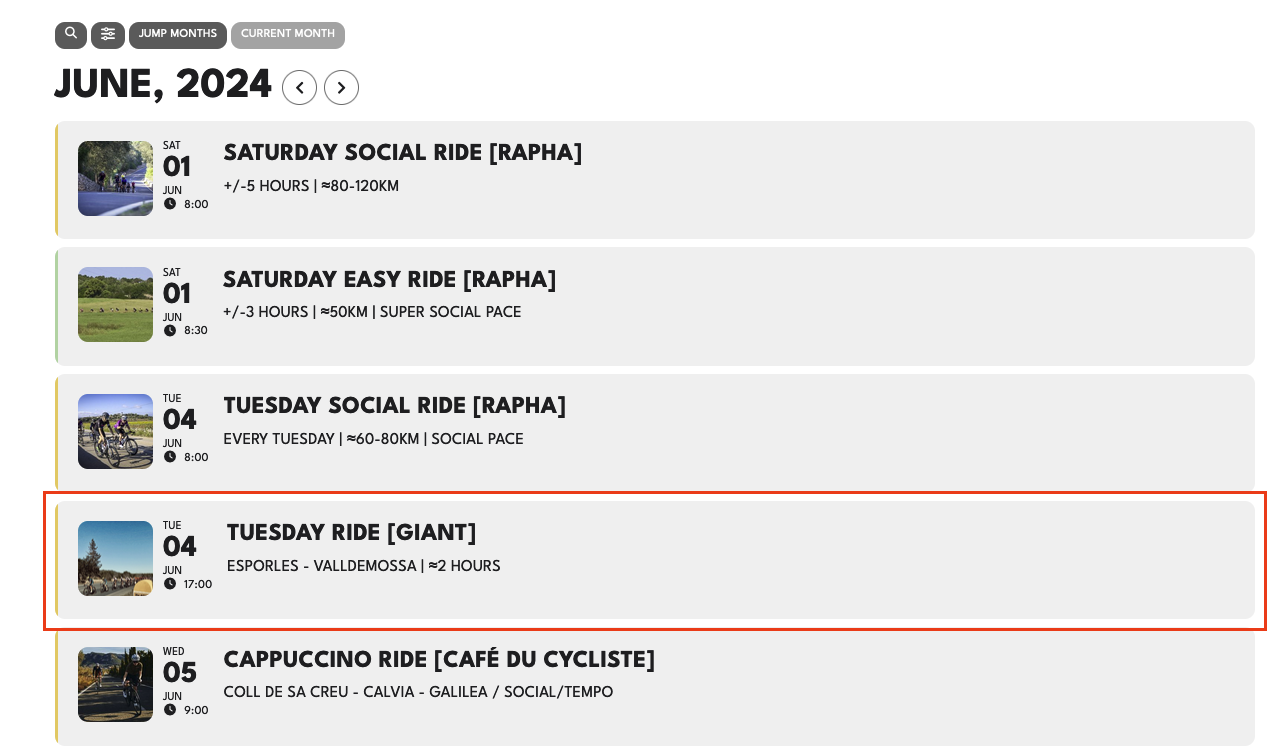
Please go to the main calendar on https://chainsandcoffee.com, go to June 2024 and click the event in the screenshot. There you can see the embedded map showing fine in the pop up window.
Copy the event URL or use this event link to see, that the embedded map is not showing as it is in the pop up window: https://chainsandcoffee.com/events/giant-palma-weekly-wednesday-social-ride/var/ri-3.l-L1
Reply to: tickets(355107)
Yes, the field is empty in the main event, because the content changes every repeating event. That’s why I put the embed code in “custome meta data field “route”, but in the “repeat customizer”.
Could you try going to EventON > Custom Meta Data > selecting “Content Type: Multiple lines of text (Trumbowig Editor)”?
–> Did that. That makes the field in the repeat customizer completely disappear?!?! :/
Reply to: tickets(355203)
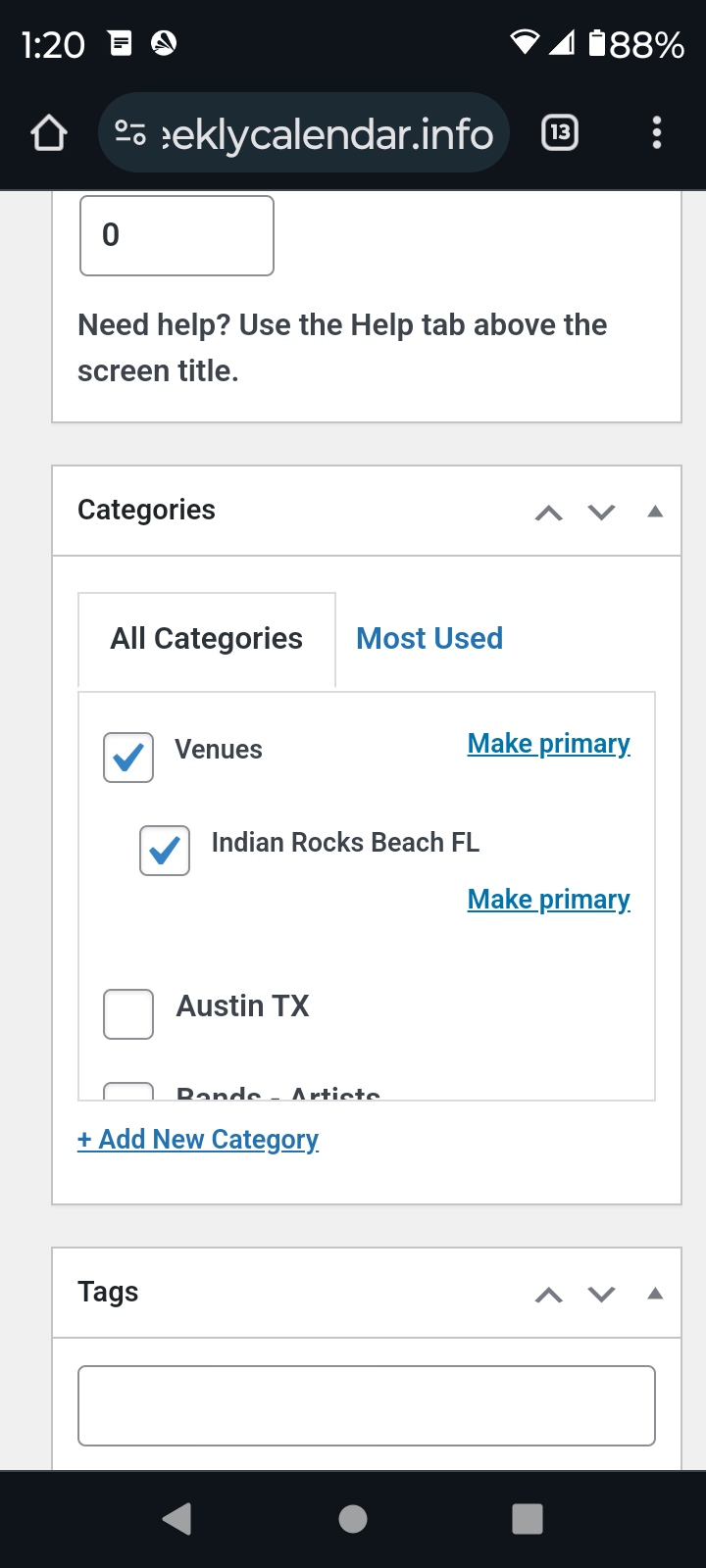
I am aware of that. The edit screen for locations and organizers do not look like a regular page edit screen. For locations I need access to categories and access to url slug so I can I can use those pages instead of pages already indexed that I did before.
Does eventon generate a page that lists all the organizers and a page that lists all locations?
Reply to: tickets(355264)
Reply to: tickets(351647)
Hi Artem,
sorry to ask you again, but now I check the mobile version and there is empty space between picture and borders. Is it possible to fix that to look like on desktop version?
Reply to: tickets(351647)
Hi Artem,
Thanks for your support. Now everything works and you can close this ticket.
Reply to: tickets(355214)
Thanks!!
Reply to: tickets(355246)
I mean day like:
:pátek, :sobota
https://prnt.sc/ooys2XVZlfcJ
Lukas