Hello,
Everything seems to be working completely fine on my side:
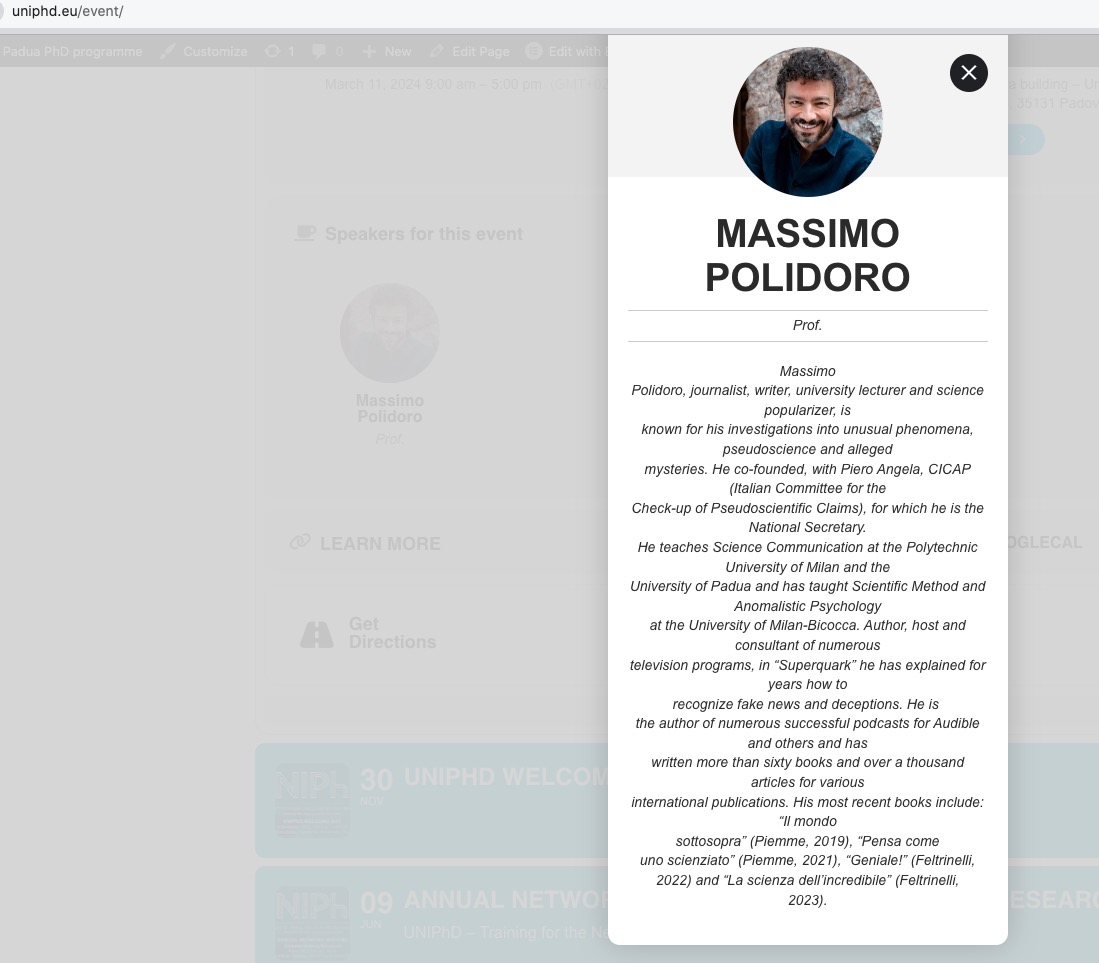
Could you check and let me know?
Replies for tickets on suppota
Hello,
Everything seems to be working completely fine on my side:
Could you check and let me know?
When will it be ready? So the error is general? I have read in other cases that you have installed the update on some websites before publishing it to solve urgent errors. Please, in that case we need that solution
Ok, I’ll let her know and see if that fixes the problem.
There seem to be a lot of strange things happening with the calendar all of a sudden. Someone just emailed to tell me that they were seeing the same events each day, no matter which date they click on. This is not happening on my computer but I had someone else say a few days ago that every time they checked the calendar it said no events. That was happening on one of my phones, but not the other (both iphones).
Now, on one of my phones the calendar won’t load at all (the page loads, just not the calendar). This is the same phone that had the issues last time. The other phone is loading fine.
If you could help me sort this out I’d really appreciate it as the user experience is really impacted.
Thank you
What code would need to be changed to add organizer image?
This whole ticket is private.
First of please try adding ux_val=”3a” to load modal windows with AJAX requests dynamically.
Next it seems that the code is loaded correctly:
https://tyskschlager.dk/test/
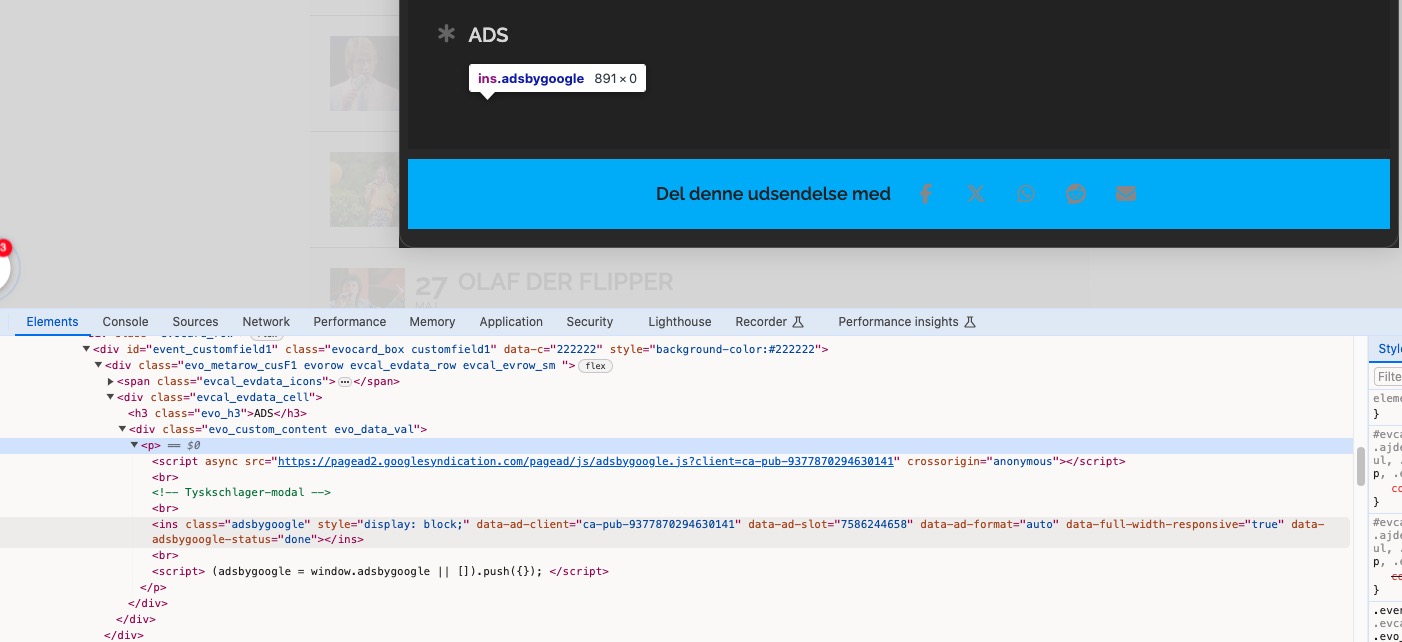
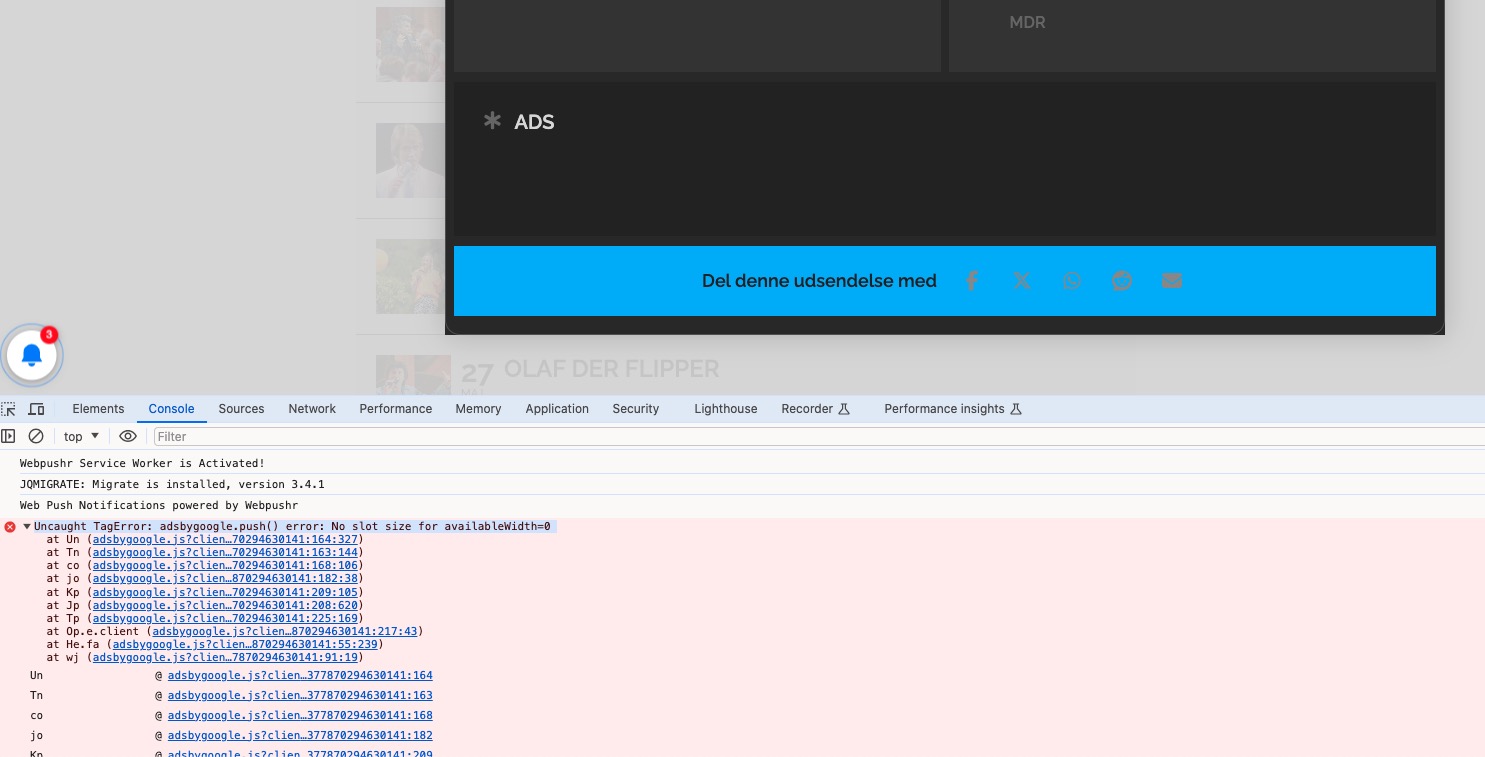
But it shows this error:
This isn’t going to work, I am afraid.
Emails work completely different from WordPress pages, for example, and you cannot just add shortcodes to them.
You need to create event list with HTML tags. Example:
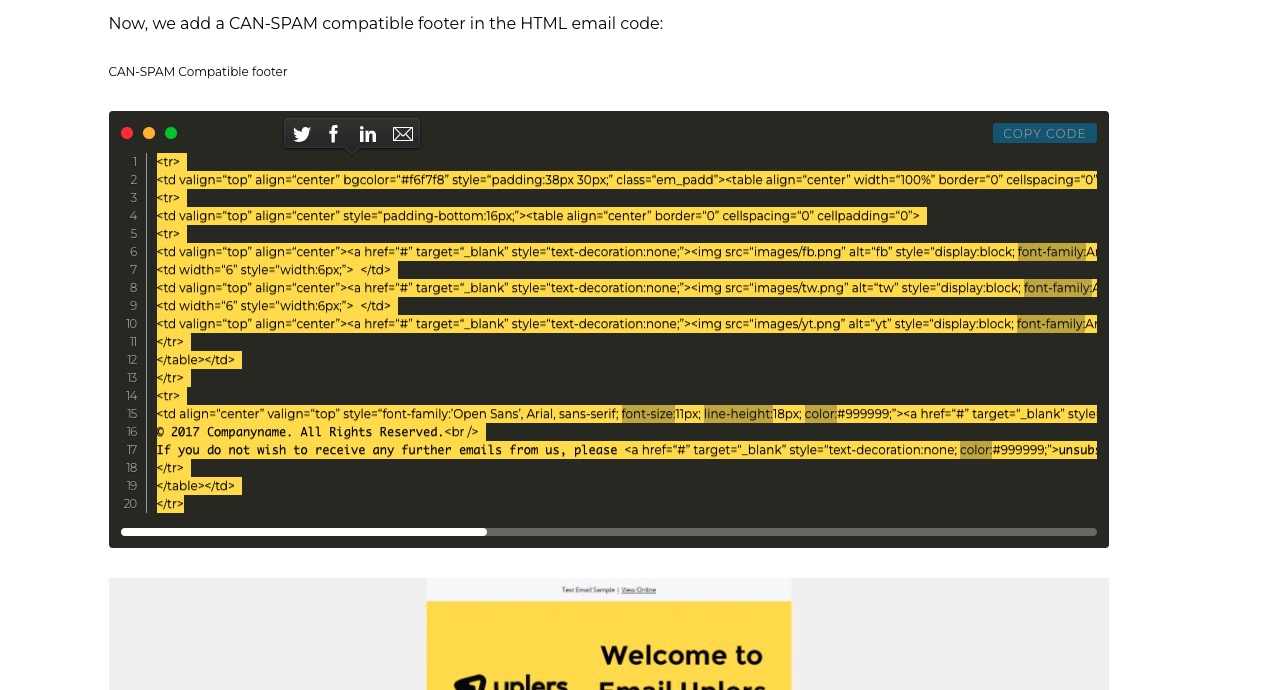
Please don’t simply add links, but rather upload them to your server and only then add URLs to Event Details.
Hello,
Please add this CSS code to EventON > Styles (If you don’t see any change, EventON > Scripts & Styling > turn off Write dynamic styles to header > save settings > turn on Write dynamic styles to header):
.evoau_submission_form p.subrows.event_org_contact, .evoau_submission_form p.subrows.event_org_address, .evoau_submission_form p.subrows.event_org_link {display: none !important}
Not possible to add Organizer Image without changing the code, I am afraid.
I’m not sure if it’s actually the same issue. Now I’m logged in I can see the response was to update, which I’ve already done.